The latest Matrix update introduces a new feature to search for properties based on commute times and improves the UI.
My Commute Time
My Commute Time has replaced My Drive Time as a more efficient way to find properties within specific commute times of a specified location (work, school, etc.)
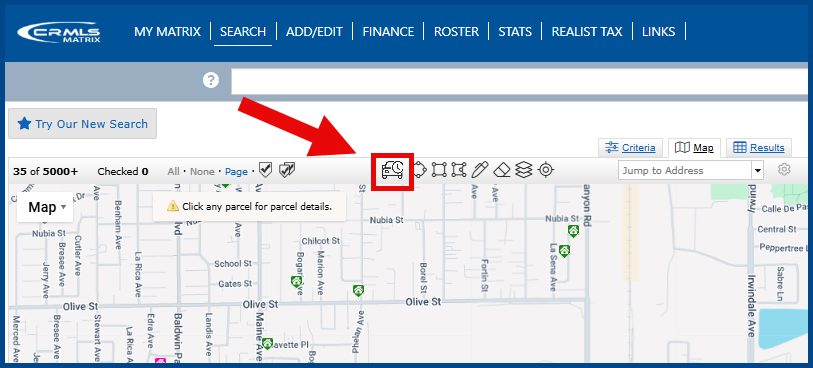
- Click the My Commute Time icon (a car with a clock) in Map Search
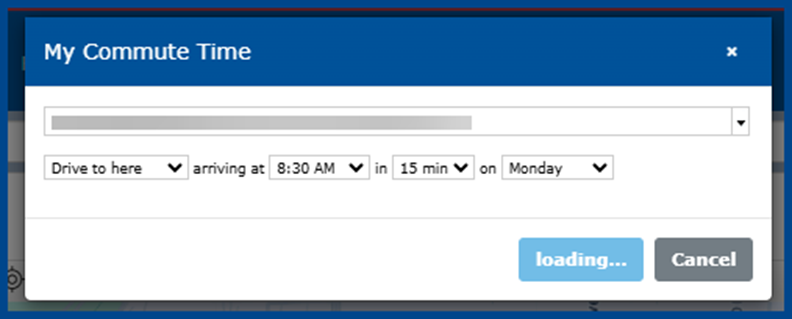
- Enter the relevant details (address, travel time, day, etc.)
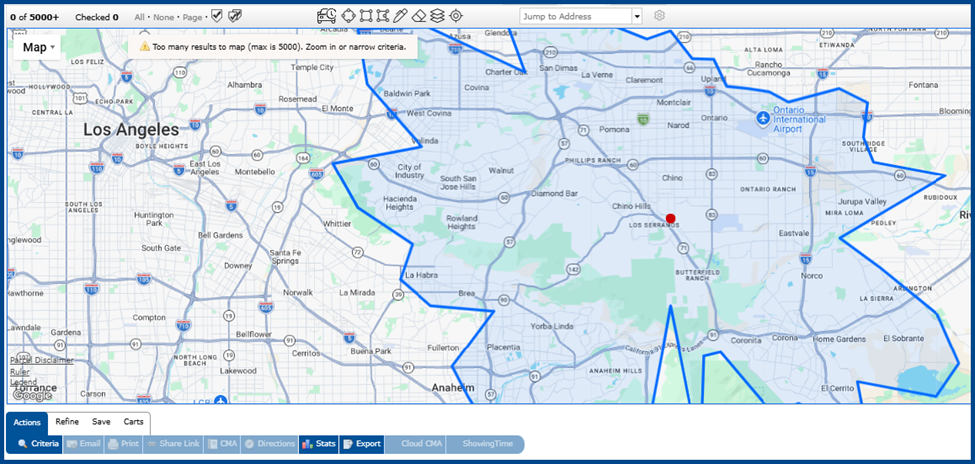
- My Commute Time will automatically draw a shape on the map. View the mapped area to identify all properties within the desired time frame.
HTML Markup for Emails
The system now automatically removes HTML code from the body of direct emails to ensure proper usage and enhance overall security for users.
Corrections & Improvements
- The cursor no longer jumps to the start of the field when typing slowly in My Matrix filter controls (Auto Email, Saved Searches, etc.)
- Listing photos with embedded rotation data now automatically display in the correct orientation when included in printed or emailed PDFs
- The Reverse Prospect list now displays in full, even when a prospect’s agent leaves some roster fields empty
- Sorting Reverse Prospect results no longer causes a pop-up error if a matching agent has been deleted