The latest Flexmls update features a new Auto Assistant to help enter listings faster and more accurately.
The Auto Assistant is a multistep Add Listing form to complete before proceeding to the full listing entry page. Auto Assistant collects data such as property type, property address, location, and tax data. It then uses that information to prepopulate the listing entry form, saving time and improving accuracy.
With the Auto Assistant, agents maintain control of their listing data, choose autofill options, and can review and confirm all data before publishing the listing.
To use Auto Assistant, start the Add Listing module in Flexmls.
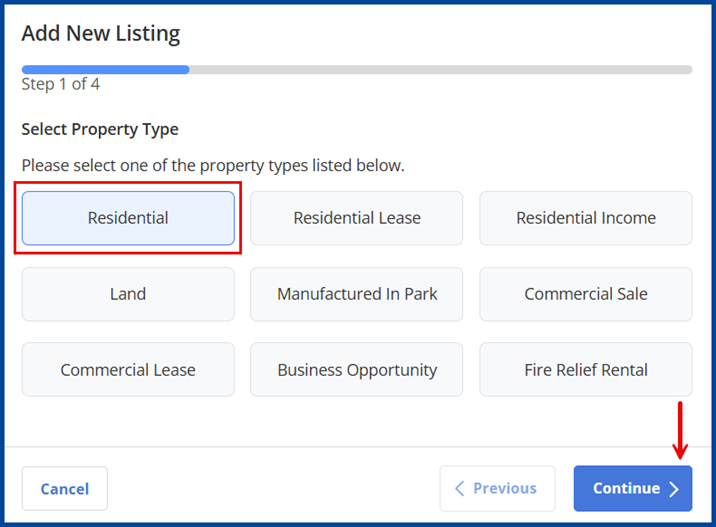
Select the Property Type, then click Continue on the bottom-right corner of the page.
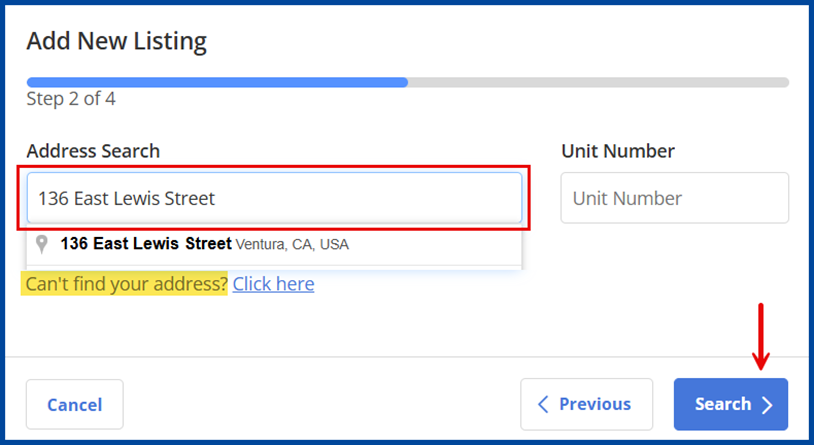
Search the Address, then click Search to continue.
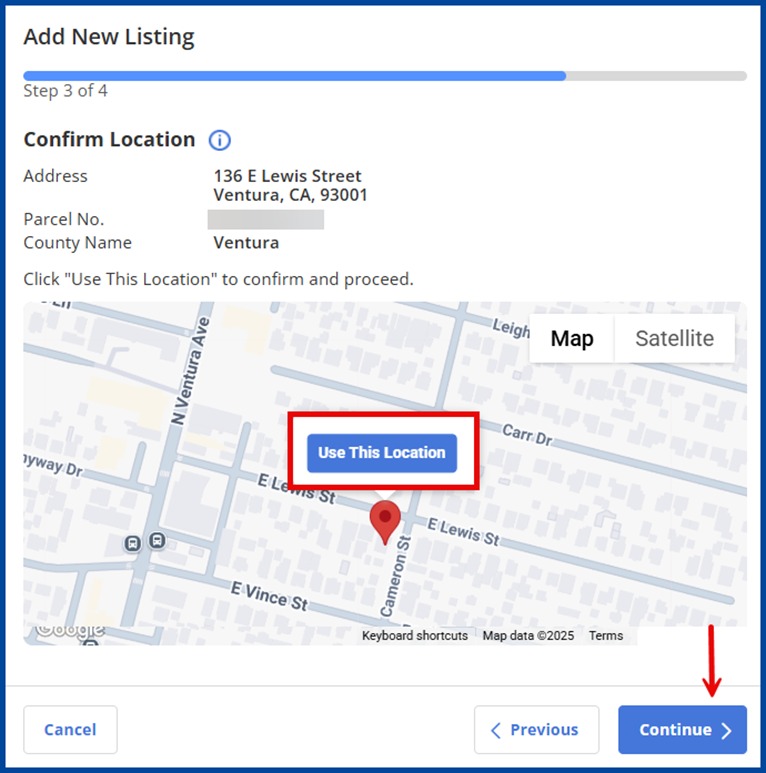
Click Use This Location on the display map to confirm the listing’s geo location and verify its address, then click Continue.
Note: The pin’s location cannot be adjusted. However, the location in the address section of the incomplete listing can be updated after completing the Auto Assistant.
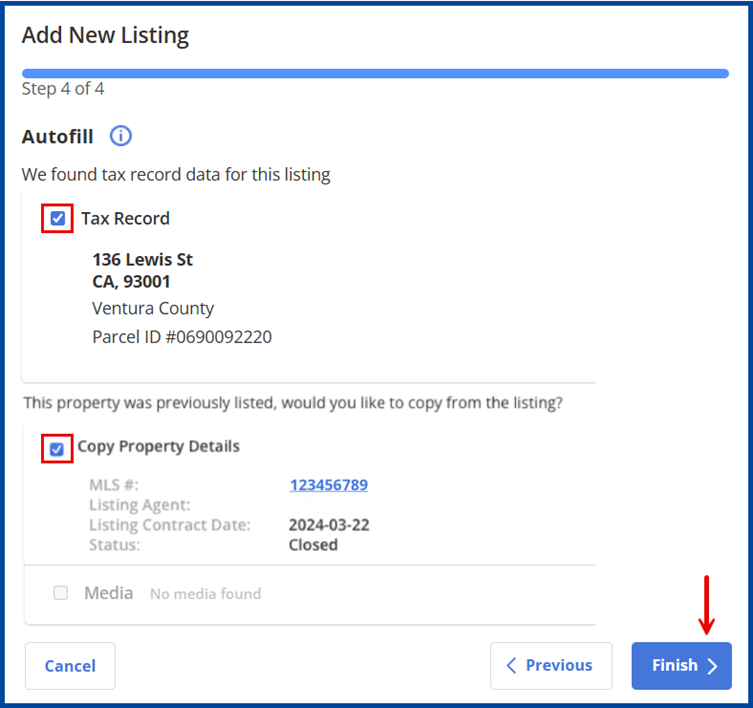
Select an AutoFill data option to locate tax data and your previous listing data (if applicable) to automatically add any available data, then click Finish.
Note: Only the primary listing agent for the previously listed property may copy its details.
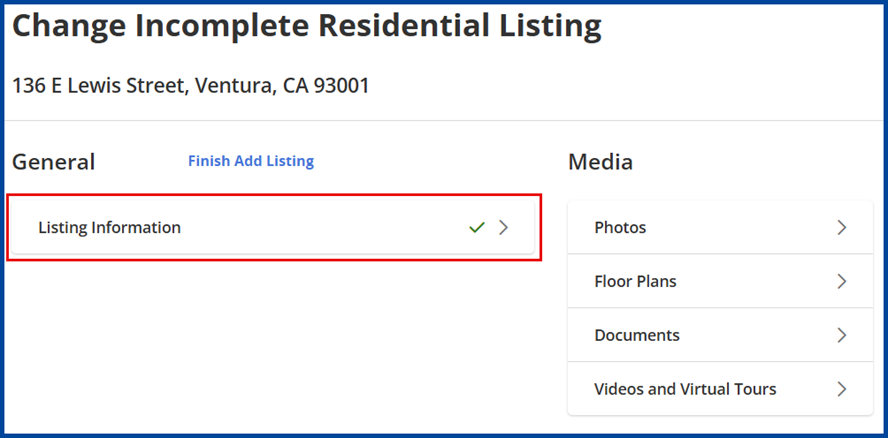
Your listing will save as incomplete. Select Listing Information to continue entering required listing details and verify auto-populated fields for accuracy.
Note: The agent is always responsible for checking the data’s accuracy, regardless of the source. Any auto-populated data must be reviewed before publishing the listing.