An Internet Data Exchange (IDX) is how cooperating brokerages share listings through websites and portals. This guide covers how to update how listings are display on IDX feeds.
Defining the Listing Credit Rule
Per Rule 12.16.5, the advertising broker may only display listings submitted to the service by the listing broker if that listing broker permits them. Moreover, the listing display or advertisement must be clear so that a reasonable real estate consumer understands:
- Who the listing agent and broker are
- Who the advertising broker is
- How to contact the listing agent or broker
Listing Contact Information for Brokers
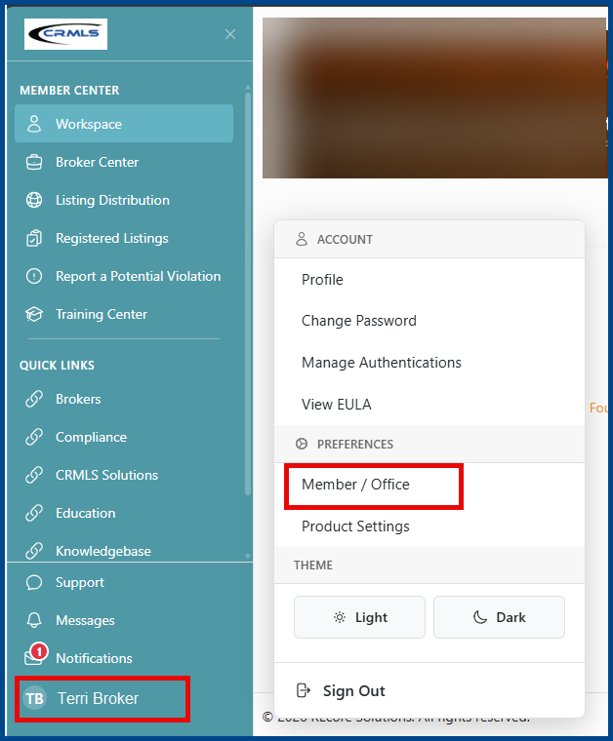
Set your office’s preferred contact method by logging into the REcore Workspace and click your name in the bottom-left corner of the screen. Once the Account window opens, select Member/Office under Preferences.
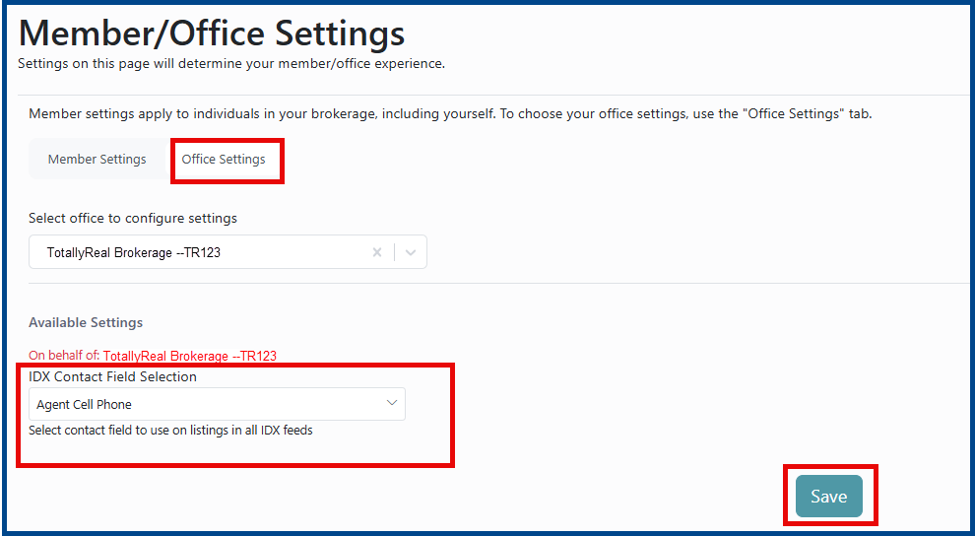
From the Member/Office Settings page, click Office Settings, then select the preferred contact method (e.g., Agent Cell Phone) under the IDX Contact Field Selection dropdown. Click Save.
Note: Your selection will affect your entire office and cannot be changed by your agents.
Note: While a few contact options come from individual listings, most pull from the member roster (e.g., if you select a co-agent email, the IDX display will populate with the co-listing agent for that specific listing).
How to allow Agents to Select Their Preferred Contact Method
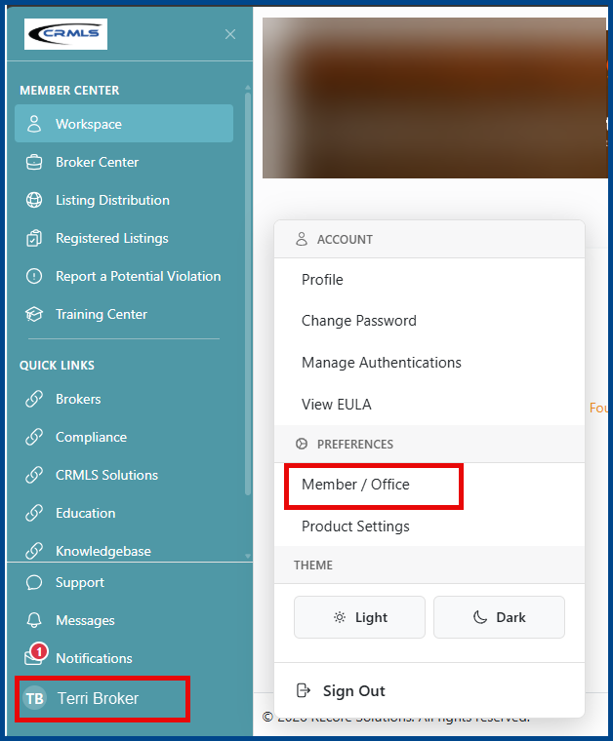
Log into the REcore Workspace and click your name in the bottom-left of the screen. Once the Account window opens, select Member/Office under Preferences.
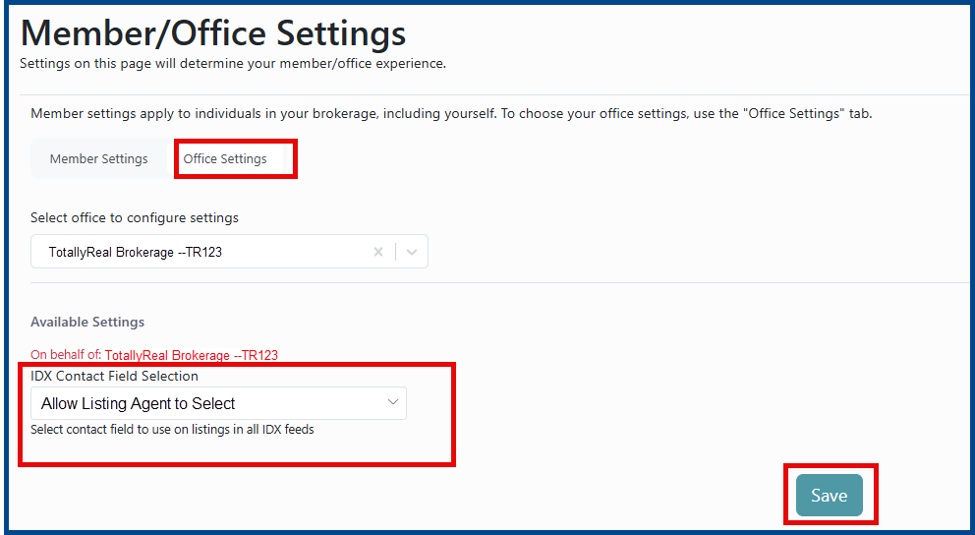
From the Member/Office Settings page, click Office Settings, then choose Allow Listing Agent to Select under the IDX Contact Selection dropdown. Click Save.
Note: While a few contact options come from individual listings, most pull from the member roster (e.g., if you select a co-agent email, the IDX display will populate with the co-listing agent for that specific listing).
Listing Credit Setup for Agents
Log into the REcore Workspace and click your name in the bottom-left of the screen. Once the Account window opens, click Member/Office under Preferences.
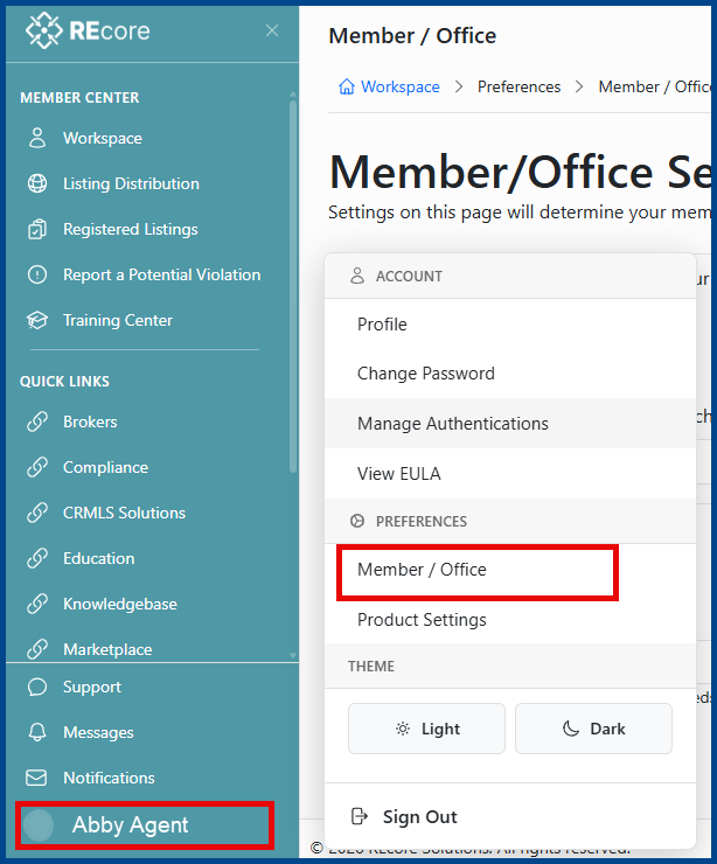
From the Member/Office Settings Page, enter the contact to use on listings in all IDX fields under the IDX Contact Field Selection dropdown. Click Save.
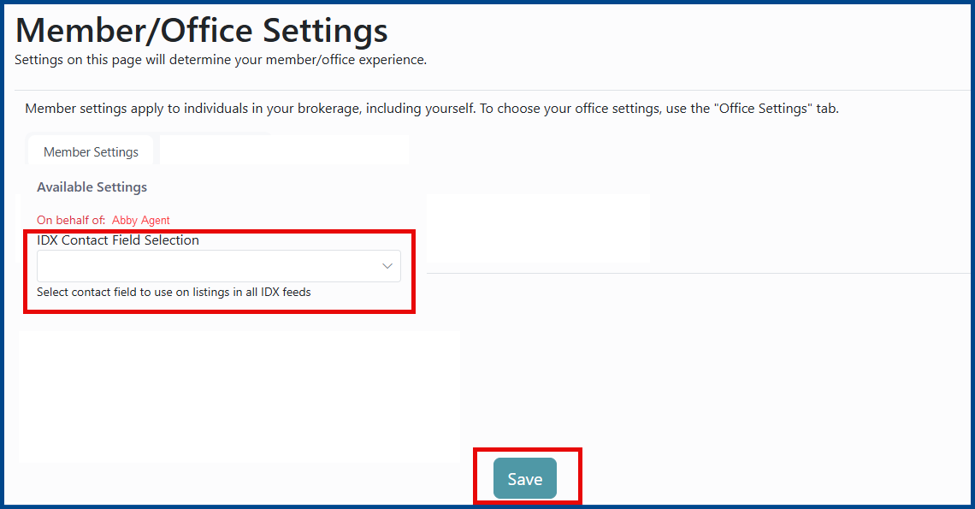
Note: If the broker has not permitted office agents to choose their preferred method of contact, a red lock will appear next to the dropdown. This option cannot be modified unless the broker updates the field to Allow Listing Agent to Select.