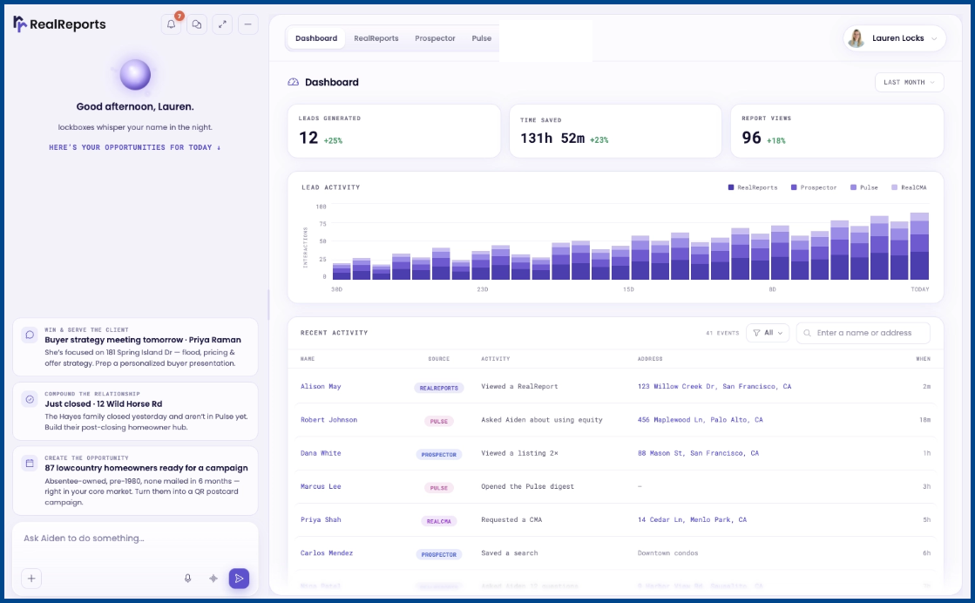
The latest updates include UI improvements, redesigned property reports, and new functions for Aiden, RealReports’ built-in AI assistant.
Redesigned Interface
The updated layout encourages quicker and easier navigation across desktop and mobile. All core product functions remain the same.
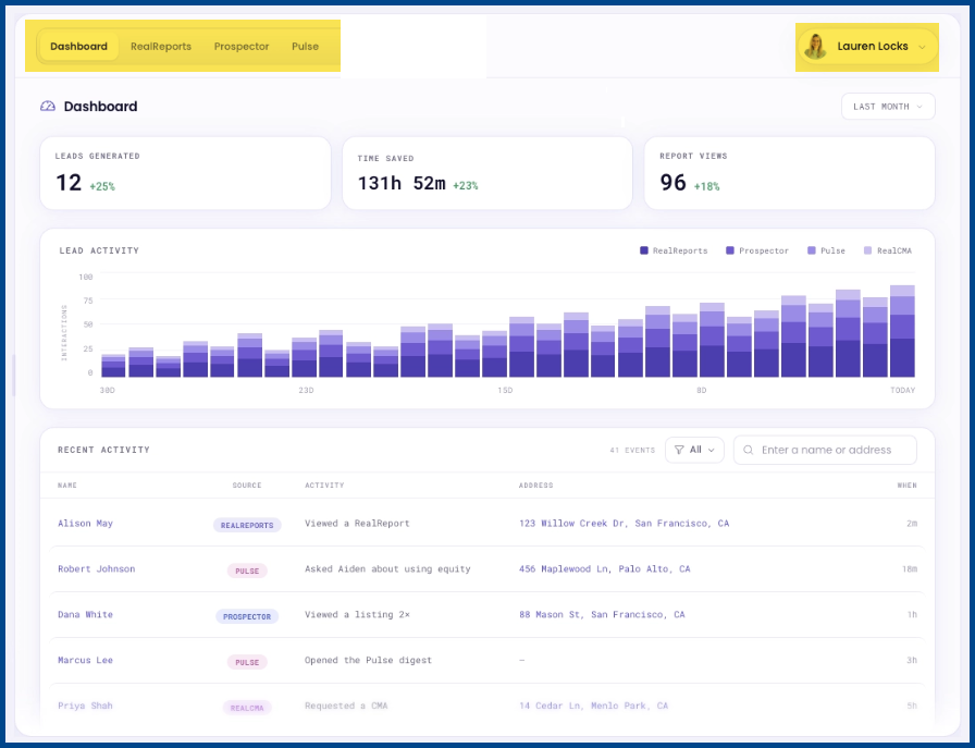
Dashboard Updates
Quick access includes:
- RealReports
- Prospector
- Pulse
- Account Settings
New Aiden Functions
Updates include an optional credits-based feature that provides access to additional functionality and can be opted in to or out of as needed.
Aiden is the AI assistant integrated throughout RealReports. It can now perform tasks directly on the platform as well as answer property and workflow questions.
Use Aiden to track progress, monitor goals, and maintain access to what’s open on your dashboard. Each prompt submitted to Aiden will be charged credits, and the number of credits is determined by the prompt’s complexity.
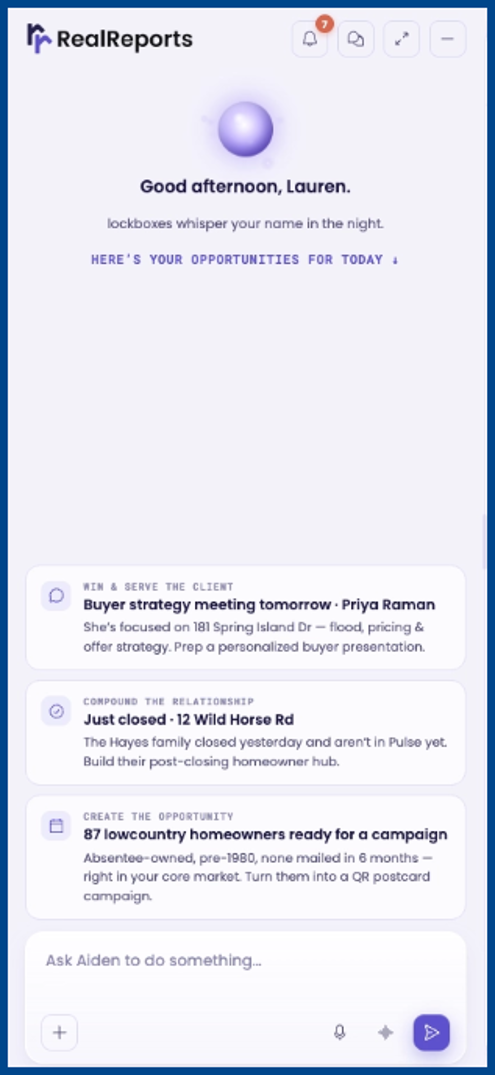
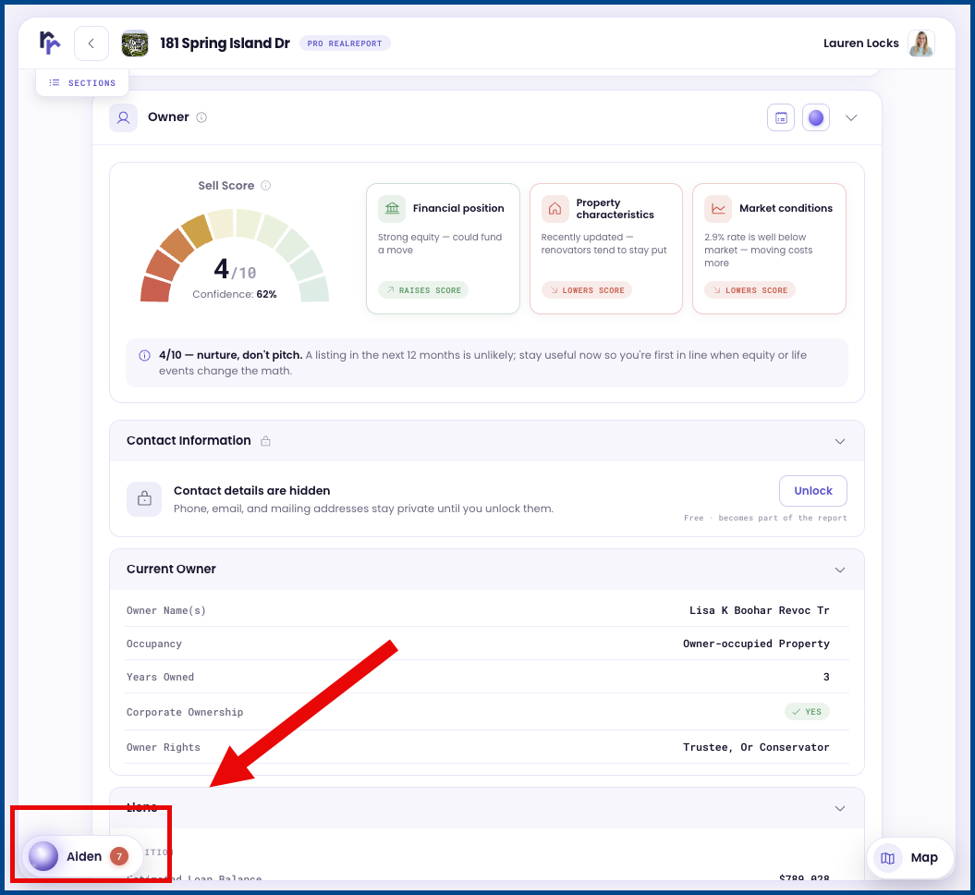
Aiden appears in the sidebar by default and offers the following customization options:
- Keep Aiden open alongside the dashboard
- Expand or contract the sidebar
- Open Aiden full screen
- Minimize Aiden into a floating action button (FAB)
- Interact with Aiden using voice or text on desktop or mobile
Note: Aiden is optional and not required to access or use RealReports.
The Difference Between Aiden “Classic” and “Agentic” Modes
Aiden offers two operating modes: Classic and Agentic. Classic Mode, the legacy model, supports Aiden’s existing AI functionality, such as answering property and support questions.
Agentic Mode, the flagship model, supports all of Aiden’s advanced features, including initiating workflows, conducting research and analysis, using third-party connectors, and storing memory. Agentic mode proactively assists with task completion while leaving the final decisions to the user.
How to Change Modes
There are two ways to select your preferred mode:
- Select the + button on the Aiden dialog box and select Mode (Agentic or Classic)
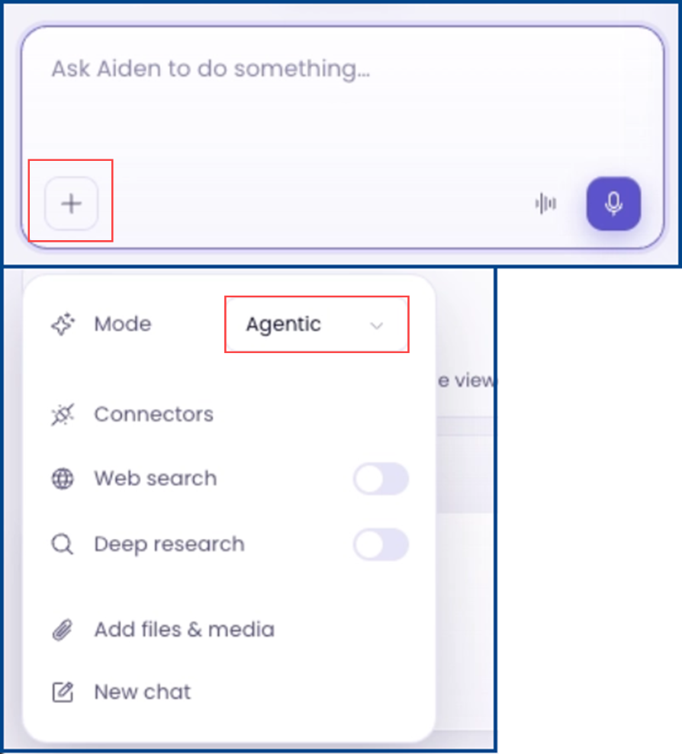
NOTE: Use the first method above to change your default mode from within the chat.
- Go to Settings > Aiden Settings and select Mode (Classic or Agentic)
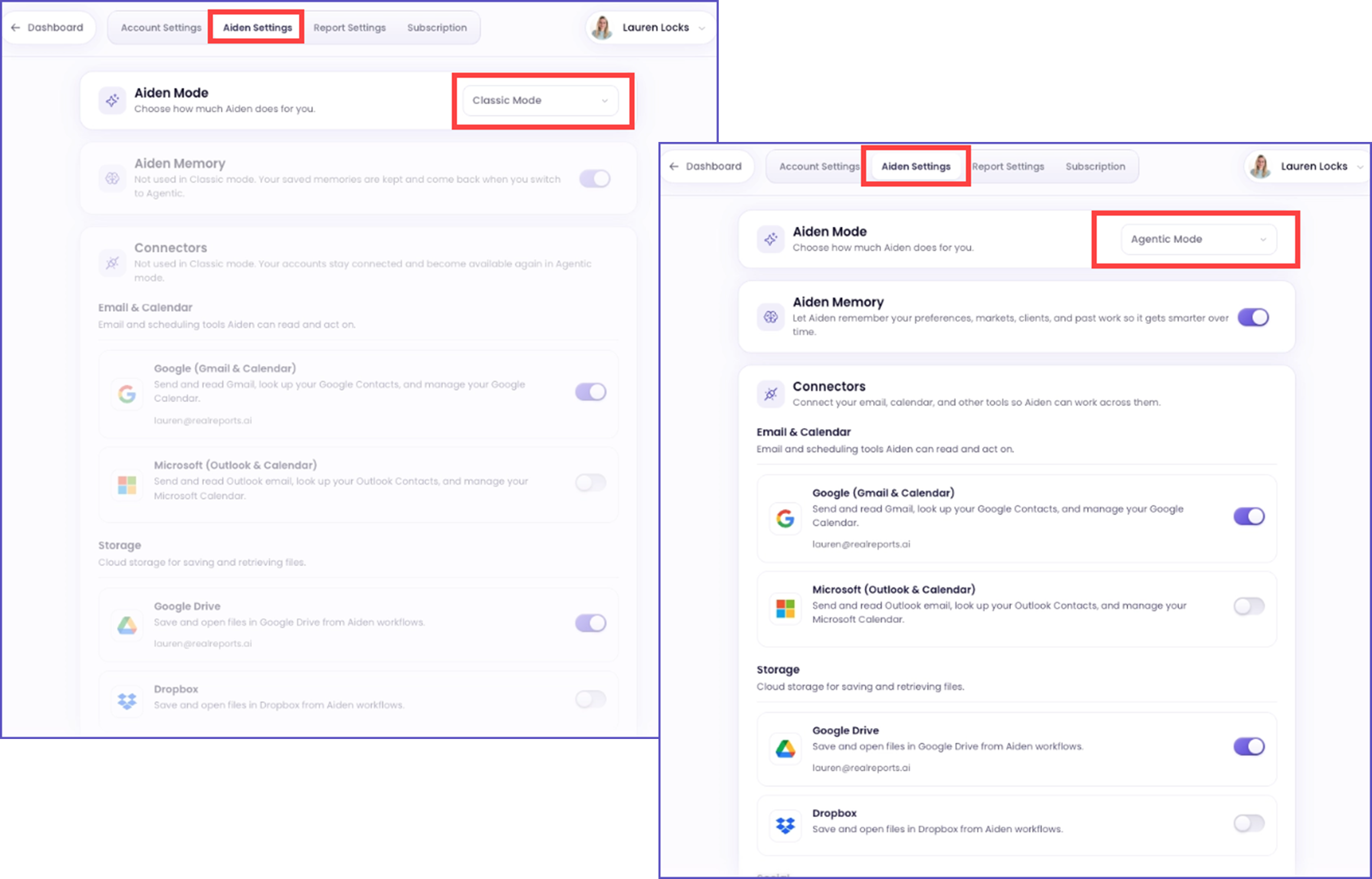
Using Credits in Agentic Mode
Agentic mode uses a credit-based system. Each prompt deducts credits from the user’s balance, with costs ranging from cents to dollars and varying based on the complexity of the request, workflow, or task performed. This is similar to other AI tools, such as ChatGPT or Claude. For any additional paid purchases initiated through Aiden, such as Pro RealReports, report section upgrades, and postcard campaigns, user confirmation is required before the charge is applied.
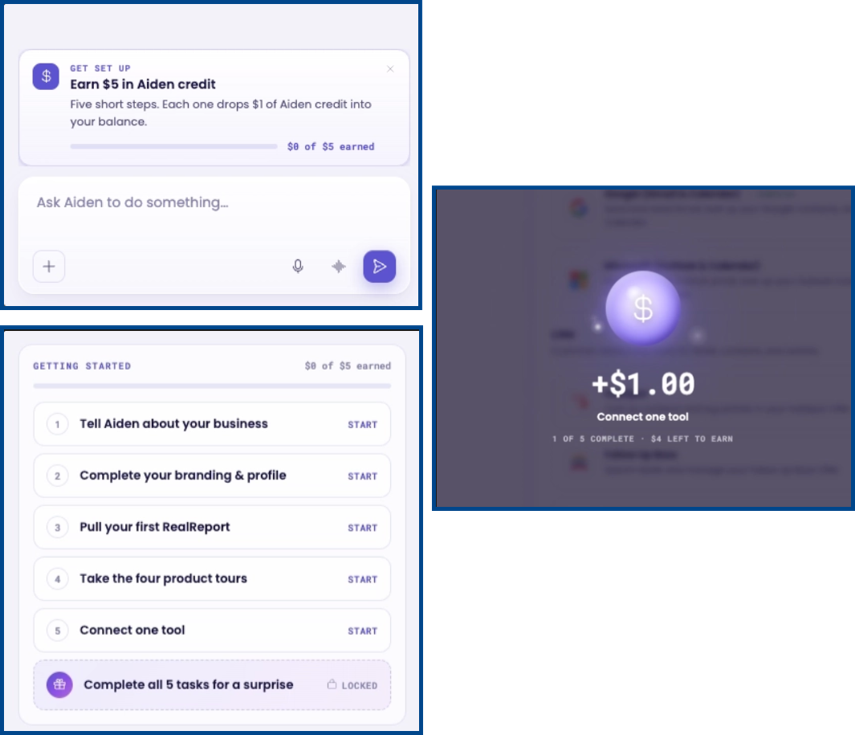
To help get you started, you’ll receive $5 in credit just by completing the new Aiden onboarding process. See the Earn Credits with Onboarding section for more details.
Supporting Third-Party Connections
Connecting third parties to Aiden, regardless of mode, is optional. Use connectors to make recommendations more personalized and enable Aiden to perform more actions across the user’s existing workflow.
Connecting an app does not automatically open a data pipeline. Connectors are a controlled bridge that the agent operates through rather than an open sync. The agent connects each app via OAuth and chooses to read and/or write access. Connecting alone does not automatically grant write access.
Note: Aiden uses the connected account to look up contacts, files, or records to support a specific workflow. It is not a bulk MLS/brokerage feed that syncs into a connected system.
Write Access
Write access allows RealReports to send data to a connected platform (e.g., email, CRM note, loop export, Drive save, etc.), but only when the agent has granted written permission and explicitly directs that action. Consequential writes are confirmed before being sent.
Note: MLS, brokerage, or RealReports data only enters a connected system when the agent intentionally directs it there.
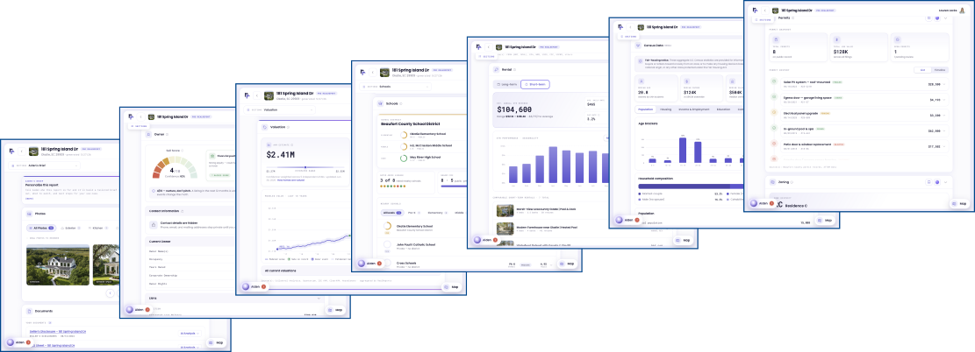
Redesigned RealReport Templates
The new display prioritizes primary insights over supporting details. Additionally, Aiden can answer property questions or begin other tasks from within the report.
Earn Credits with Onboarding
Earn up to $5.00 in credits by completing the onboarding tasks available in Aiden. These credits can be used towards completing AI prompts or the selected report.