This guide details the steps for when a seller chooses to limit the distribution of their property to broker-directed websites and social media while it is in the CRMLS Coming Soon status. This option is supported by a new form titled “Seller’s Instructions for Limited Exposure in Coming Soon Status” and must be used in conjunction with the original Coming Soon form.
What to Know
By default, Coming Soon listings are set to “Internet: Yes,” which means they will be distributed through IDX feeds onto third-party sites. The new Limited Exposure option can exclude listings from designated third-party sites at the client’s request without limiting the ability to share the listing on broker-controlled websites and/or social media platforms.
To accomplish this, the new Seller’s Instructions for Limited Exposure in Coming Soon Status form must be used. Note: Once the status of a Limited Exposure Coming Soon listing changes to Active, the listing MUST be MANUALLY updated from “Internet: No” to “Internet: Yes” unless the seller instructs there to be no internet distribution, in which case the listing must be removed from all social media platforms and taken off any broker controlled websites.
How to Limit Exposure for Coming Soon Listings
- Review and complete the “Seller’s Instructions for Limited Exposure in Coming Soon Status”form with your seller.
- Enter your listing in the MLS as Coming Soon
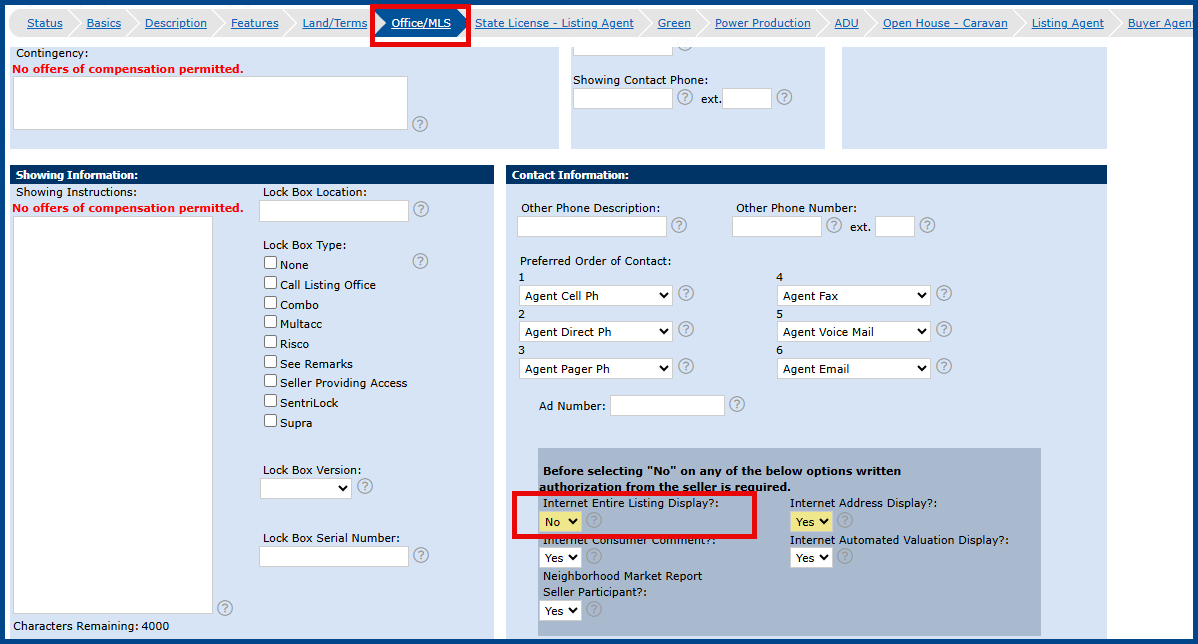
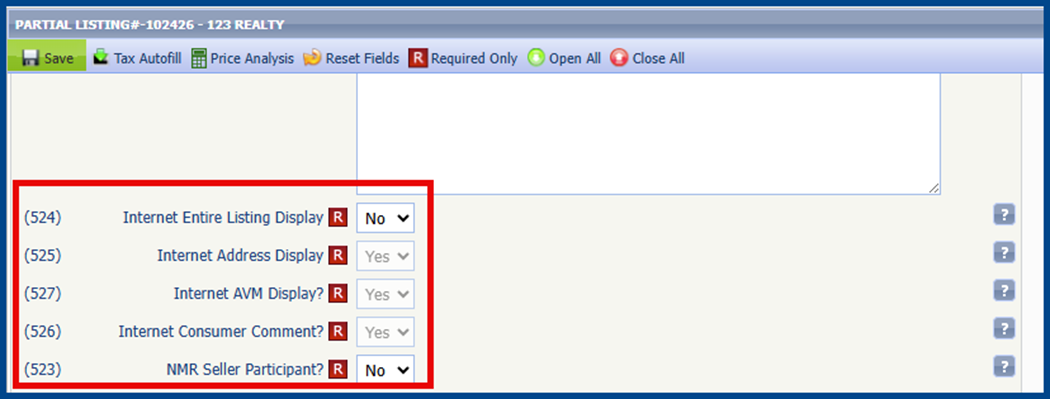
- Set “Internet Entire Listing Display= No”
Matrix
Paragon
Flexmls
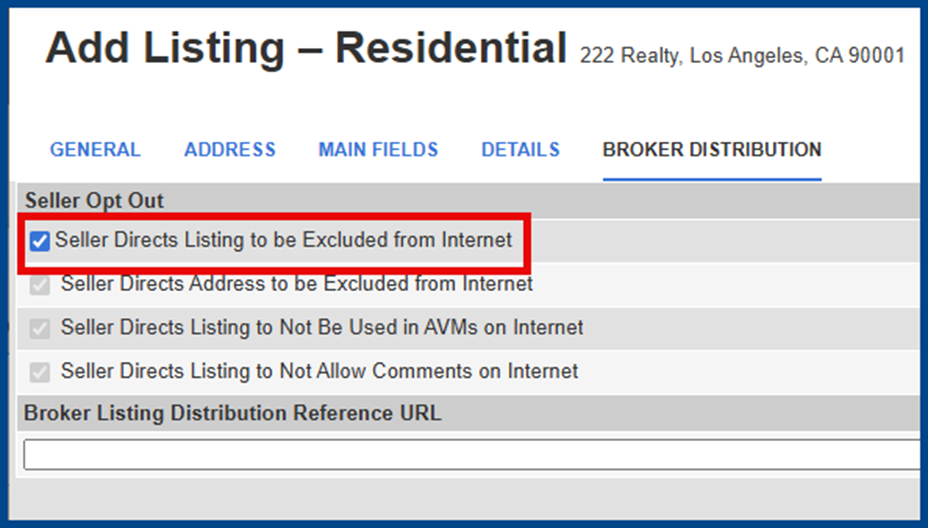
Once the listing enters Active status, agents must MANUALLY change the Internet Entire Listing Display field to Yes
How to Distribute Coming Soon Listings After Limited Exposure
Matrix
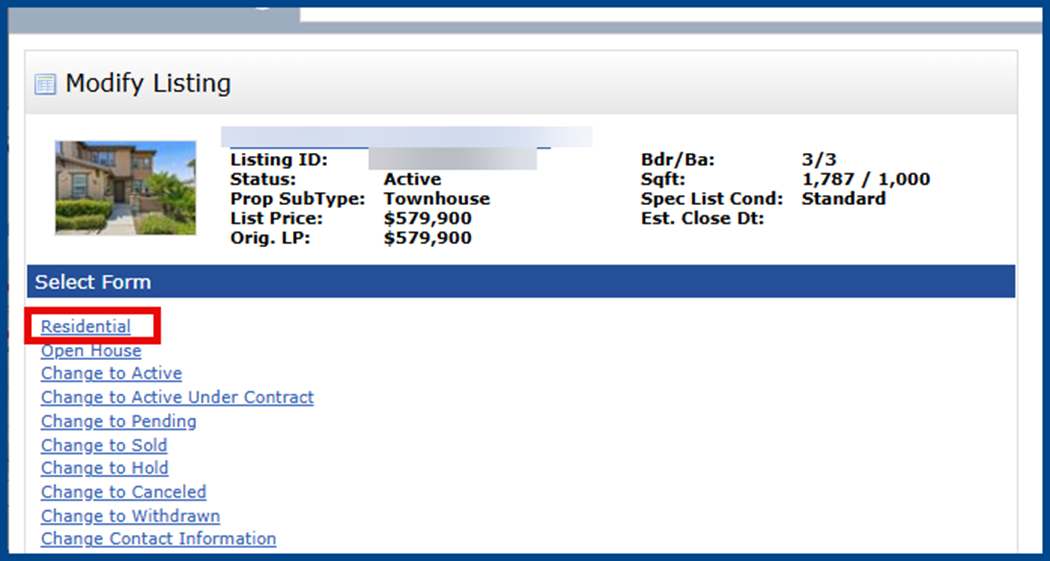
From the Modify Listing page, choose the property type form (i.e., Residential).
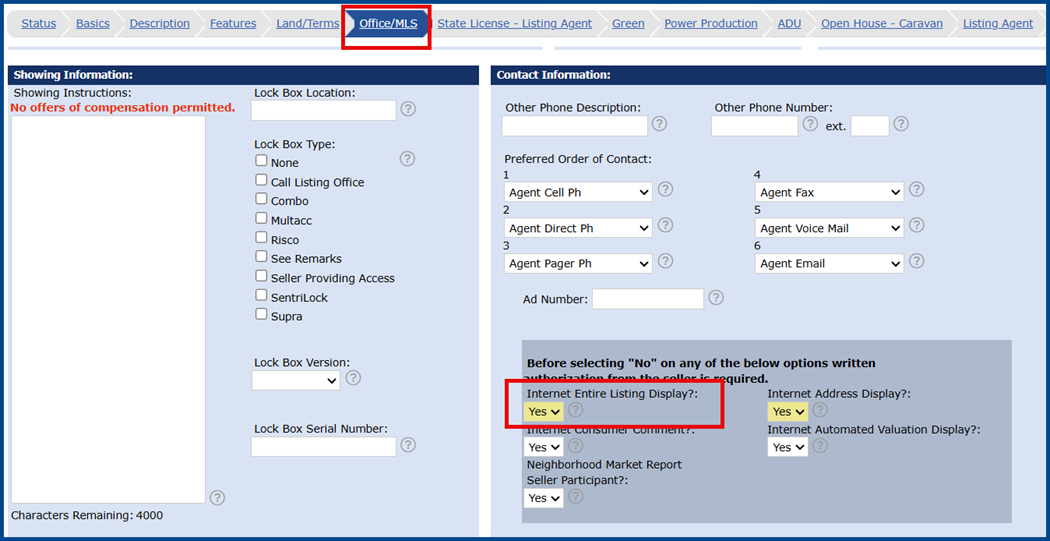
Under the Office/MLS tab, change the highlighted Internet fields to Yes.
Paragon
From the Listing Maintenance page, click Listing Facts and go to field (524). Change the Internet Entire Listing Display field to Yes.

Flexmls
Click Listing Information from the Listing Maintenance page.
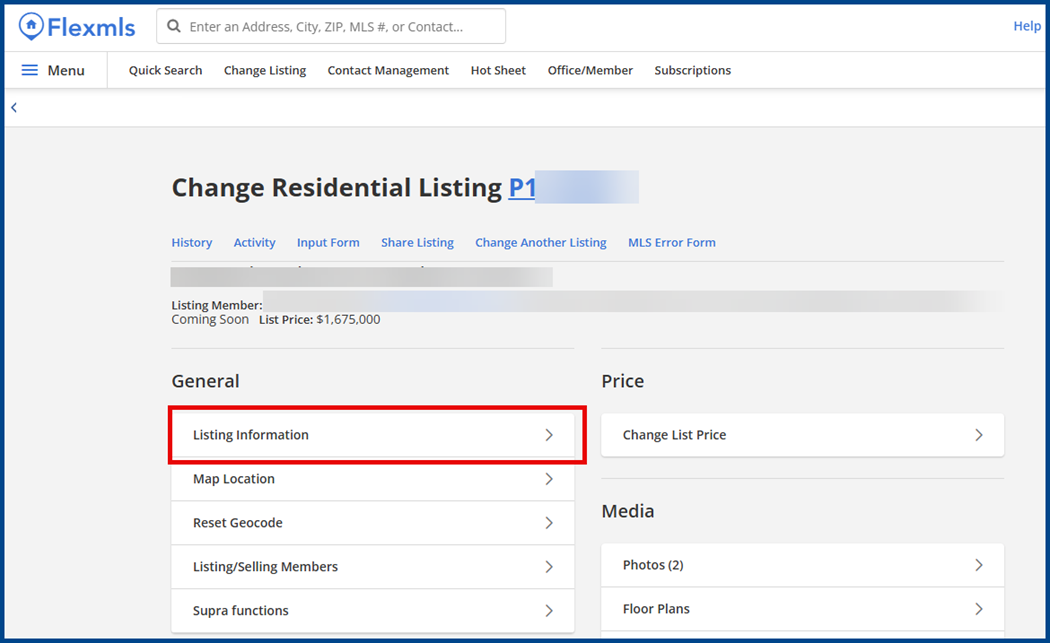
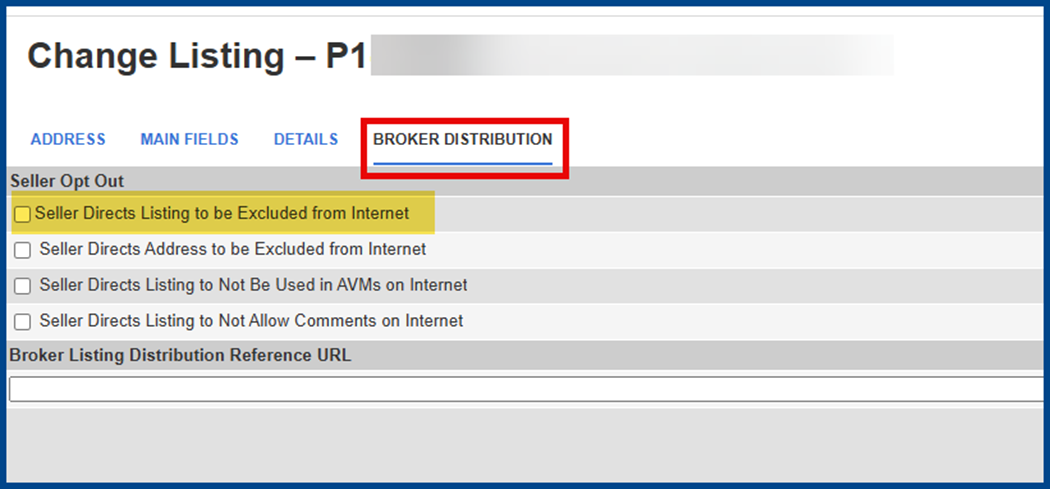
Click Broker Distribution and uncheck the box for Seller Directs Listing to be Excluded from Internet.