The latest Paragon update includes an email template for purging partial and unpublished listings before expiration, and enhanced search features in Paragon Connect.
Listing Match Tracker – Preselected Match Types
The Listing Match Tracker received two visual updates:
- Match cards now use the “Updated” label to show when a listing has changed, replacing the previous “Notified” label.
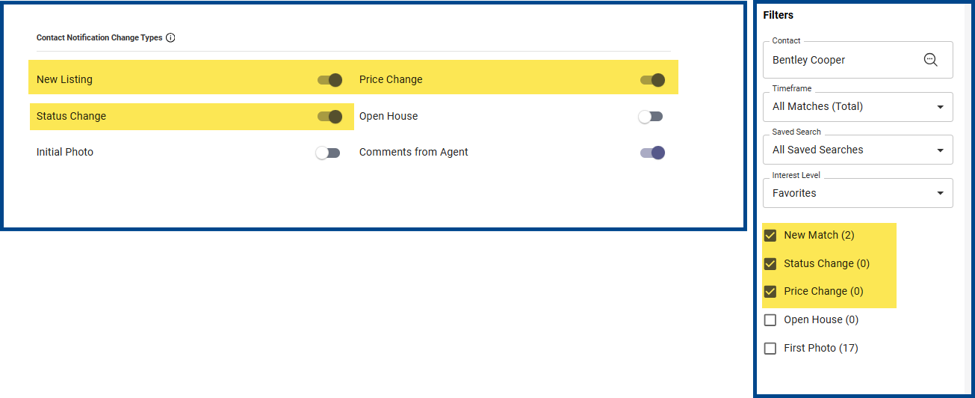
- The filter selections (e.g., New Listing, Status Change, and Price Change) now automatically match the preferences on your Notifications page.
New Purge Email Template for Partial and Unpublished Listings
The partial and unpublished listing purge email now includes a direct link to relevant inventory so that you can review, finish, or retire a listing before it automatically expires.
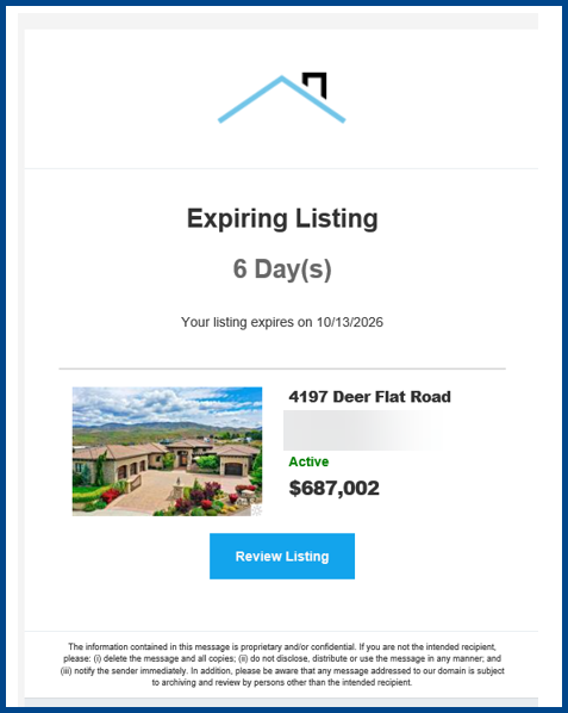
Note: Purge emails will continue to show a countdown to the scheduled expiration date for partial and unpublished listings. No additional action is required for automatic removal.
Expanded Access to Standard Listing Views
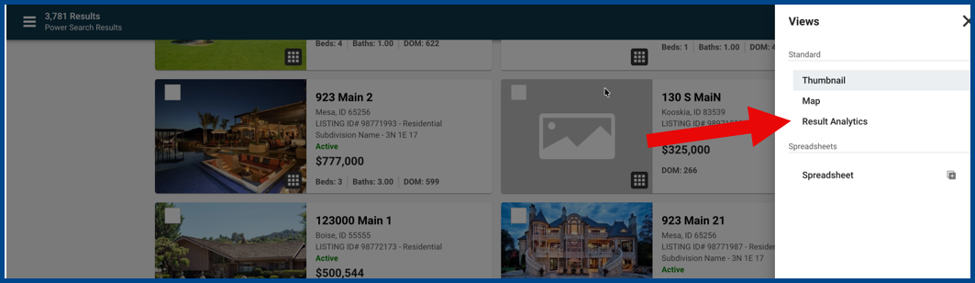
View Result Analytics, CMA Summaries, and Custom Spreadsheets in the Power Search and Listing Carts features of Paragon Connect.
Map Search for Hotsheet, Tour, and Open House
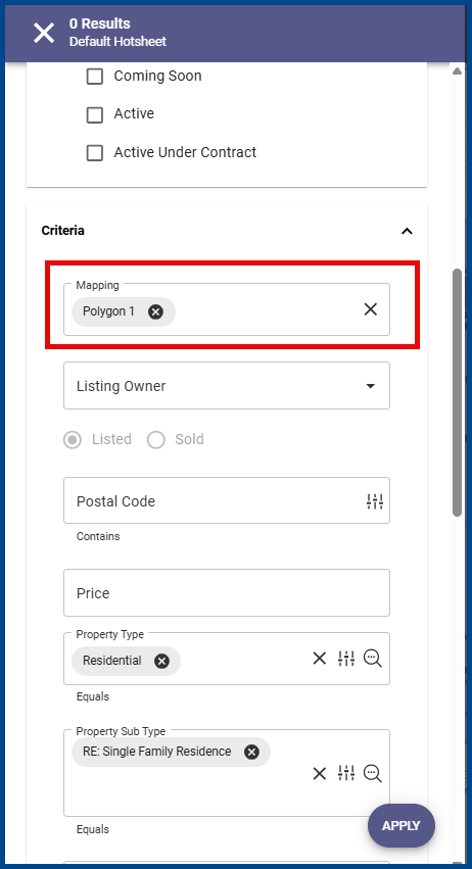
Search by Map now appears first among the criteria for Hotsheet, Tour, and Open House searches in Paragon and Paragon Connect. Enter boundaries and shapes in the Mapping field to apply map-based searches with other standard criteria.
Hotsheet, Tour, and Open House Results Updates
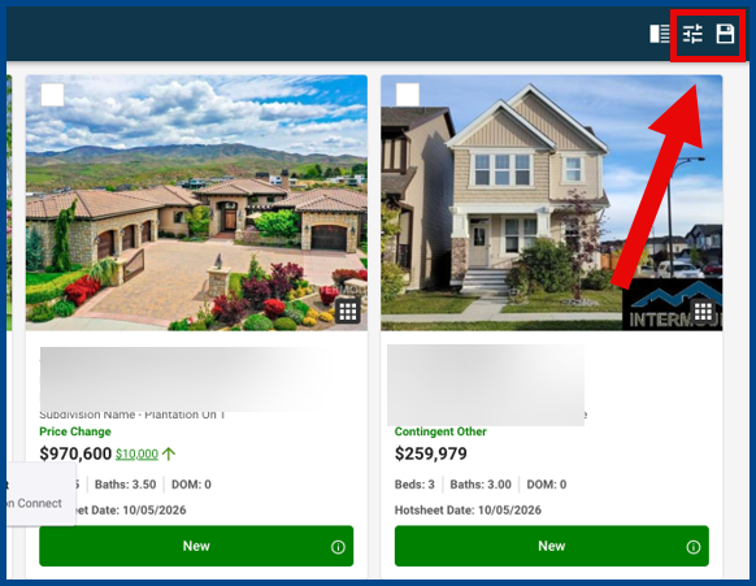
The Hotsheet, Tour, and Open House Results pages in Paragon Connect now include vertical result cards with Filter and Save control icons directly on the results toolbar.
Vertical Thumbnail Cards with Customizable Fields
Property search thumbnail results now use a vertical card design that displays more listings and offers greater control over the listing details shown on each card.
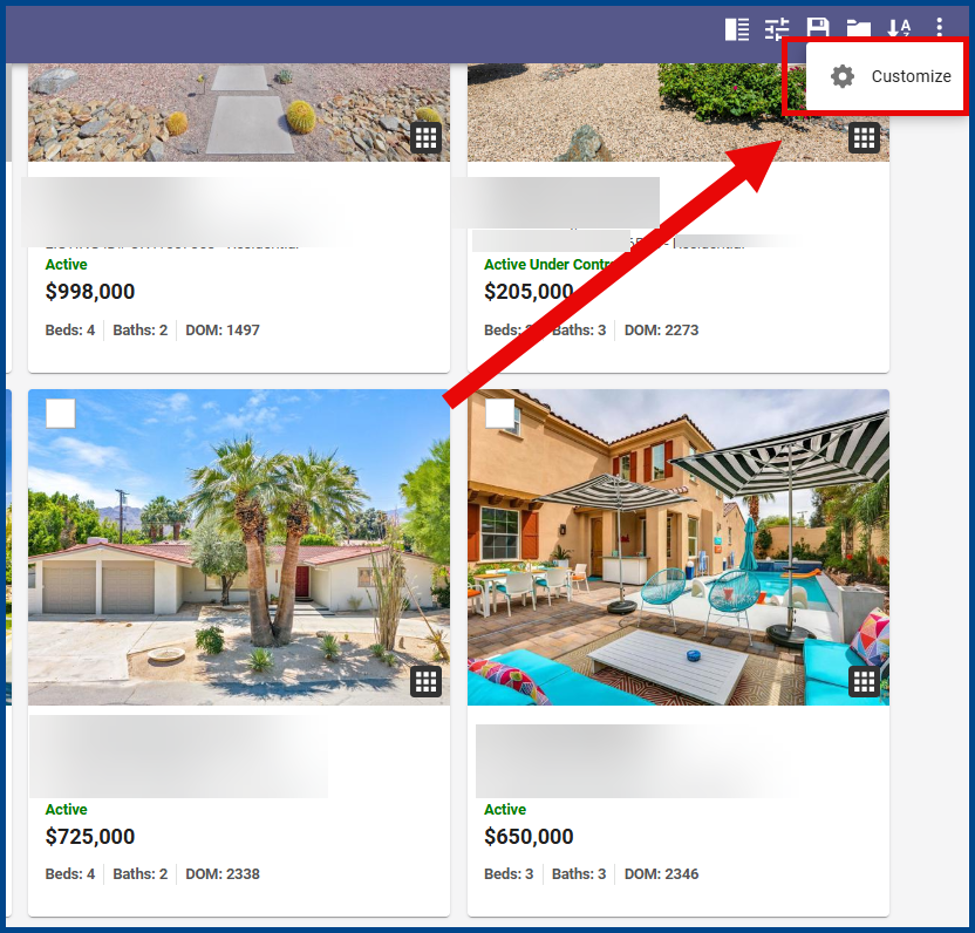
From Thumbnail View, click the three dots (ellipsis) icon in the top right of the results app bar, then click Customize.
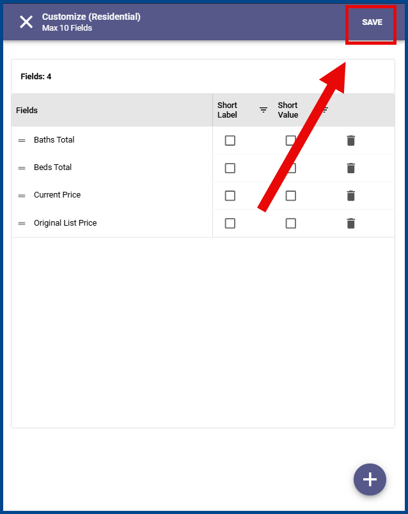
Click the + (plus) sign at the bottom right of the Customize window, then select up to 10 fields to display per listing. Click Add once the desired fields are selected.
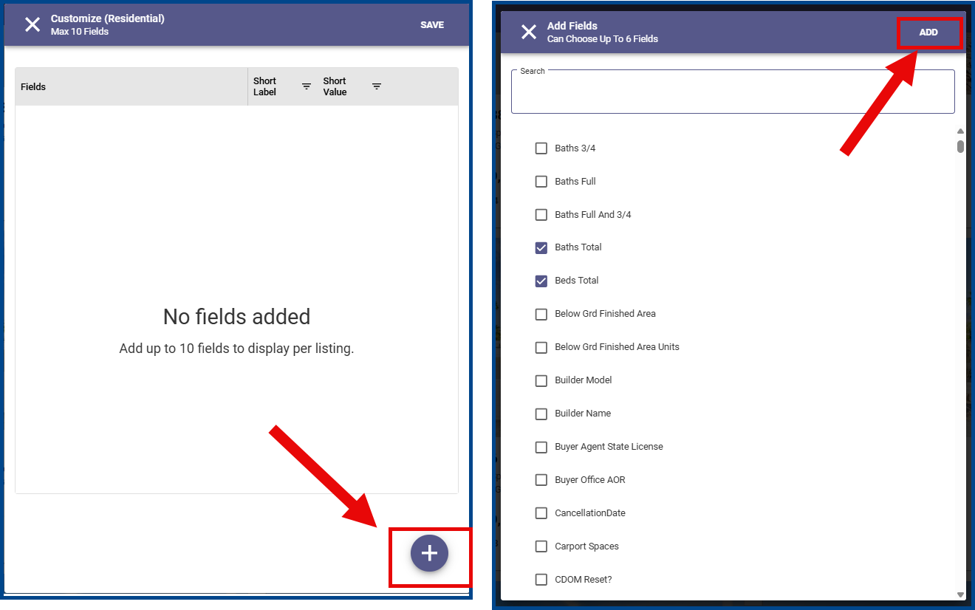
Click Save to confirm your changes and view the updated thumbnail cards.
RPR Market Trends Report Integrations for NAR Members
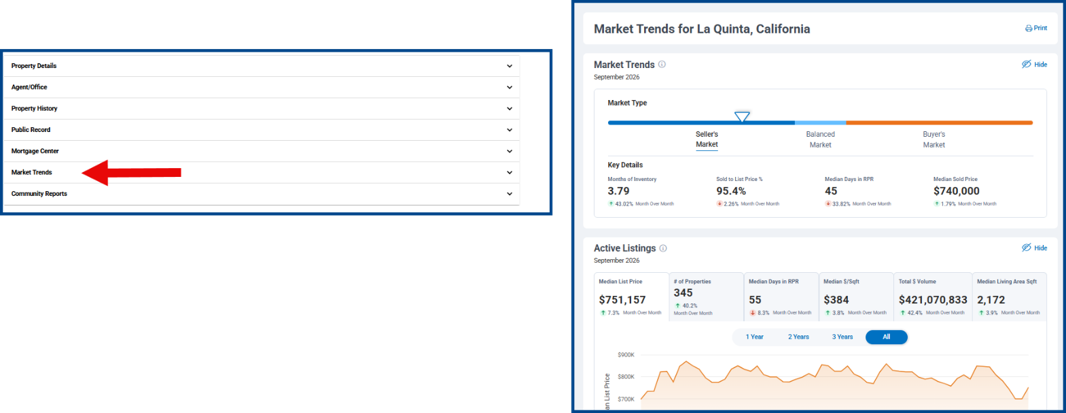
Expand the Market Trends container on ConnectView and Paragon Connect listing detail views to access the RPR Market Trends report. The RPR Market Trends report is located just above Community Reports for a simple details flow.
Note: RPR Market Trends reports are only available to participating NAR members.