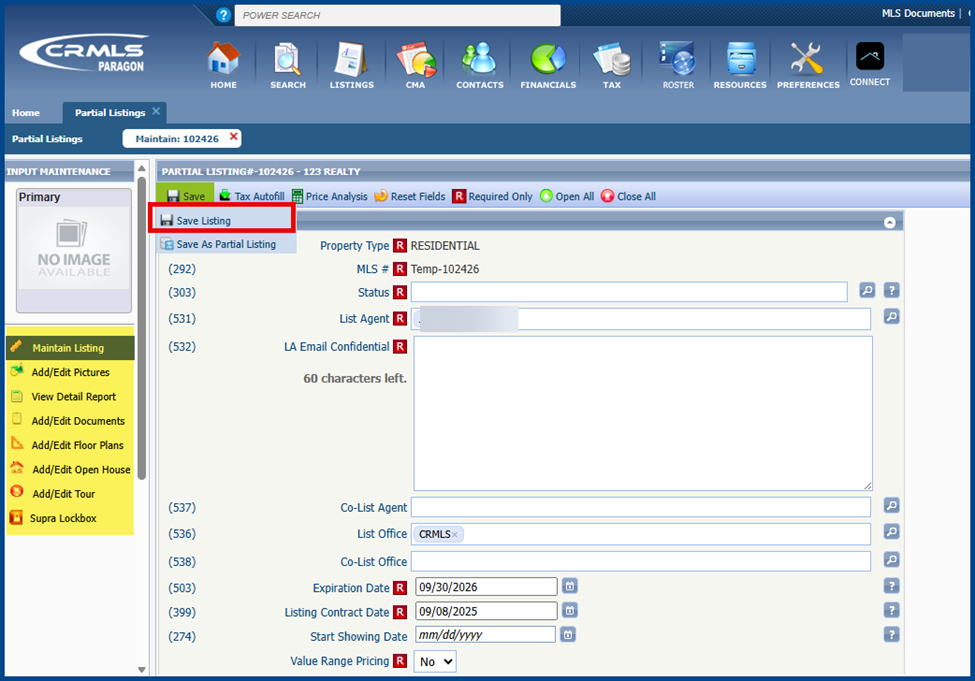
A listing is designated partial when it is incomplete but saved in Paragon and assigned a temporary MLS number. Only authorized office workers can view partial listings before they are published and made publicly visible.
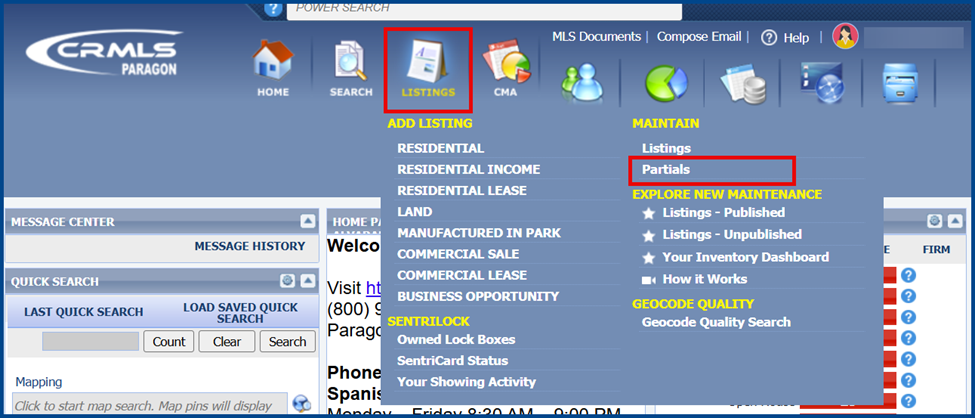
To see partial listings, go to Listings and select Partials.
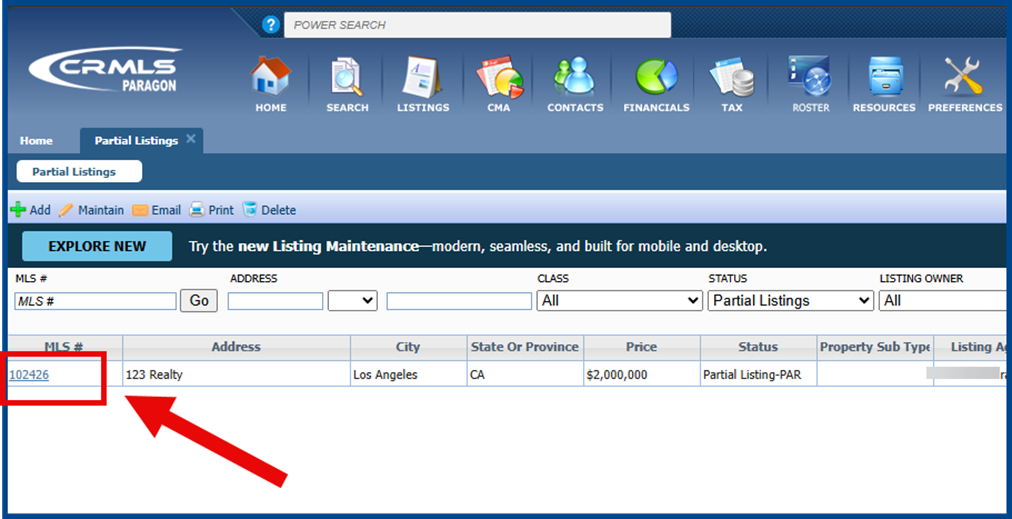
Click the temporary MLS number (MLS#) to open the Listing Input page.
Add or edit via the options under Maintain Listing to update any photos, documents, or listing details. Enter all the required fields and media, then click Save Listing to publish.