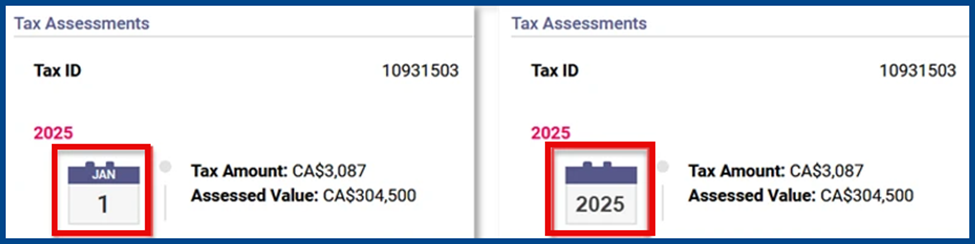
This update improves UI in Paragon Connect for more intuitive site navigation.
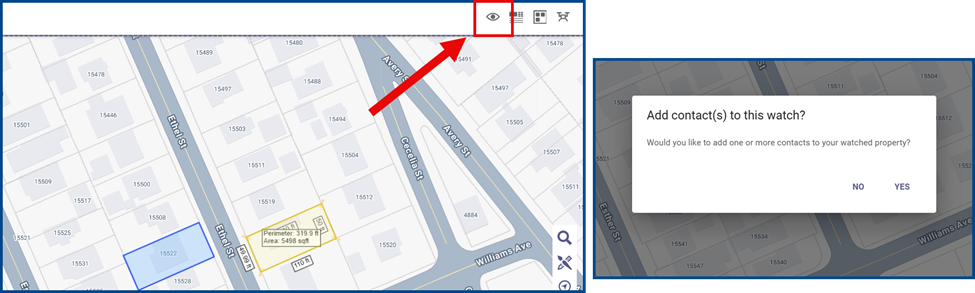
Add Contacts in Property Watch
Click the eye icon to initiate a property watch. Once the dialog box appears, select Yes to add one or more contacts to your watched property.
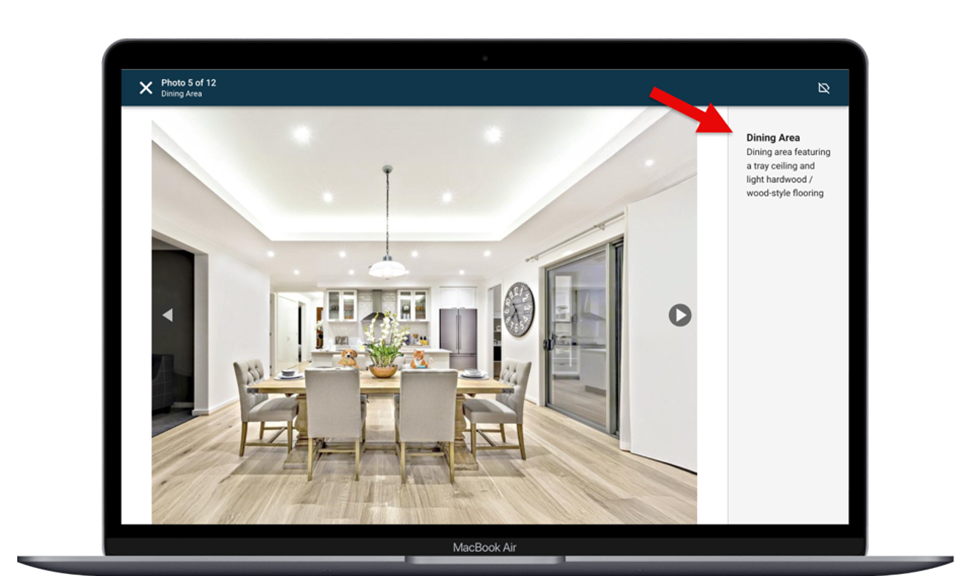
Default Captions and Labels
Labels and captions now appear automatically when listing photos have a title or description (e.g., Dining Area).
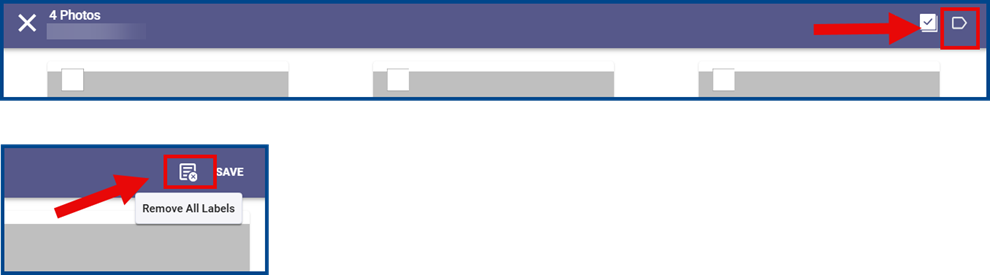
Label Removal for Bulk Photos
Click the Bulk Labels icon from the side menu. Select Remove All Labels to delete all labels and descriptions from an existing set of listing photos.
Updated Property Search
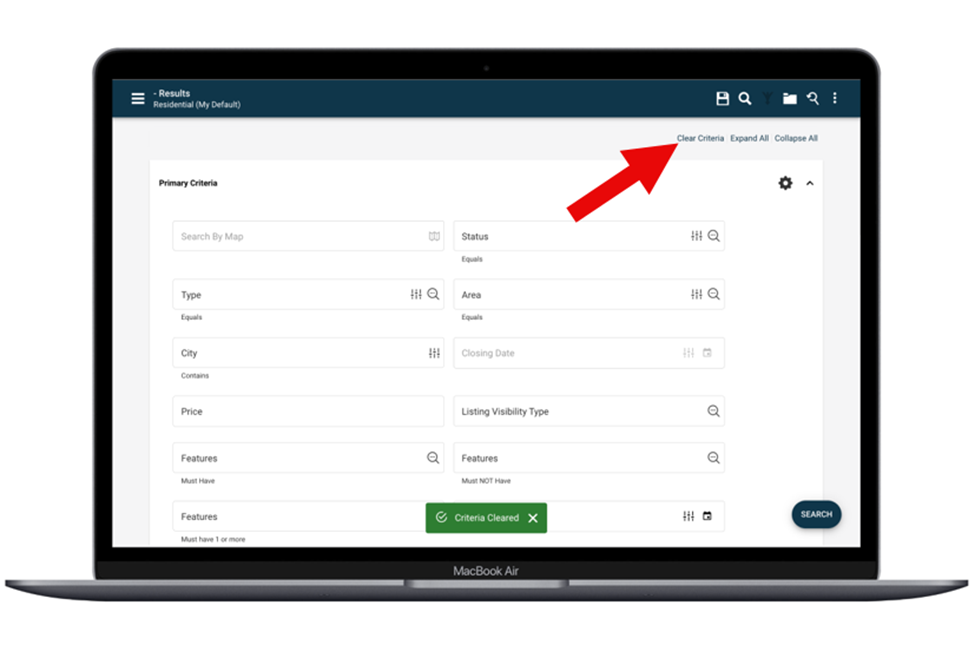
Property Search includes a fixed header with Clear Criteria, Expand All, and Collapse All controls that reset or reorganize criteria without losing your place.
Updated Power Search
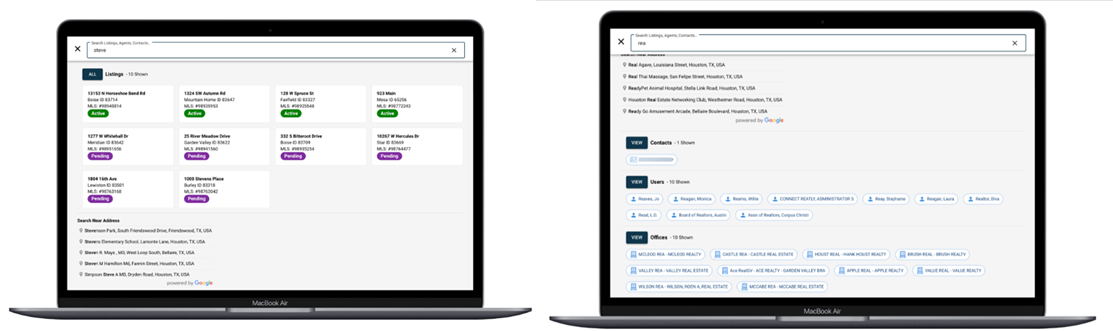
The new text layout includes a panel organized by labeled sections for listing cards, address suggestions, people, offices, contacts, and saved searches.
Renamed Field in Easy CMA
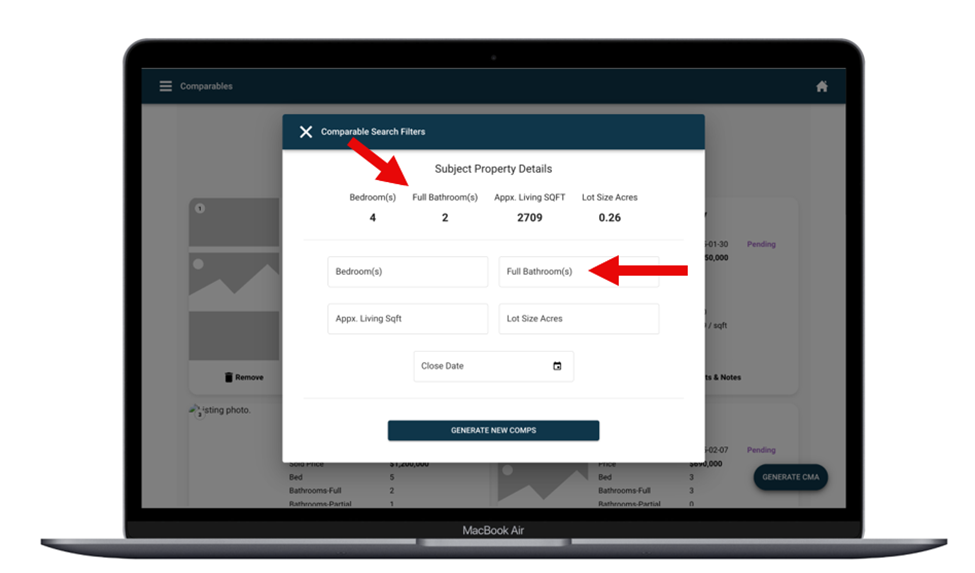
The Bathroom(s) field is now labelled Full Bathroom(s) in Easy CMA.
New Date Picker Options
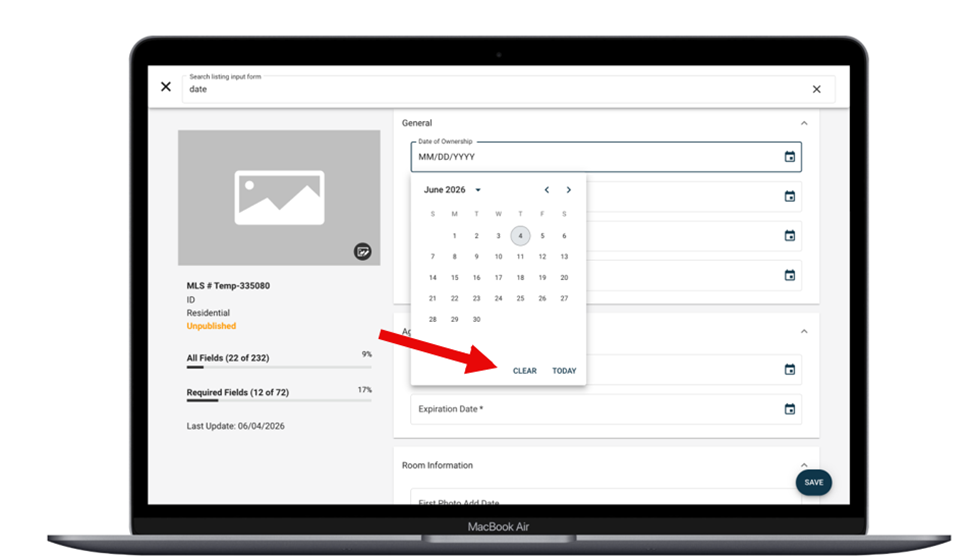
The date fields now include a Today option to select the current date and a Clear option to remove the selected date.
Updated Reverse Prospecting Email
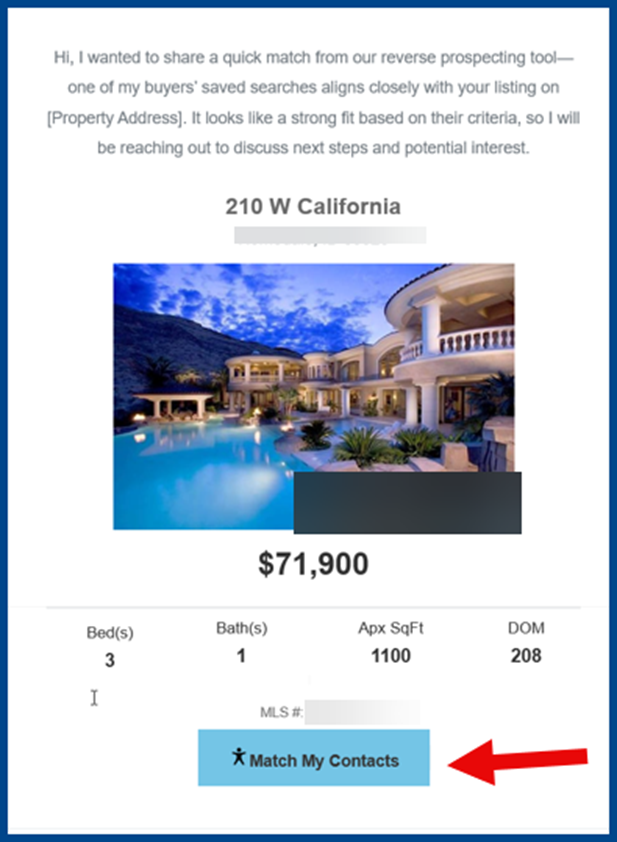
When sending a reverse prospecting email, click Match My Contacts to view all results for the selected listing.
Access to Contact History
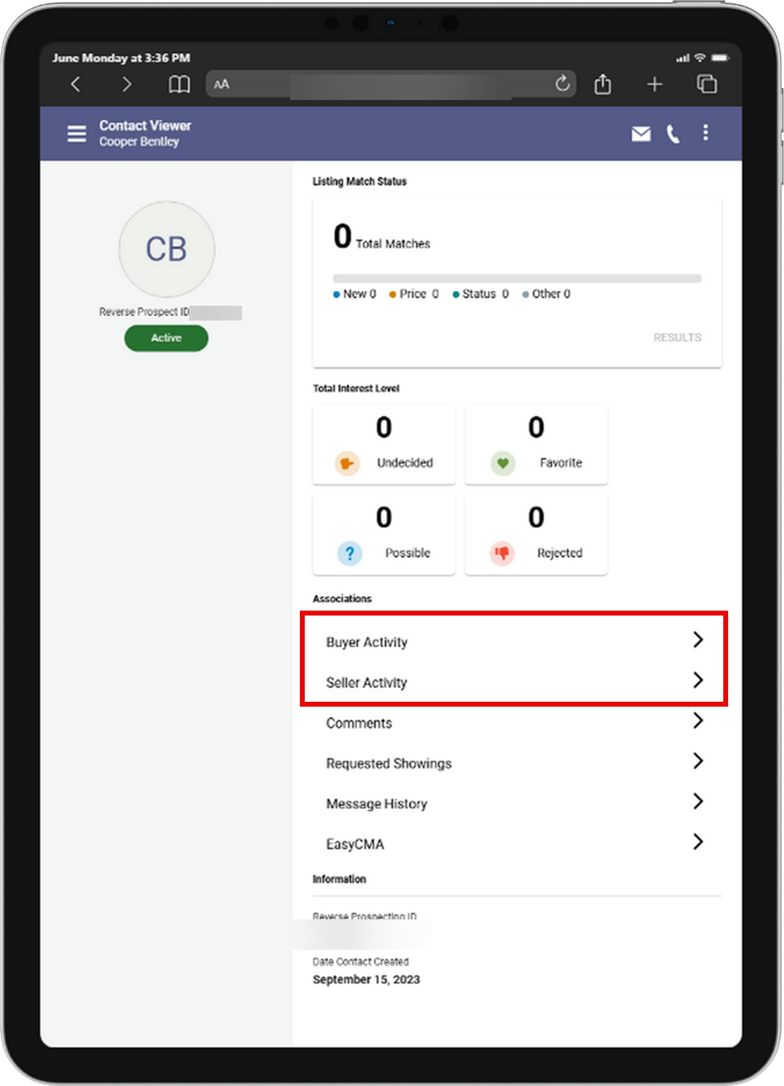
Open an inactive or active contact. Click Buyer Activity or Seller Activity to review the contact’s saved searches and listing history.
Updated Public Record Report Icon
The Tax Assessments calendar icon on the Public Record report now shows the tax year rather than a fixed month and day.