The latest update offers easier access to essential information in Paragon Connect.
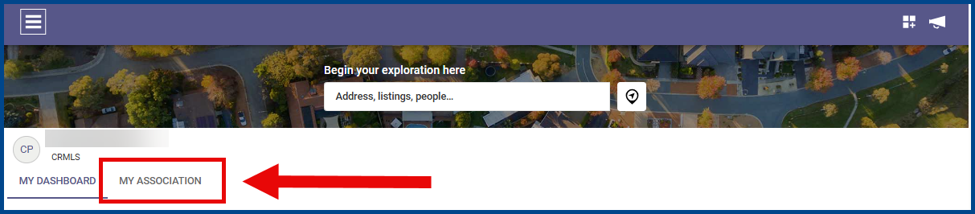
My Association Tab
View association and board announcements from the new My Association page.
Roster Page Updates
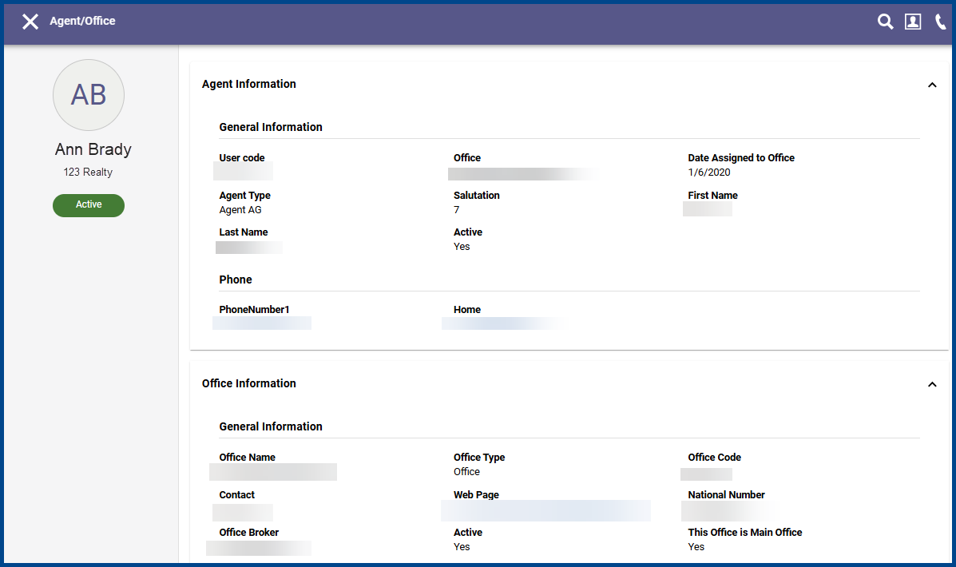
The redesigned Roster page features a modern layout, improved navigation, and advanced search for easy access to record details.
Key improvements include:
- Fixed identity sidebar that displays agent photo, name, office, user code, and status information
- Scrollable content area for easier information review
- Responsive layout optimized for desktop, tablet, and mobile devices
- Improved visual organization of agent and office details
In-Page Search
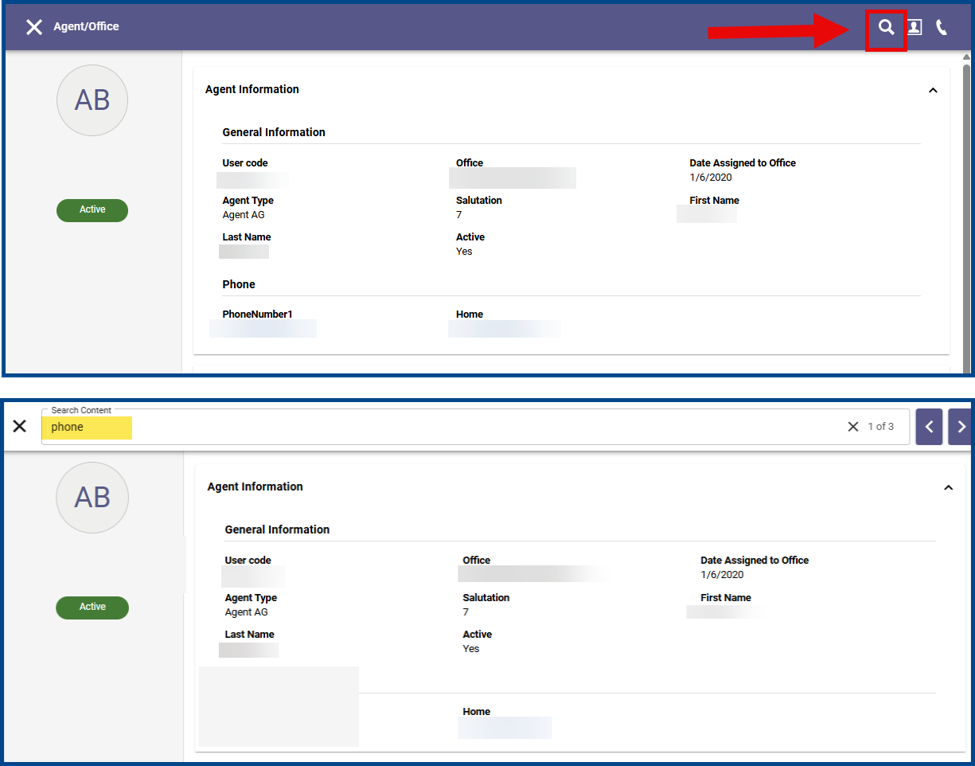
Select the magnifying glass icon to use the new in-page search feature. Search results are highlighted in real time, making it easy to move to the desired section.
New Agent Notification Email & Listing Match Tracker
The new layout consolidates listing updates to a single email shared across all contacts and links agents directly to the Listing Match Tracker page.
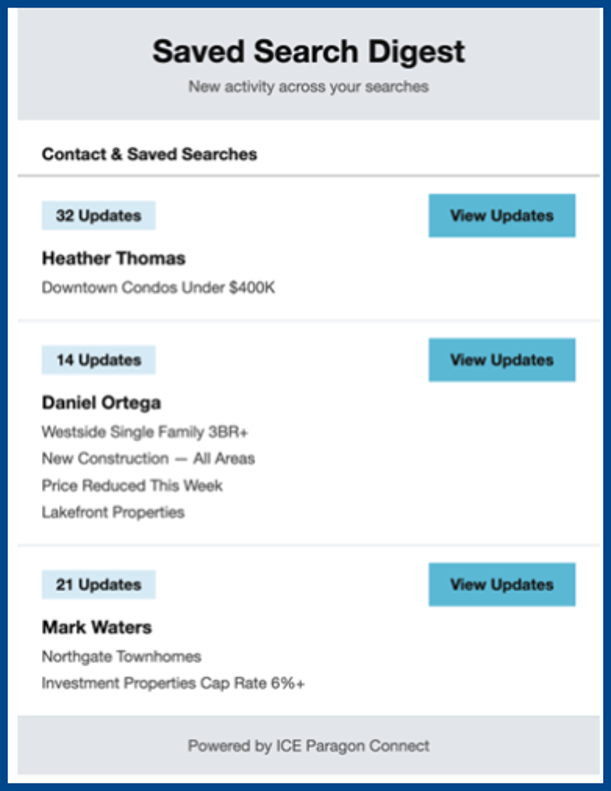
Click View Updates to open the Listing Match Tracker page and access all saved searches associated with a specific contact.
New Options for National Brand Themes
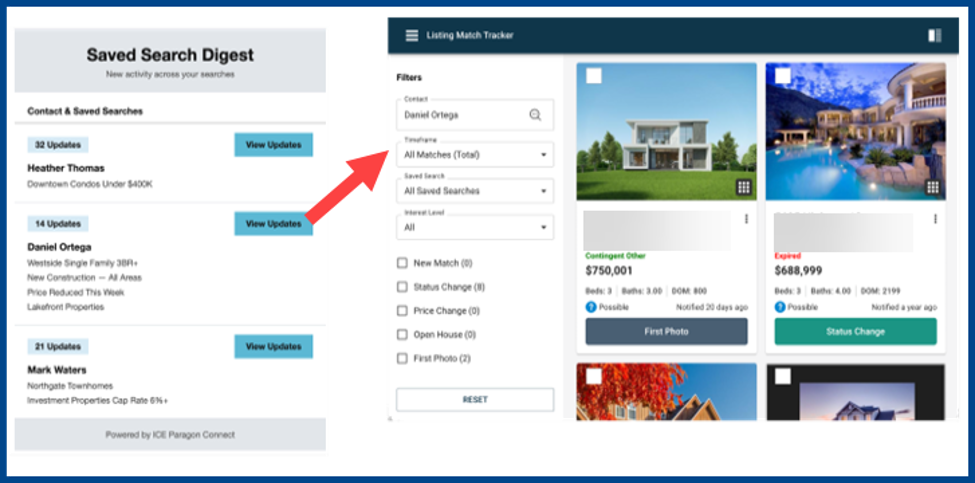
National Brand Themes now include Engel & Völkers and Sutton.
Agent & Office Info Sync for Existing EasyCMAs
EasyCMA automatically reflects the latest agent, office, and contact information without requiring manual republishing or recreating reports.
Enhanced Spreadsheet Experience
Use the new customization options to tailor table layouts to a specific workflow.
Enhancements include:
- Resizable Columns: Hover over the column separators, then click and drag the columns to resize their boundaries
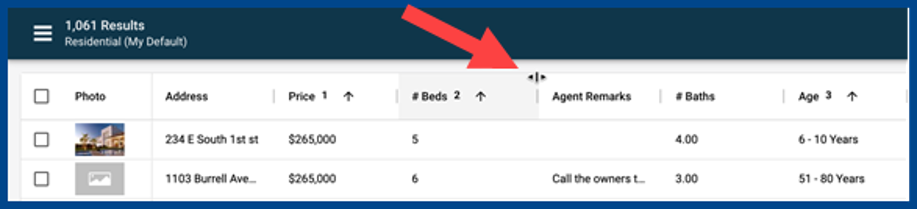
- Drag and Drop Columns: Click and drag the column to the left or right

- Pinning Columns Left and Right: Drag the desired column until the pin icon Click the icon so that the column remains in view while scrolling horizontally.

- Multi-Column Sorting: Select multiple data fields to sort simultaneously. A number from 1-3 will appear depending on the order of what was clicked on.
- Mac Users: Hold Command and click to add additional sort columns
- Windows Users: Hold Control and click to add additional sort columns

- Copy and Paste Data: Copy data from the spreadsheet view and transfer it to the desired spreadsheet application. All column information will remain.
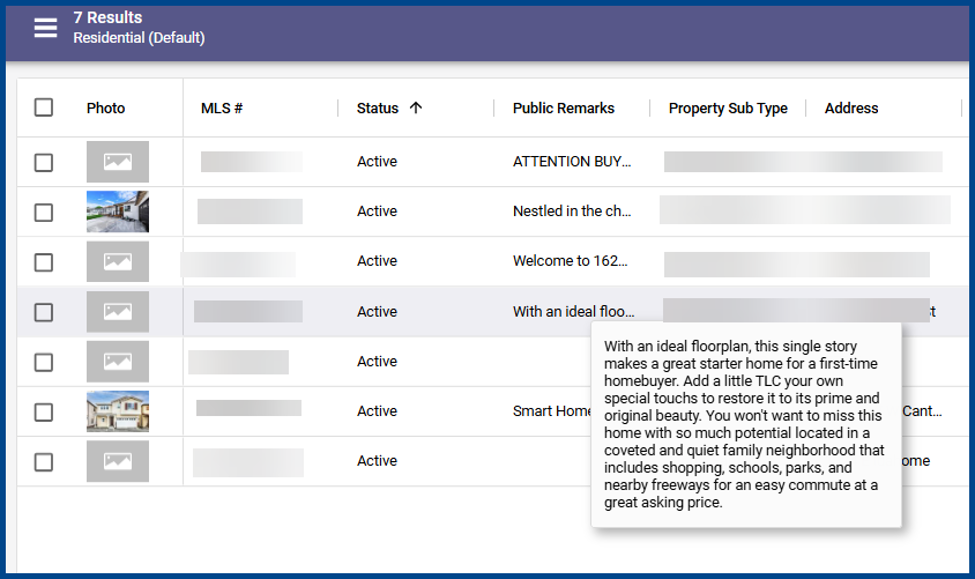
- Hover Tooltips: Hover over shortened columns to view their full value
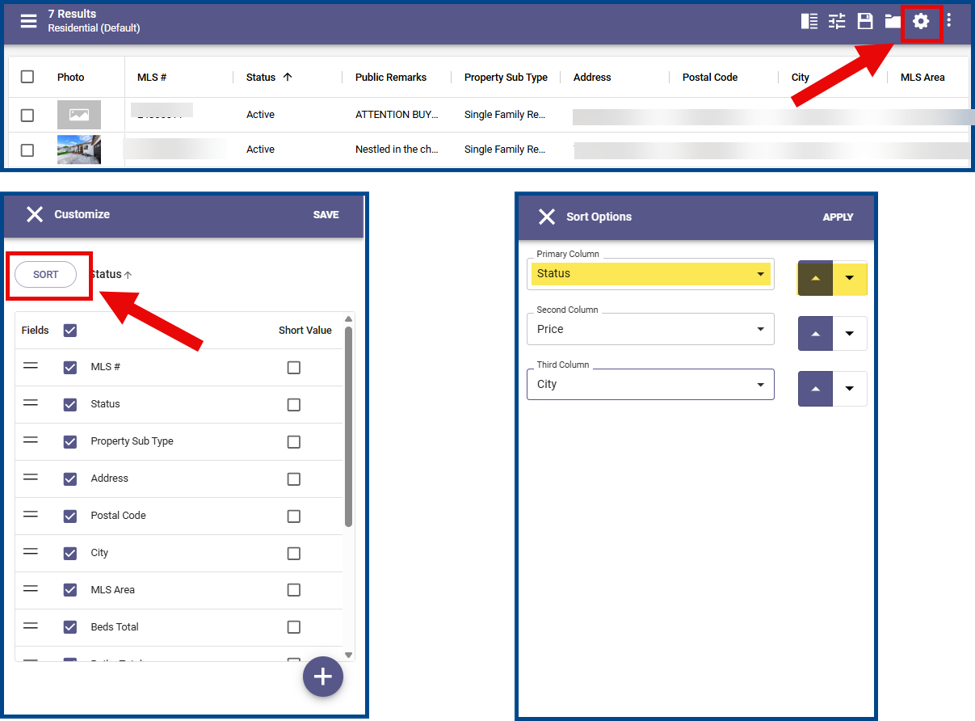
- Enhanced Sort Management: Click the gear icon to open the Customize panel, then click Sort. Update the fields under Sort Options and click the arrows to arrange them in ascending or descending order.
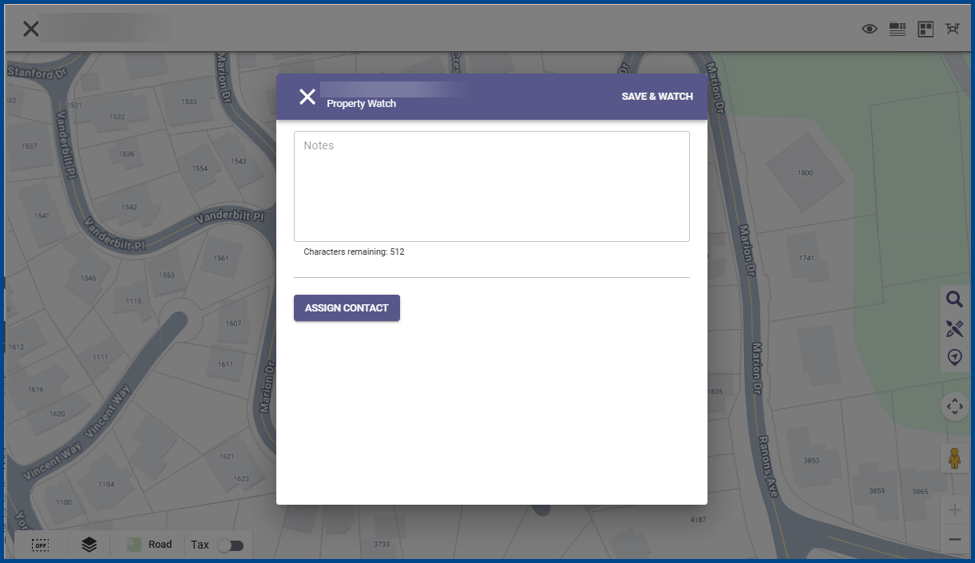
Watched Properties: Creating Notes and Adding to Contact
Add notes and assign contacts directly from the property map or Public Record Detail view when creating a Property Watch.
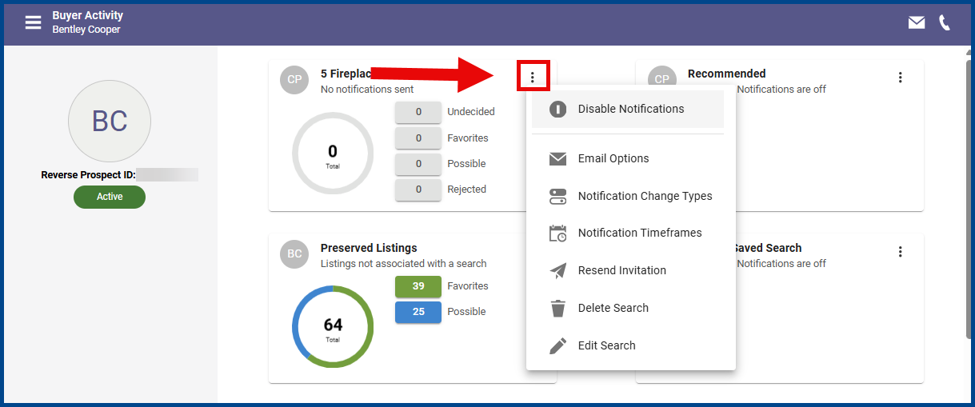
Contact Saved Searches
Manage contact-created saved searches directly from the Buyer Activity page. Click the vertical ellipsis icon, then select the desired action.