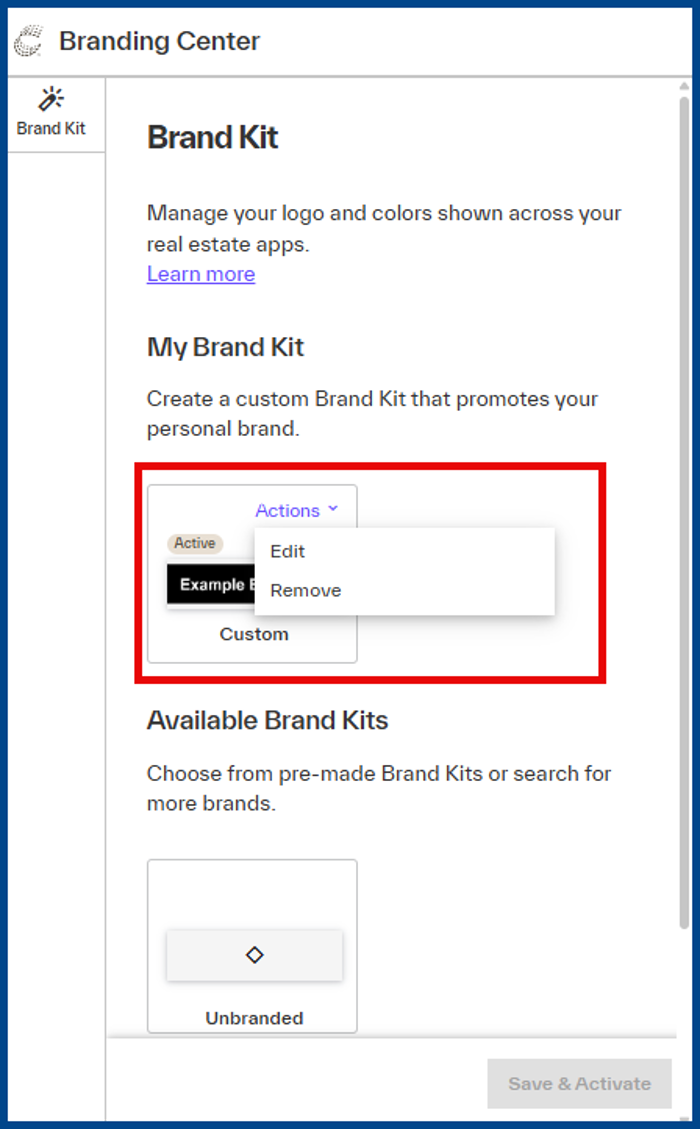
The Matrix Branding Center is the centralized way to ensure your brand is comprehensively displayed across platforms. Brand client touchpoints with your logo and color-scheme in Matrix and OneHome.
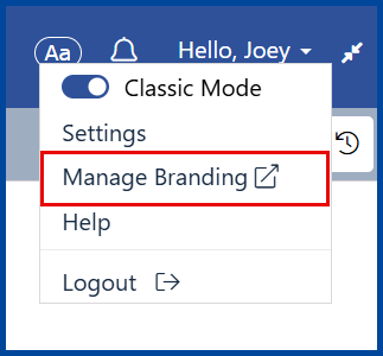
To navigate to the Branding Center in Matrix, click your name in the top right corner and select Manage Branding.
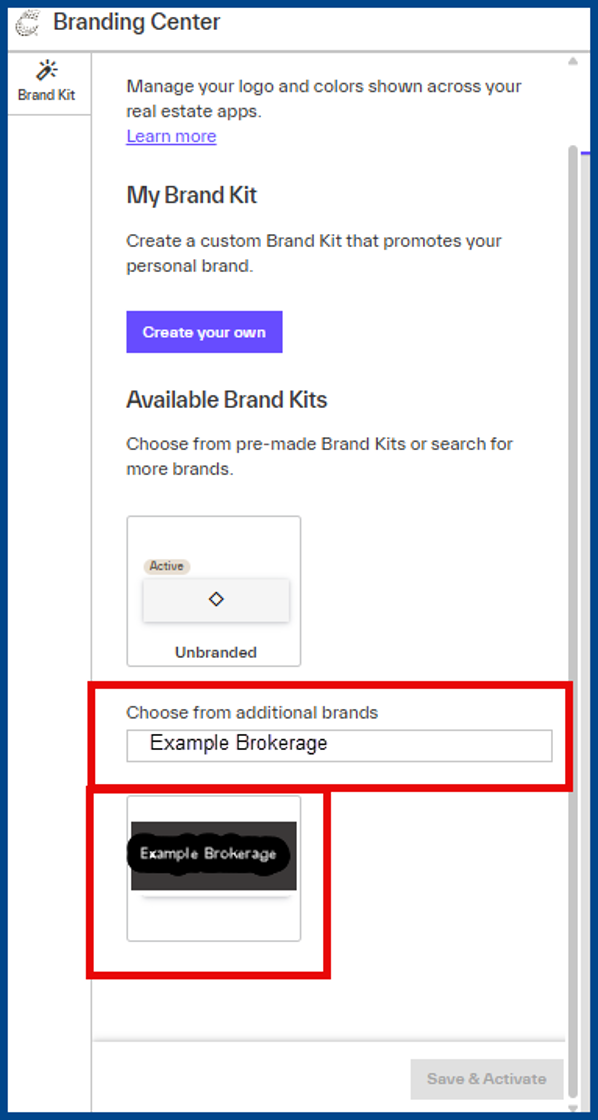
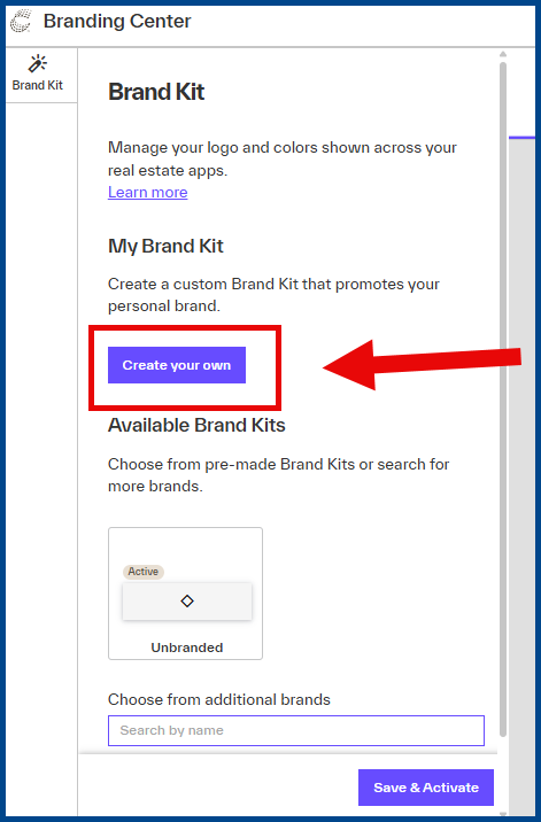
In the Branding Center, search for and choose a Brand Kit from the list of available company logos and color schemes using the search bar.
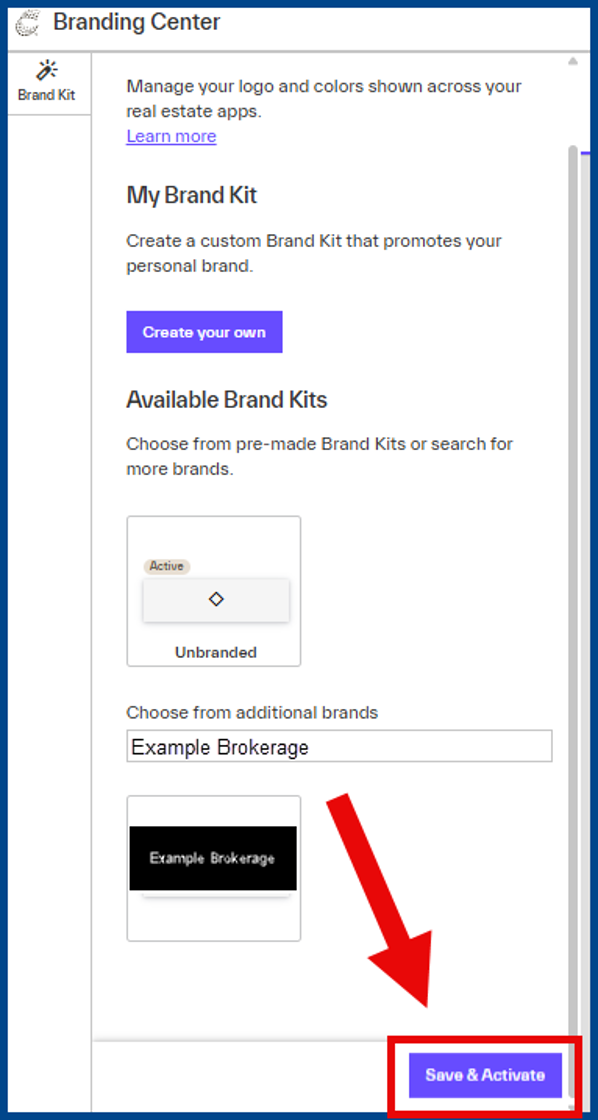
Once you’ve selected your desired brand kit, click Save & Activate to apply your changes.
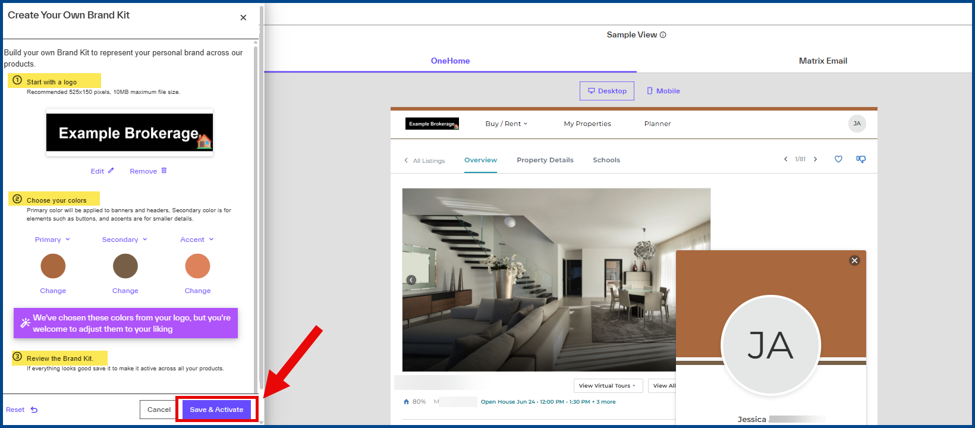
If you can’t find the Brand Kit you’re looking for, click the Create your own button to upload a logo and adjust the color scheme as necessary. The Branding Center analyzes your logo and picks complementary colors automatically, but these colors can also be manually adjusted.
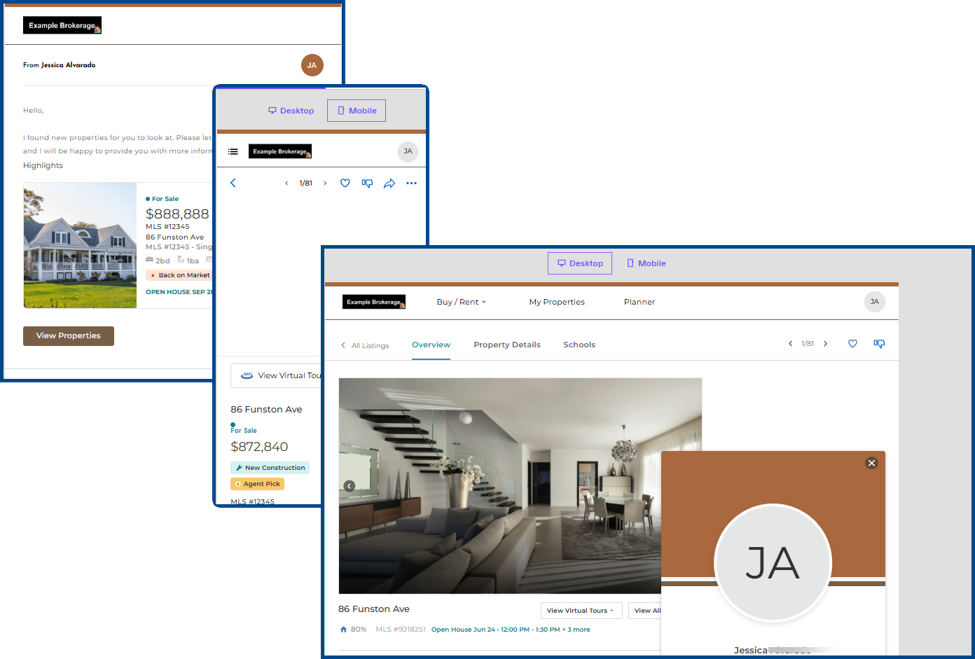
Review the Brand Kit to see exactly how it will look when applied to:
-
- Matrix notification emails
- The OneHome client portal (both desktop and mobile)
Once you’re satisfied with your review, click Save & Activate to apply your changes.
If you would like to change your Brand Kit after activating, Click on Actions to Edit or Remove it.