The latest Paragon update introduces new search criteria options and enhances the user experience.
Customized Search Criteria with RUG (Room, Unit, Green) Fields
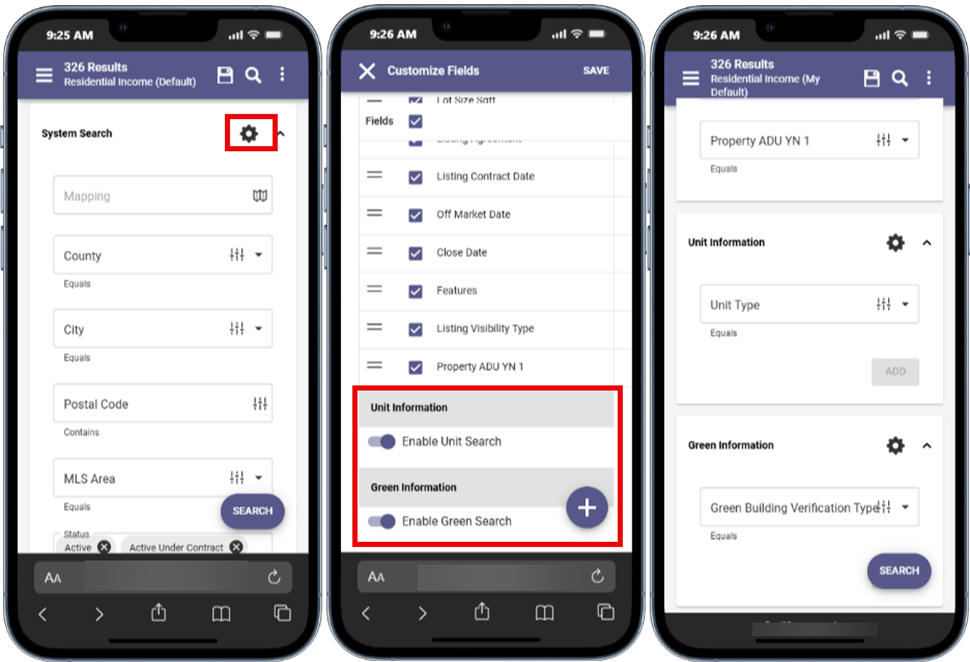
Use the new RUG fields in Paragon Connect to search a property’s room features, unit types, and green attributes.
To enable search for these fields, open Systems Search and click on the gear icon. From the Customize Fields page, scroll down and activate the toggles for Room, Unit, and Green Search information. Then, click Save in the top-right corner.
Listing Tools Widget
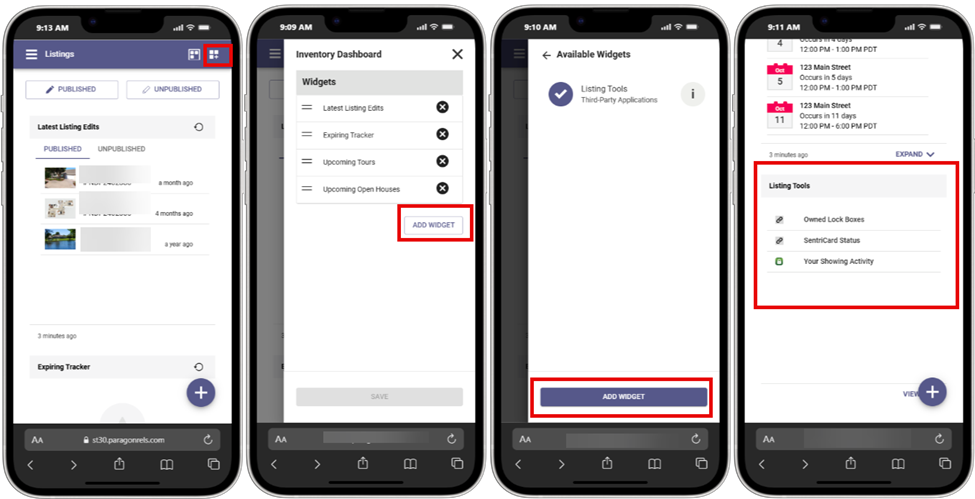
Add the new Listing Tools widget to your Paragon Connect Inventory Dashboard to quickly access third-party applications. Start by clicking the Customize Dashboard button, then select Add Widget. On the next page, click the Add Widget button again and save your changes to see it on your dashboard.