The mobile web and Android app now feature enhanced mapping to match the functionality of Flexmls on desktop. These updates will soon be available on iOS.
Create a Radius Search
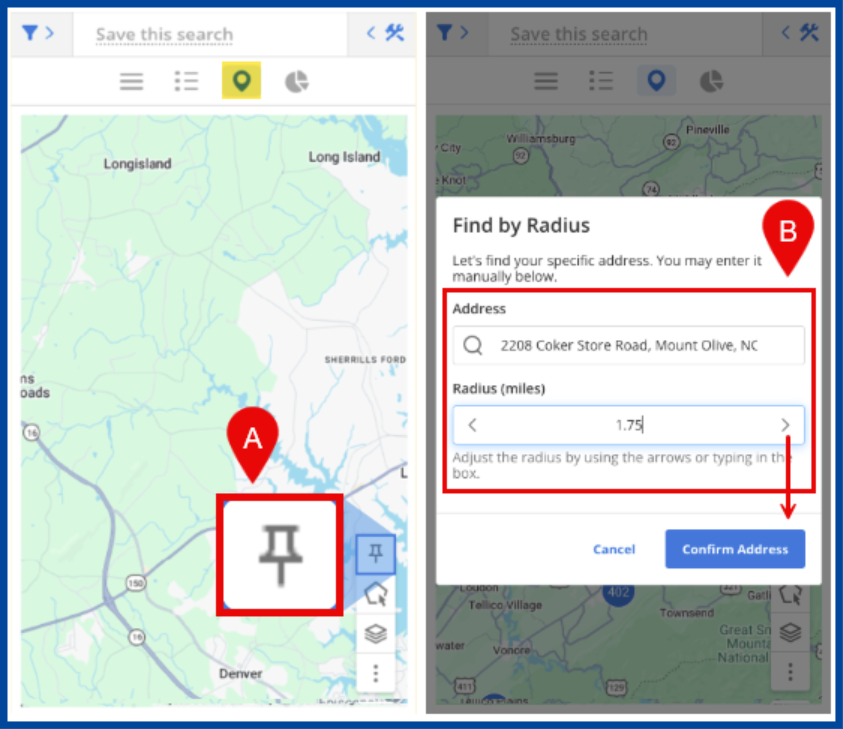
A: From the map, select the Pin icon.
B: Enter a specific Address and add the Radius.
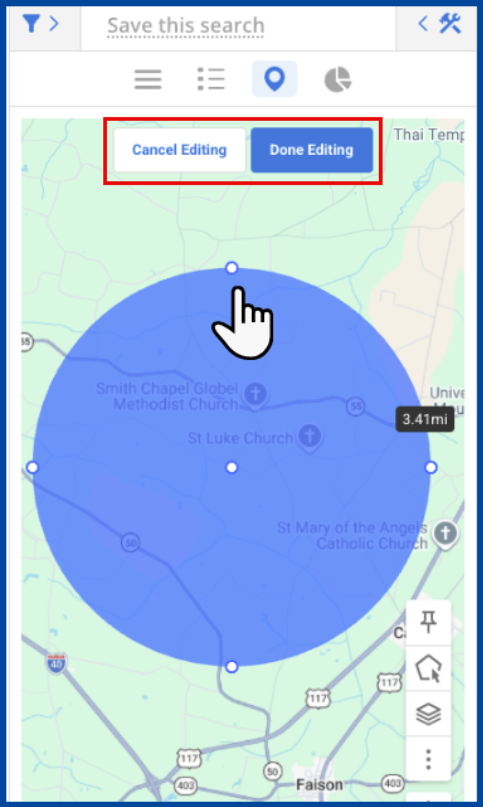
Tap the blue radius circle to edit the shape’s color, name, size, etc.
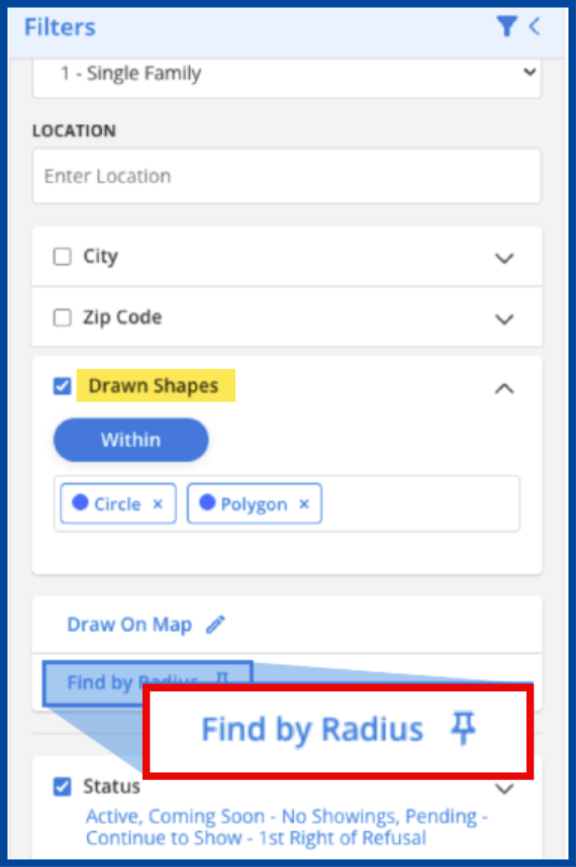
The radius search can also be accessed from the search Filters.
Use My Map Overlays and Drawn Shapes for shape-based filtering to view results based on where they spatially connect to the selected area:
- Within: Results inside the shape’s boundaries.
- Not Within: Results outside the shape’s boundaries.
- Intersection: Results that overlap with multiple shape’s boundaries.