This Flexmls update offers the ability to save any combination of fields and filters as a default search, eliminating the need to manually re-enter frequently used criteria such as cities. Set any criteria once using the new Default Search option to have that data applied automatically to every new search.
Note: The new Default Search option is different from saving a custom search template.
Save a Pre-Filtered Default Search
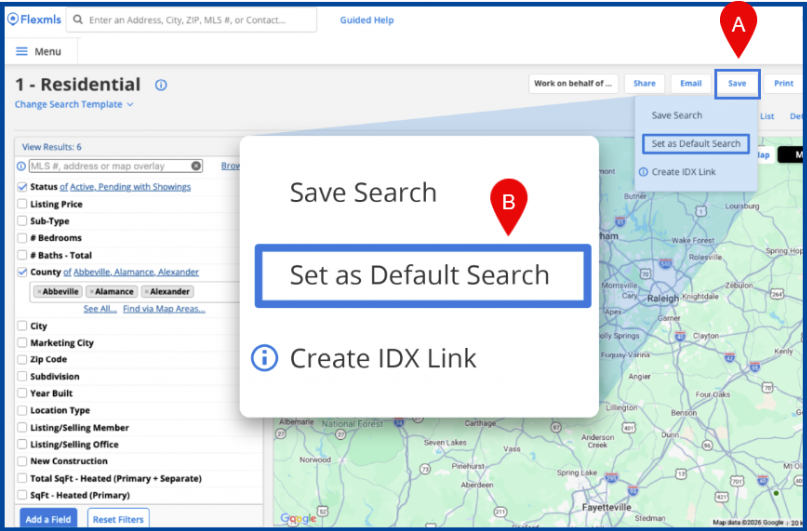
Apply desired fields and filters, click Save, then select Set as Default Search.
Note: When switching between quick search templates, all saved filters will remain, except those that do not apply to the current template.
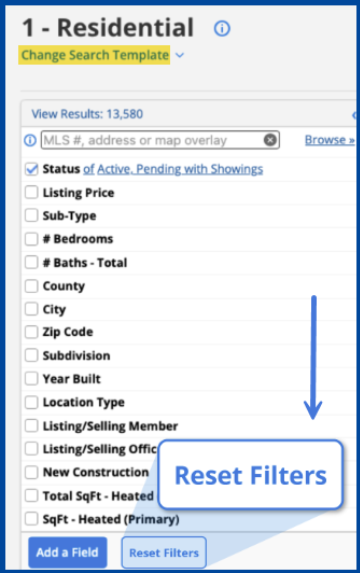
Click Reset Filters to clear any saved filters from the search.
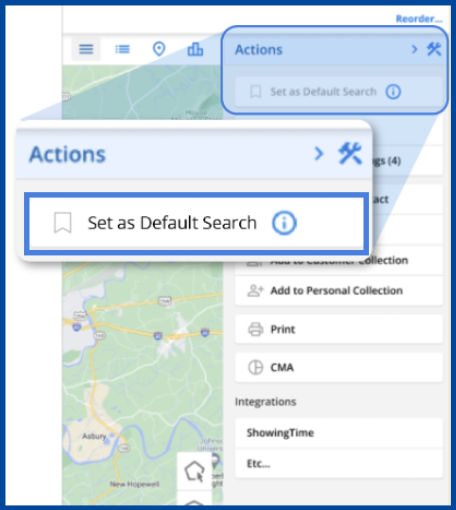
Set As Default Search is also available in the Flexmls Mobile app, available for iOS and Android. Any prefiltered search fields saved on the desktop will automatically carry over to mobile.