The latest updates for the desktop and mobile versions of Paragon Connect make it easier to manage listings that have exceeded their contract date thresholds.
Pending Tracker
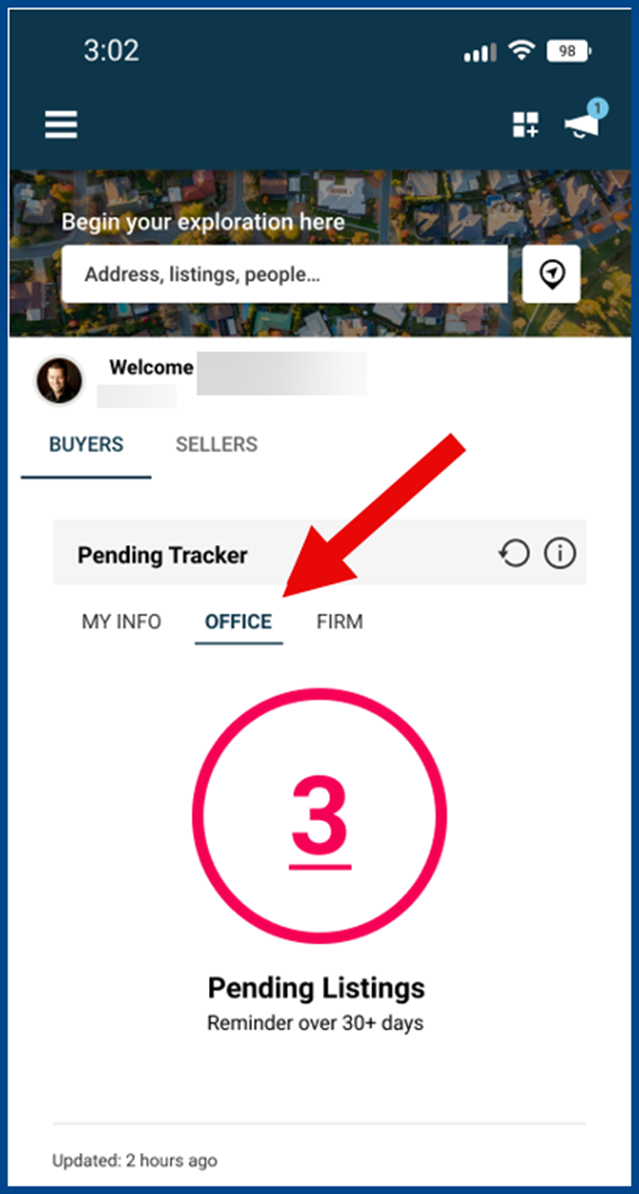
The new Pending Tracker alerts agents when a listing is in Pending status for an extended period (based on MLS rules). These alerts appear in the Message Center’s Required Action Needed section. Only agents assigned as Listing Agents can view these notifications.
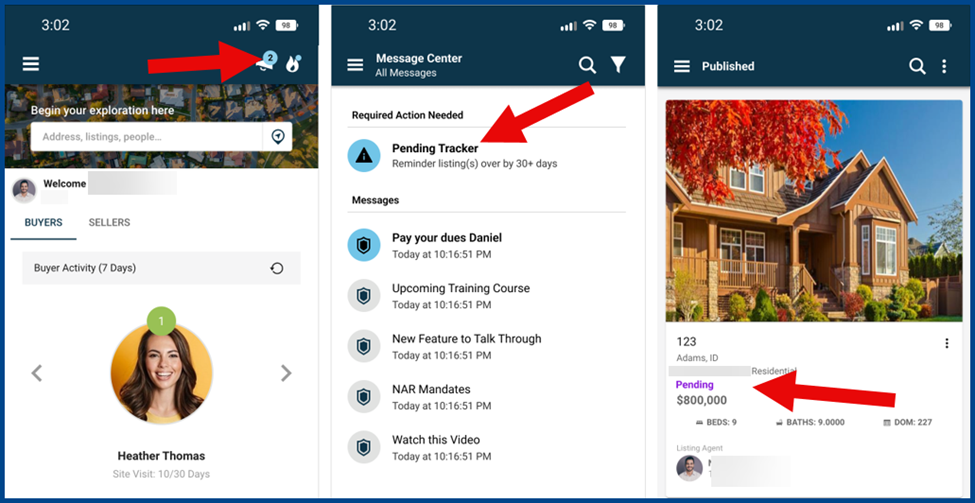
Pending Tracker Widget
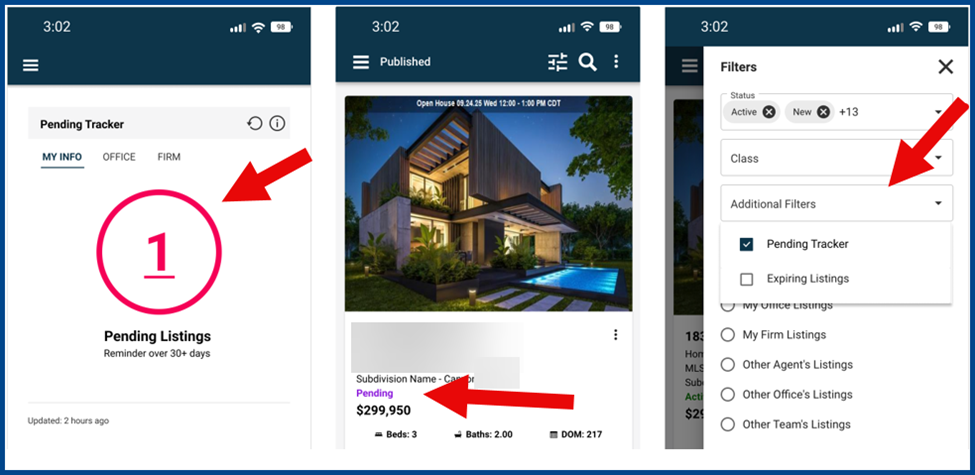
The Pending Tracker widget is now available on the homepage and inventory dashboards. Use the Pending Tracker to:
- See a count of listings in pending status longer than the Pending Tracker timeframe
- Click the count to go directly to your listings based on your account level
Note: Broker/manager accounts start on the Office tab. Go here to view pending tracker alerts for the office.
Push Notifications
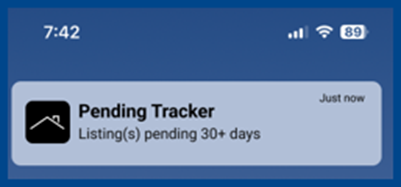
Push notifications in the Paragon Connect app send reminders on your mobile device. One notification will appear each day when a listing exceeds the Pending Tracker timeframe threshold.
Compare Competing Listings
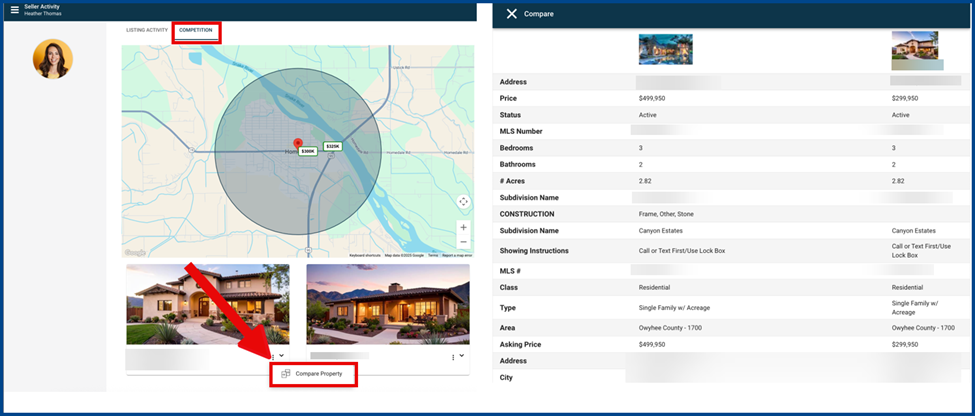
The Collaboration Center’s Compare feature is now available in Paragon Connect through the Seller Report.
From the Seller Report, select the Competition option, open the Overflow menu, and choose Compare Property to launch the full-page spreadsheet view.
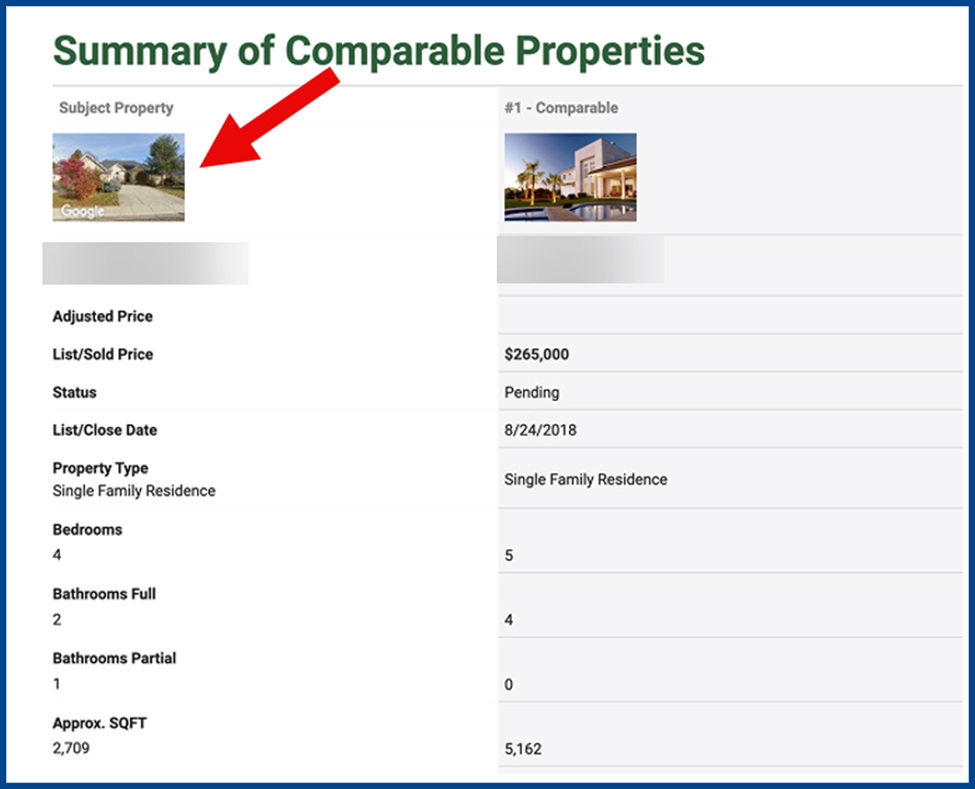
Subject Property Photo in EasyCMA
The subject property photo now appears at the top of the report when viewing or printing a CMA. If no subject photo is available, a static Google Street View image will display instead.
Broker and Manager Dashboard Widgets
Widgets for brokers and managers now automatically default to the Office tab to monitor and manage office listings.
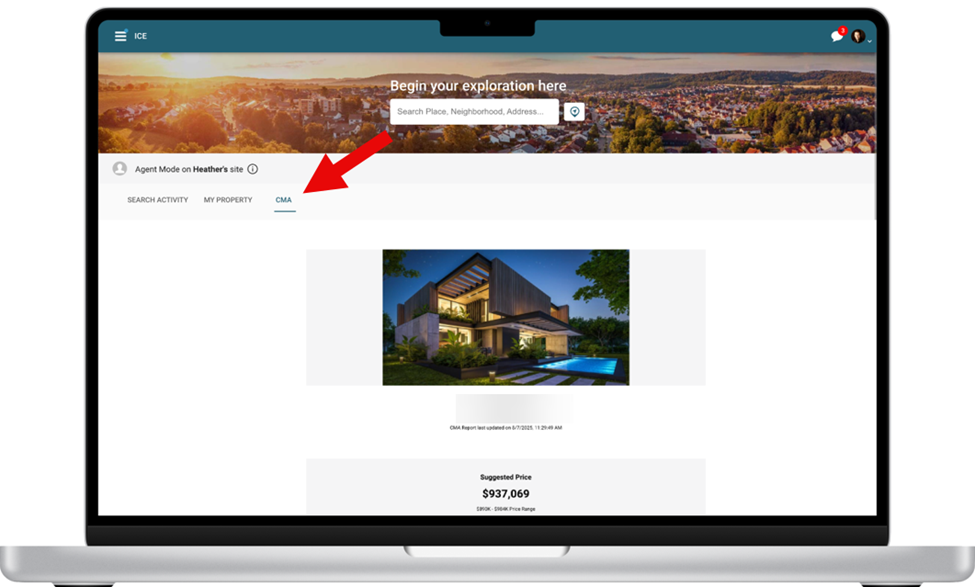
New CMA Tab for Clients
Clients can now click the CMA tab in their Collaboration Center dashboard to quickly access their associated EasyCMA reports.
Corrections and Improvements
- Correction to the Expiring Listings Widget so it only includes listings in statuses that are set to auto-expire, it was mistakenly returning listings in other statuses that do not expire
- Correction for the Paragon Pro “Total Volume Sold By Month” statistics graph to display the proper data for the selected criteria
- Correction to the Paragon Pro CMA Subject Property Map to properly display the correct map pin location, which would sometimes shift due to different zoom levels