As of January 1, 2026, new rules pertaining to digitally altered or enhanced images in the MLS go into effect. This guide shows how to stay compliant with California Assembly Bill 723 (CA AB 723) and CRMLS Rule 11.5.2.
For more details, click here to jump to our FAQ about adding digitally altered images.
What Is a Digitally Altered Image?
A “digitally altered image” is an image or photo created by or at the direction of the real estate broker or salesperson, or person acting on their behalf, that has been changed using photo editing software or artificial intelligence. Examples of alteration include adding, removing, or changing elements within the image, such as furniture or appliances.
Common photo edits, such as adjustments to the lighting, sharpening, white balance, color correction, angle, straightening, cropping, and exposure, are allowed as long as they do not change how the property is represented.
What to Do When Adding a Digitally Altered or Enhanced Image
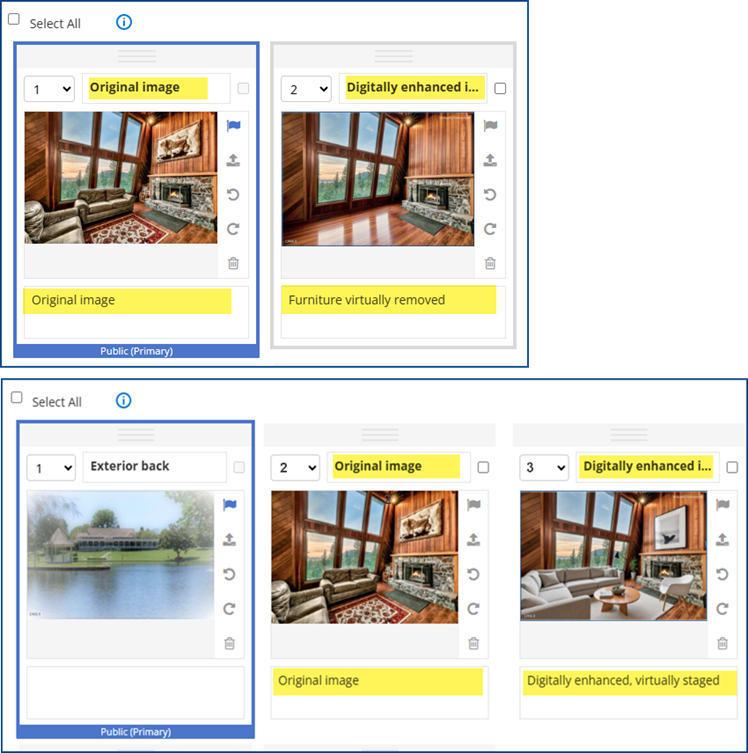
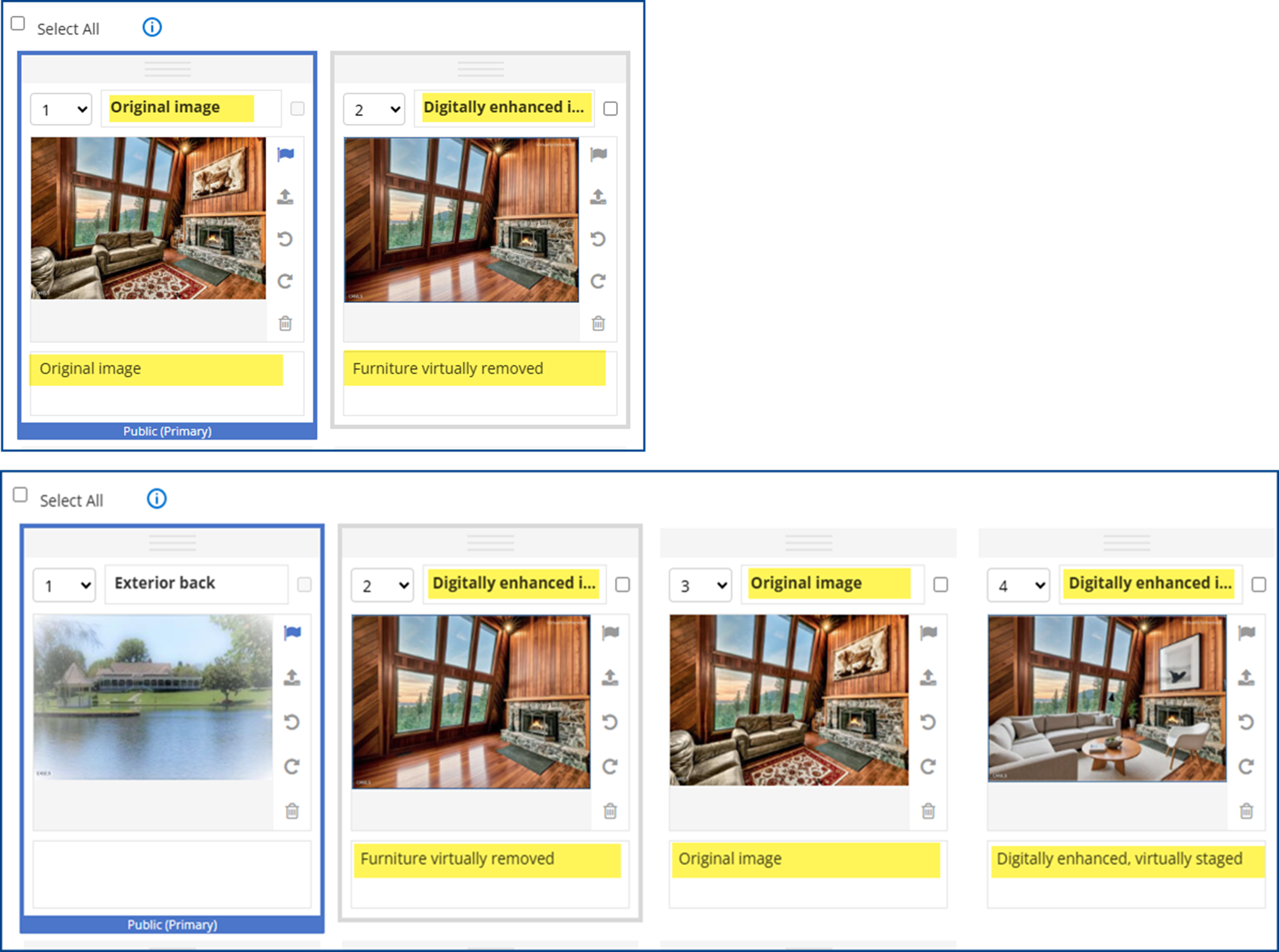
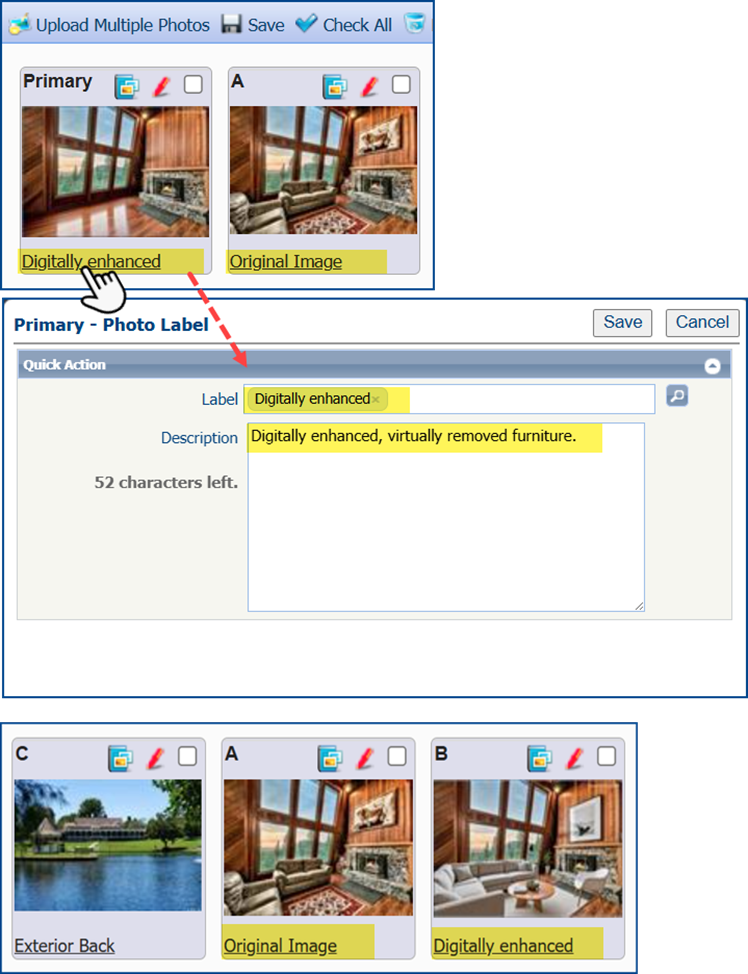
- When adding a digitally enhanced image to the MLS, the original, unaltered version must appear in the listing immediately before or after the digitally enhanced image.
- Clearly label the digitally enhanced image in the photo description text field. Use terms such as “digitally enhanced,” “digitally altered,” or “virtually staged,” etc. Before adding your image, check that you included an acceptable label in the listing add/edit module.
- Virtually clearing a room of furniture that will not be included at closing as part of the listed price is also considered digitally altered. Ensure the edited image is appropriately labeled, and the original image with the furnishings is displayed next to the altered image, either before or after it.
- A watermark is automatically added to every image made in the AI-powered staging tool ReimagineHome. When using this product, specify in the photo description text field and next to the original image that the photo is enhanced.
See examples of correct labeling for each MLS platform below:
Flexmls
Matrix
Paragon
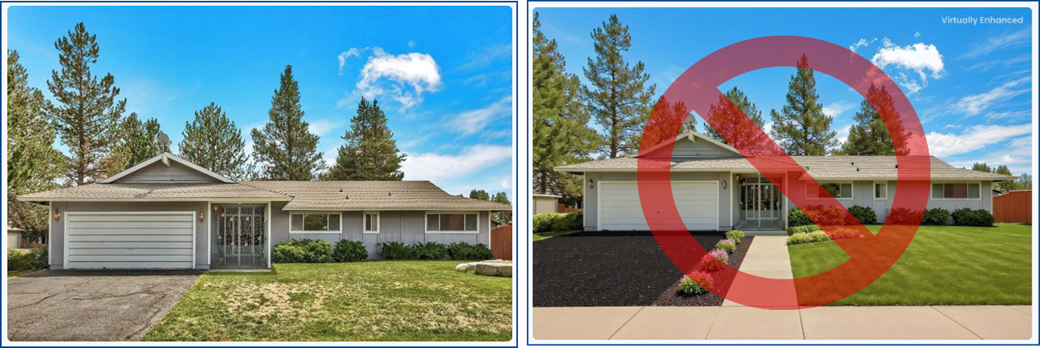
Landscaping
If the landscape changes shown in the altered photo will NOT be made by the seller as part of the listed price, do not include a digitally enhanced image changing the landscaping in the MLS. This remains so even if the photo is watermarked and labeled as digitally enhanced.
Listing Records
Per CRMLS Rules 11.5(c) and 12.10, which relate to Truth in Advertising, subscribers may not add elements to the property that are not part of the sale, and may not alter images or photos to change or remove elements from the property like walls, fixtures, or unsightly elements like utility poles or wires. The photos must accurately represent the property and its condition as of the sale date.