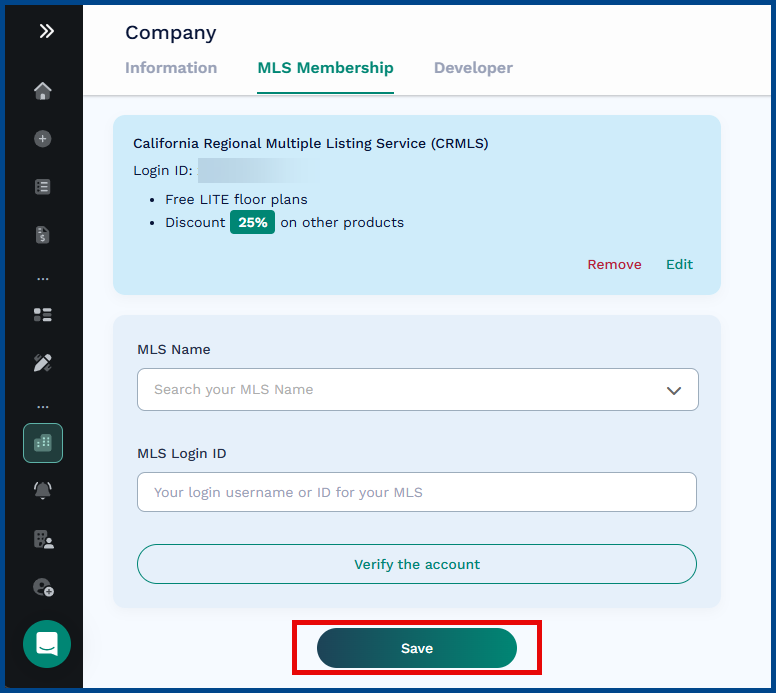
If you have a previously existing CubiCasa account outside of CRMLS, use this guide to link your account to the CRMLS system.
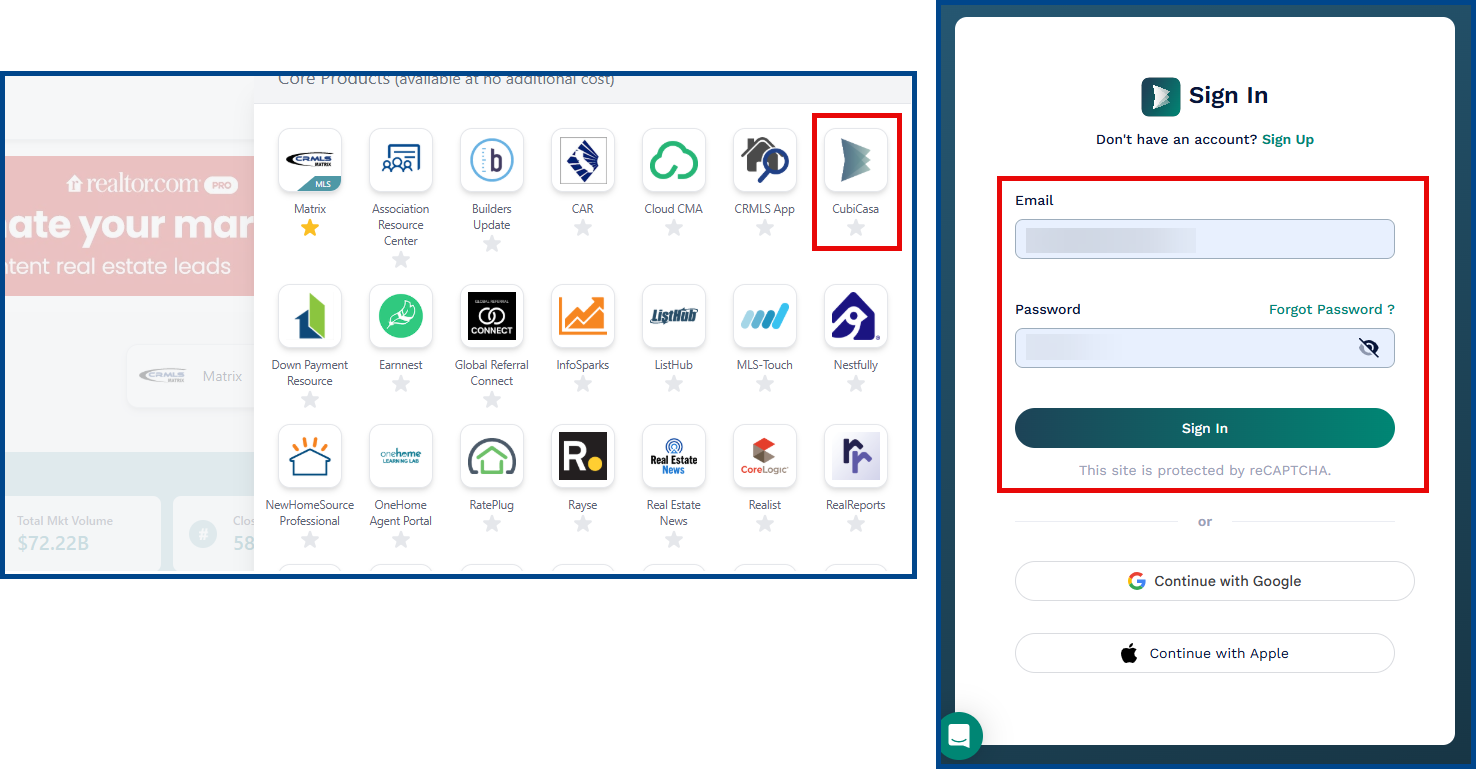
Start by logging in to your account by clicking on the CubiCasa icon in the REcenterhub dashboard or directly from www.cubicasa.com.
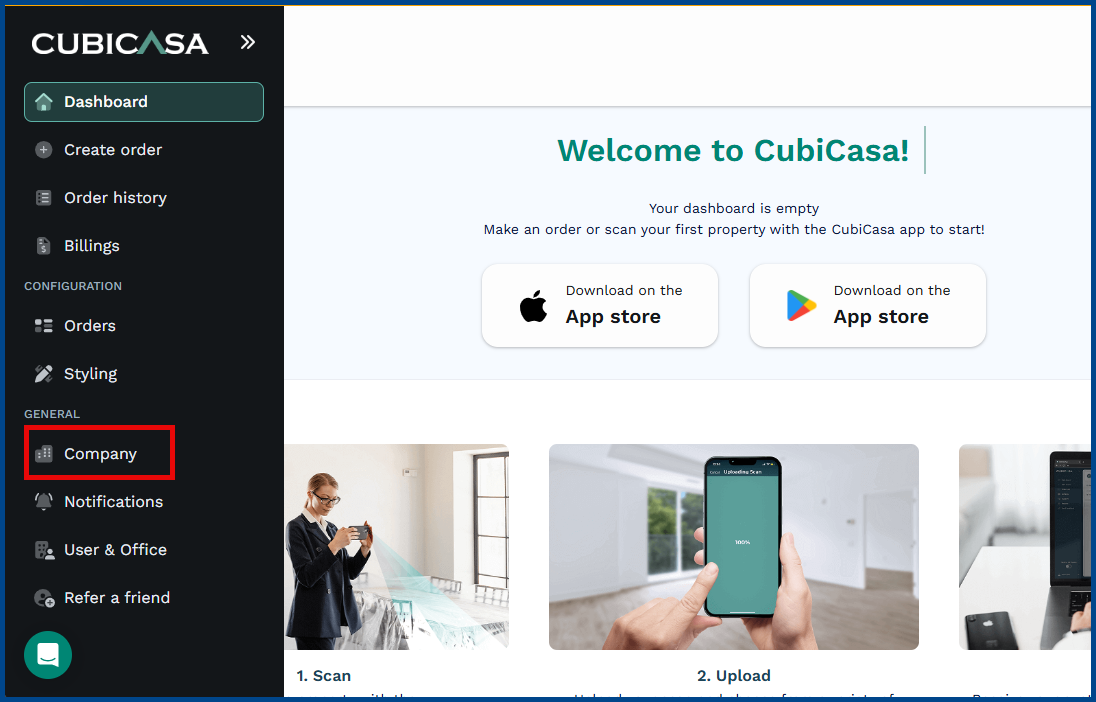
- In the left navigation panel, click Company
- Select MLS Membership
- Search and select California Regional Multiple Listing Service (CRMLS)
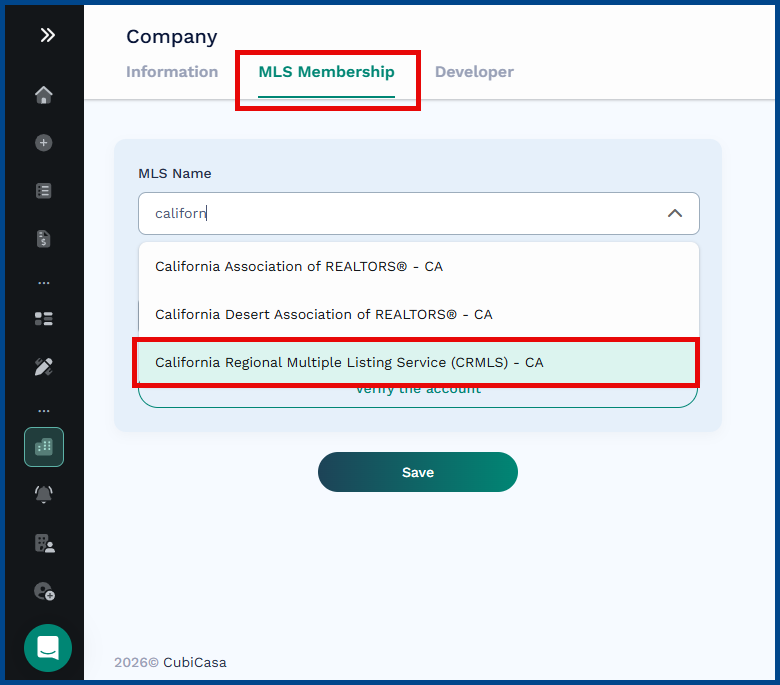
- Enter your MLS Login ID
- Click Verify Membership to save the information
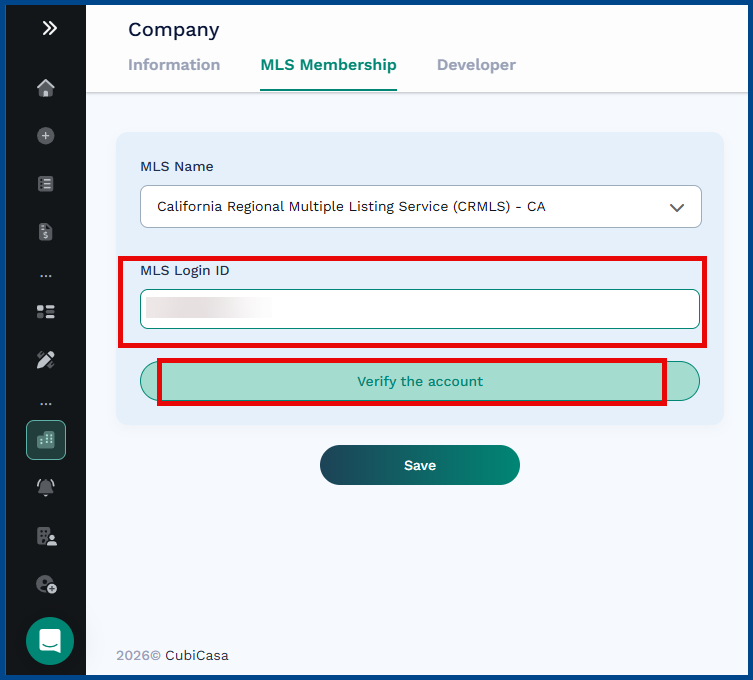
- Click Save to confirm your changes and receive the 25% discount for CRMLS members.