The latest update makes it easier to find address information, generate uniform property images, and analyze listing data in Paragon Connect.
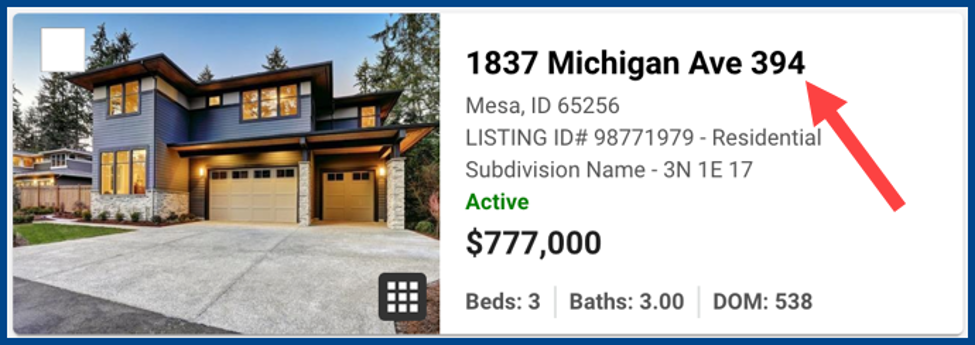
Smarter Unit Number Display
If the listing does not include a Unit Number, the system can now automatically:
- Check the Address2 field for stored data
- Display the Address2 value in the Unit Number field
Note: This change primarily affects records created before the Unit Number field was introduced.
Automatic Cursor Focus
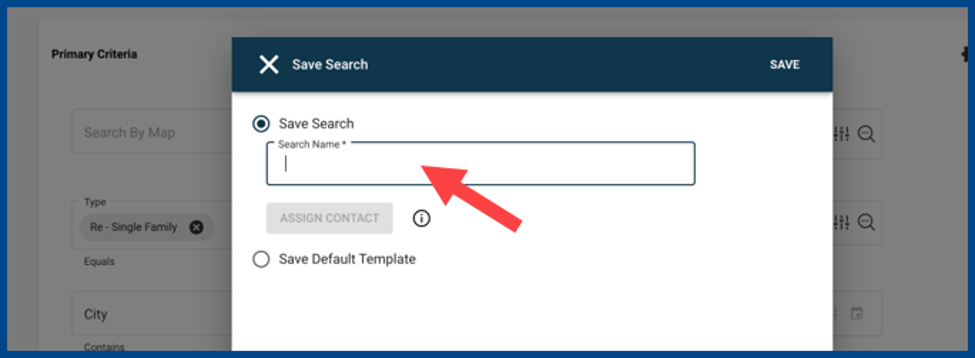
When a dialog window opens, the cursor is automatically placed in the key search, naming, or data entry fields for immediate typing.
Thumbnail Accommodations for Wide Aspect Ratio Images
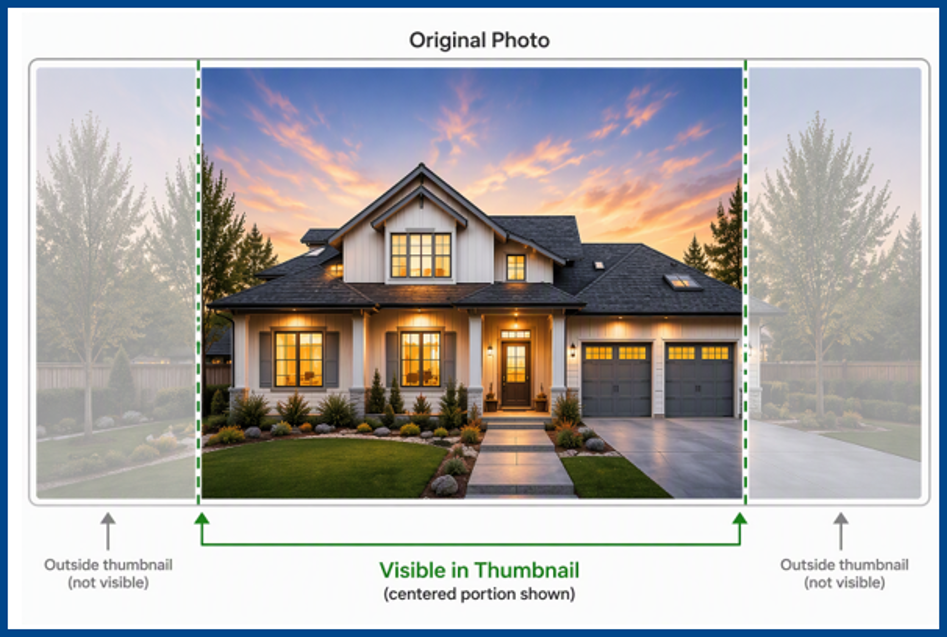
A new display feature centers thumbnails for images with wide aspect ratios to maintain a consistent appearance across platforms without stretching or compression.
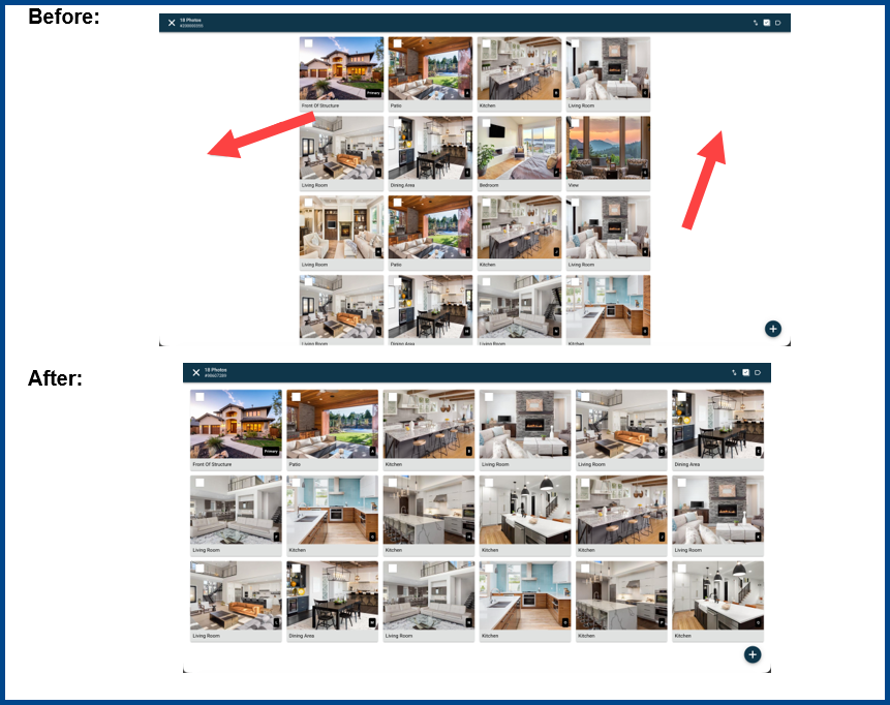
Optimized Photo Grid for Photo Maintenance
Photos grids now automatically adapt to browser display dimensions to reduce scrolling and make more photos visible on screen at the same time.
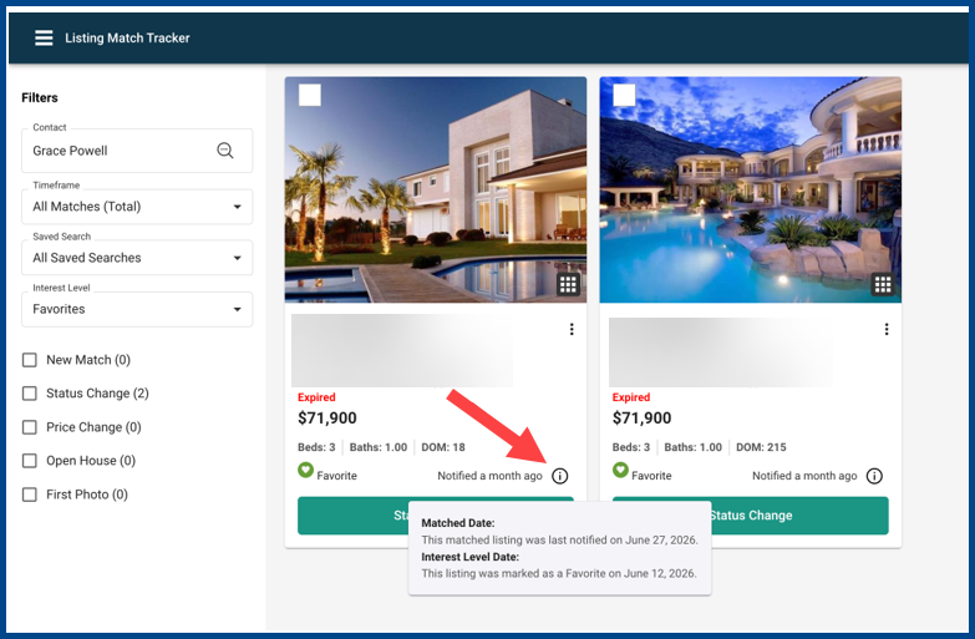
Enhanced Date Visibility in Listing Match Tracker
Every Listing Match Tracker card has a new informational tooltip next to the Notified date that shows important timeline details.
- Matched Date: The date the listing was last notified as a match
- Interest Level Date: The date the listing was last marked as Favorite, Possible, or Rejected
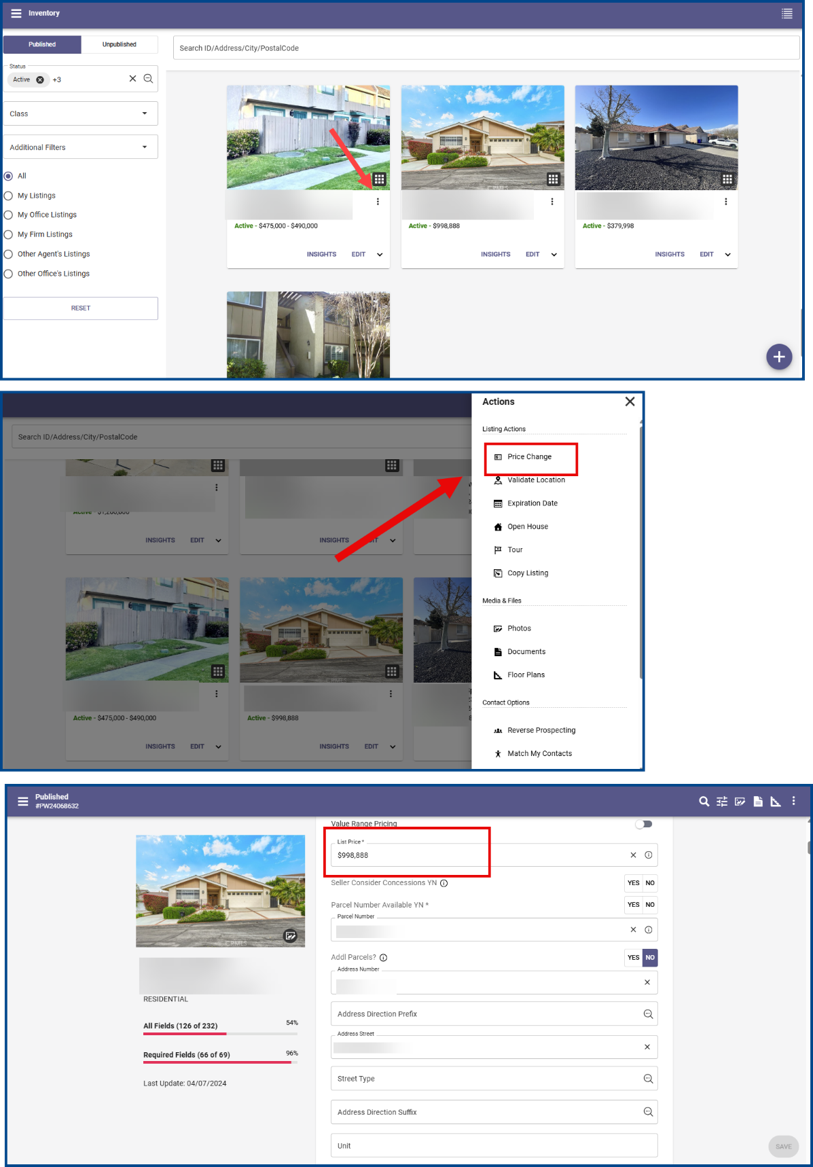
Faster Price Updates for Published Listings
Click Price Change from the Actions menu to update listing prices. The system automatically opens the appropriate pricing field based on the listing status.
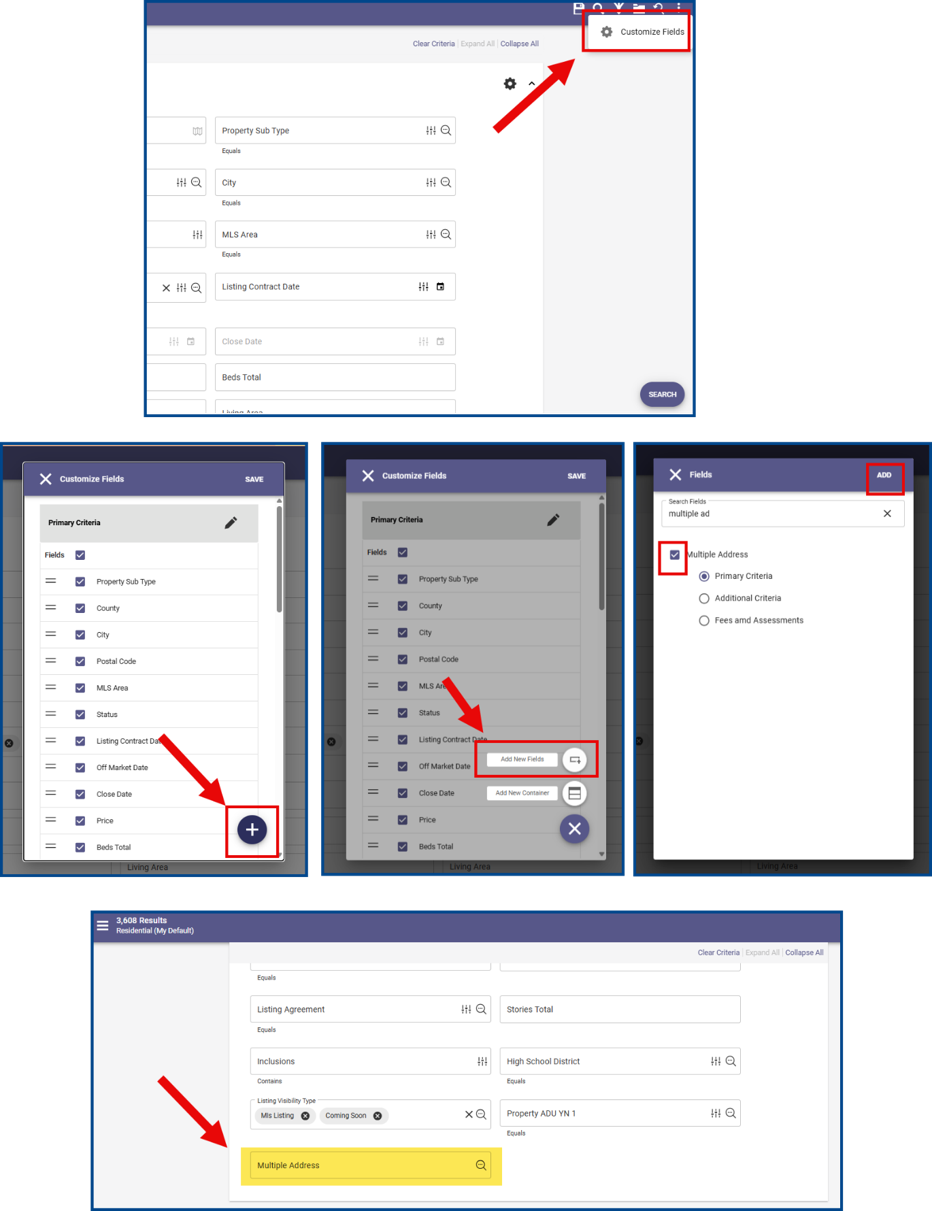
Multiple Address Search
Use the new Multiple Address field to add multiple addresses to your search criteria at once. Click the Customize Fields wheel icon, then the + button, select Add New Fields, check Multiple Address, and tap Add to continue.
Once applied, selected addresses will display on the Property Search form.
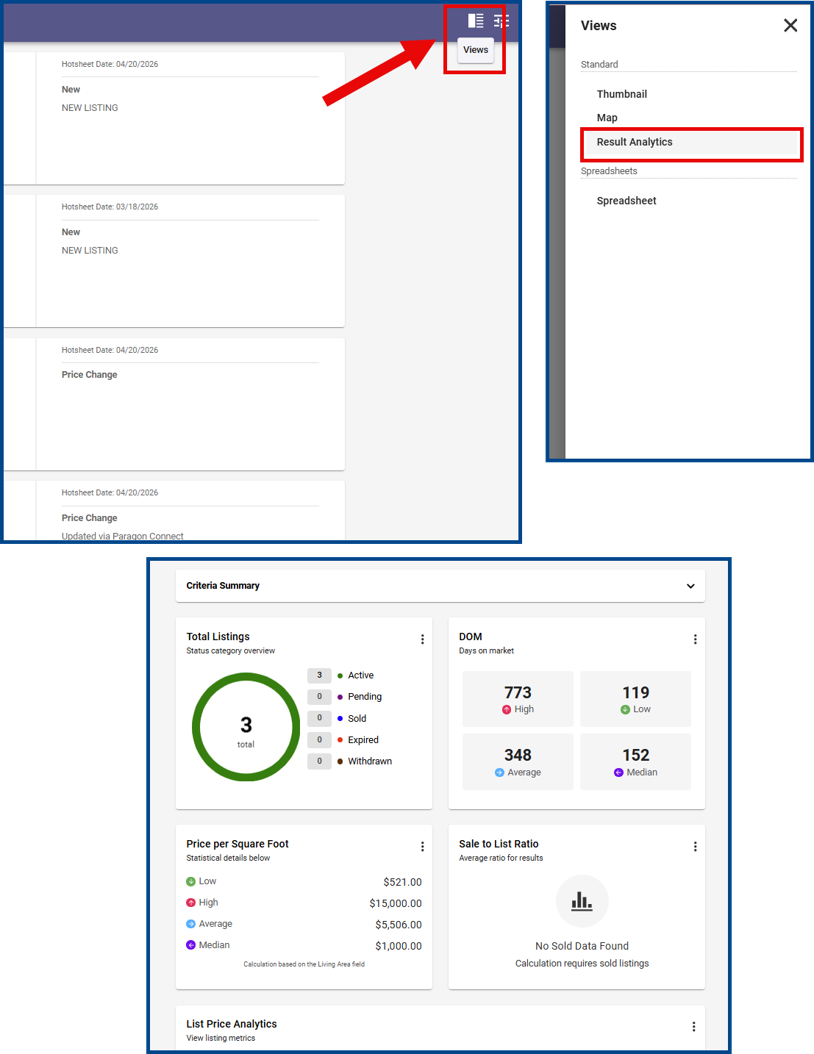
Result Analytics View
The Result Analytics view is now available on Hotsheet Search and Tour/Open House Search results. Functions include:
- Accessing familiar Result Analytics tools across more search types
- Analyzing listing trends and data without changing workflows
- Viewing analytics for all search results or selected listings
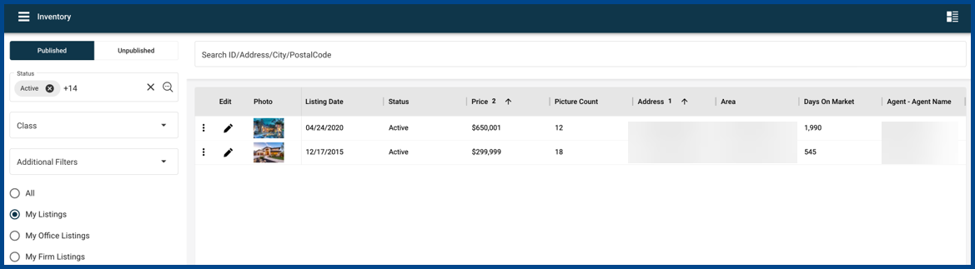
Spreadsheet View for Listing Inventory Management
Modify spreadsheet views from the Listing Inventory Management page.
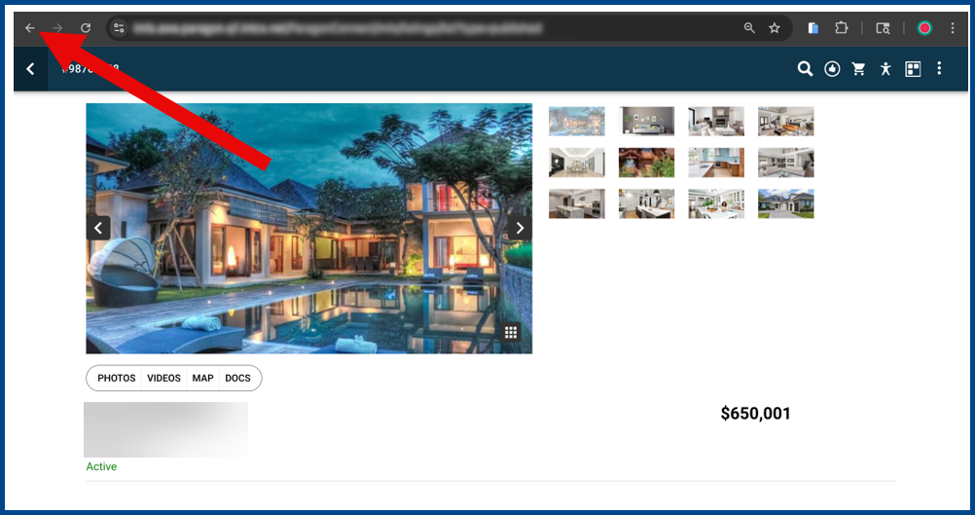
Improved Browser Navigation from Listing Details
Click the browser back button to return to Results from the Listing Details page.
Column Filtering in Spreadsheet Results
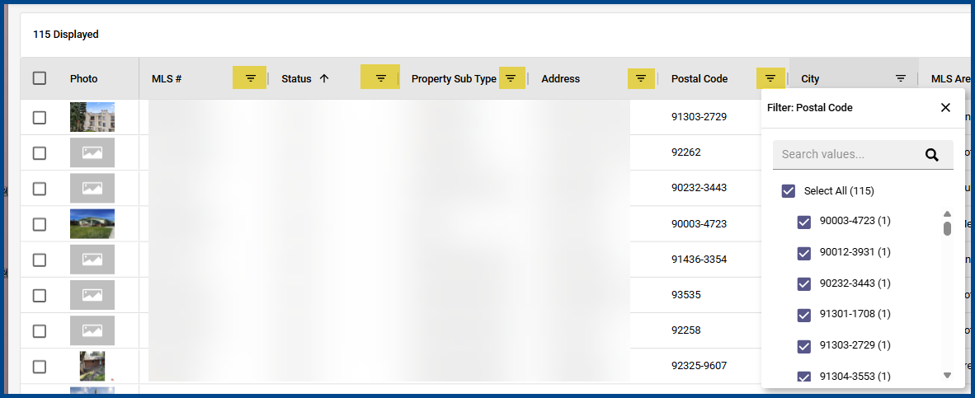
Column filtering is now automatically available when a search returns 50 or fewer listings. Anything more than that will need to be fully loaded on your page before the column filtering field is available. Click the Get All button to load all listings up to the first 1000.
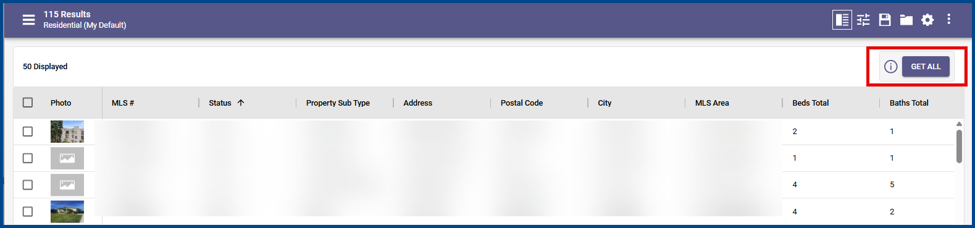
If search results are over 1000, use the column filtering option to adjust search criteria to meet or be below the 1000 limit.