The latest updates include enhanced search features, a new client activity tracker, and a color-coded system for listing changes in the Collaboration Center.
Improved Save Search Feature
Paragon has removed the Save criteria values option, which saves templates without necessarily matching criteria. This is to prevent invalid or incomplete searches.
Paragon Connect
Promoting Paragon Connect LIM within Paragon
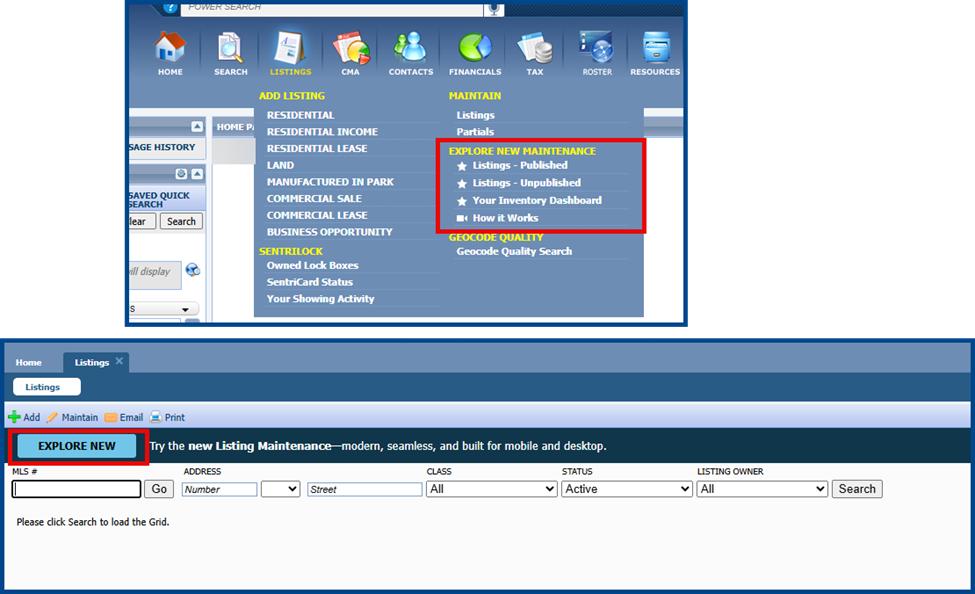
Listing input and maintenance options are now available on the Listings menu in Paragon.
Select the menu links under Explore New Maintenance or click the Explore New button to directly connect to workflows in Paragon Connect.
Improved Power Search Results
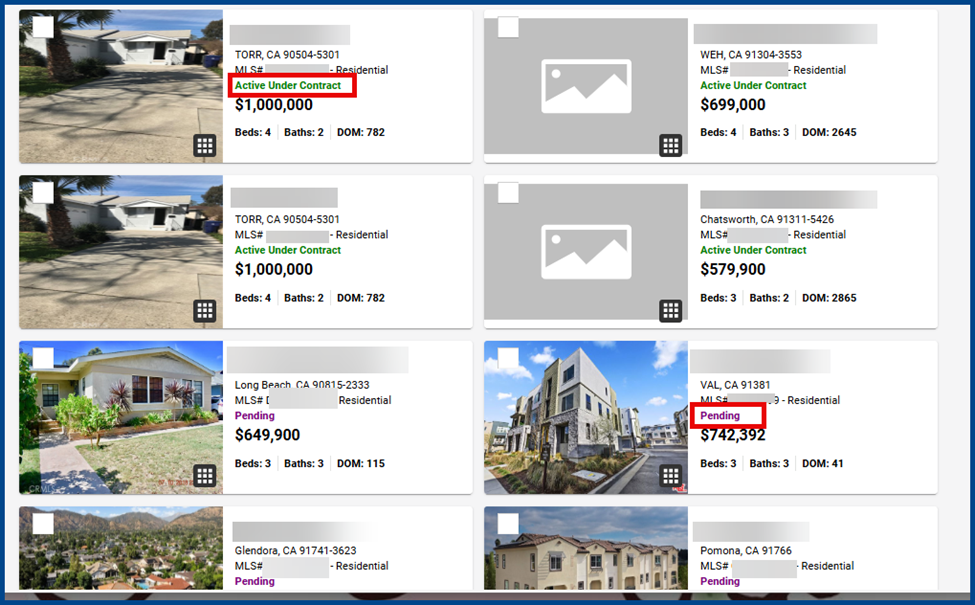
Power Search now automatically organizes results with the most relevant listings appearing first.
This means on-market statuses (e.g., Active Under Contract) appear before off-market listings (e.g., Pending).
Listing Maintenance Form Field Search
Listing maintenance will now keep the last-opened field in focus rather than resetting to the top of the form so that you may leave and return to the form later without losing your place.
Multi-Unit Parcel Map Actions
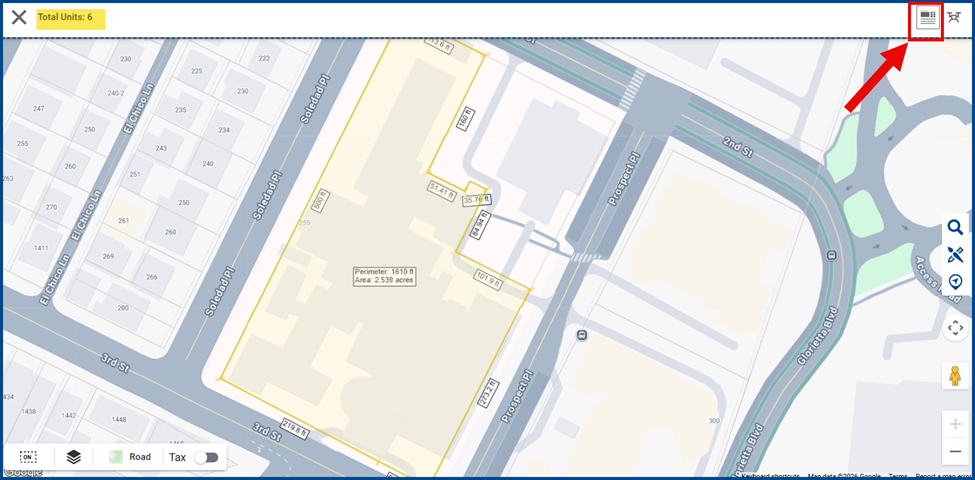
An action bar is now available when selecting a multi-unit parcel.
Click the grid icon in the top right corner to access public record details for each unit.
Prospect Interest Counts on Listing Insights Page
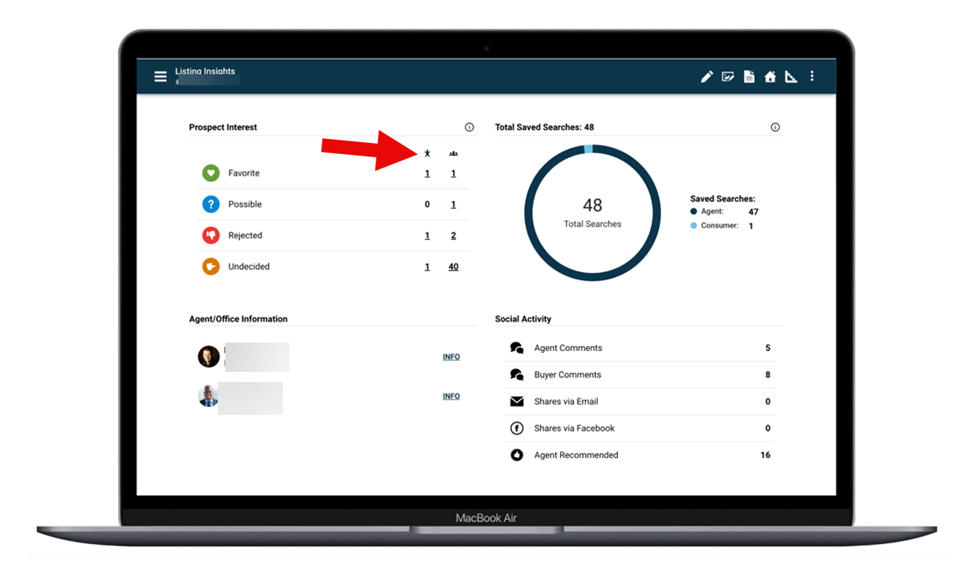
See side-by-side counts of how many views are from existing contacts versus from reverse prospecting leads.
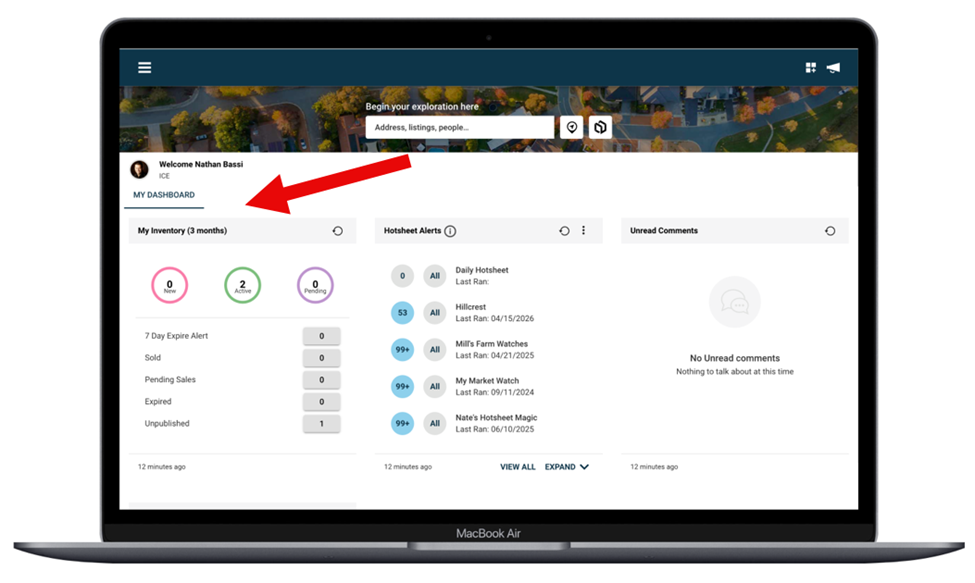
Streamlined Dashboard Experience
The main Paragon Connect dashboard has been simplified to make the most-used tools easier to access.
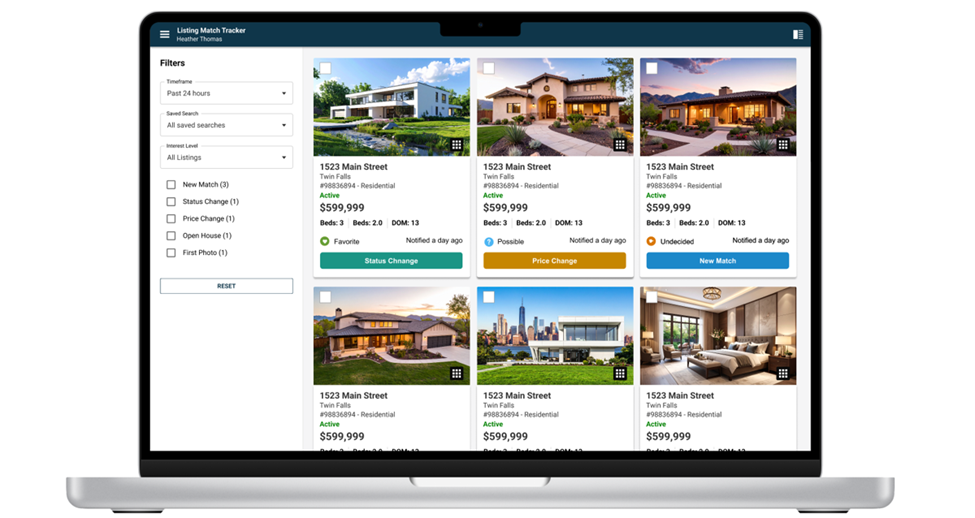
New Listing Match Tracker Page
The new Listing Match Tracker displays all the listing matches and client activity for a specific contact. Features include:
- Spreadsheet View
- Listing Filtering
- Timeframe Filtering: Search filters include
- Past 24 Hours (default)
- Past 2 to 7 days
- All Matches
- Saved Search Filtering: Focus on activity tied to specific saved searches
- Interest Level Filtering: Filters based on client sentiment include
- Undecided
- Favorites
- Possible
- Rejected
- Activity Based Insights: Available activity filters include
- New Match
- Status Change
- Price Change
- Open House
- First Photo
- One Click Reset: Restores all filters to default values
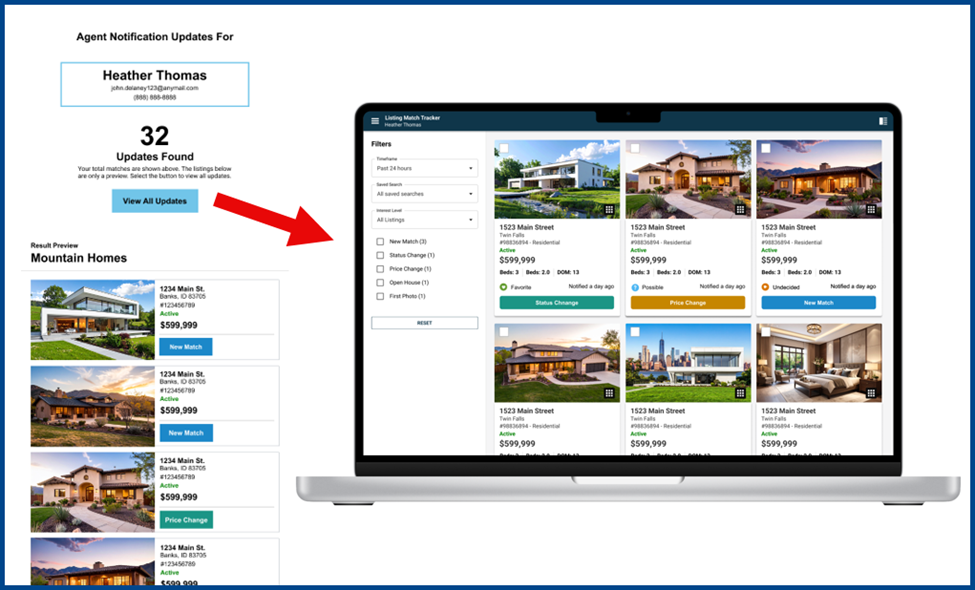
Redesigned Listing Update Emails
Listing update emails now feature an improved, easy-to-scan content structure and more actionable navigation.
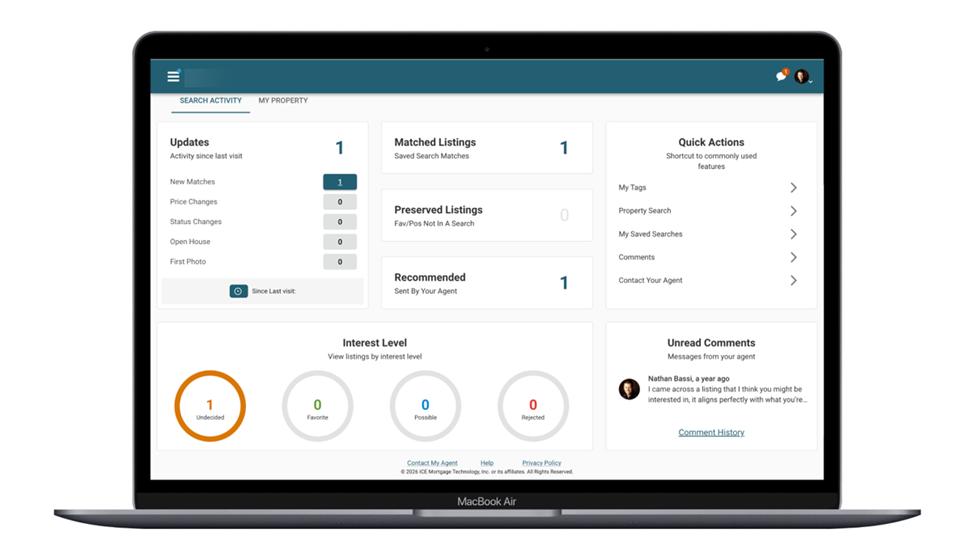
Collaboration Center
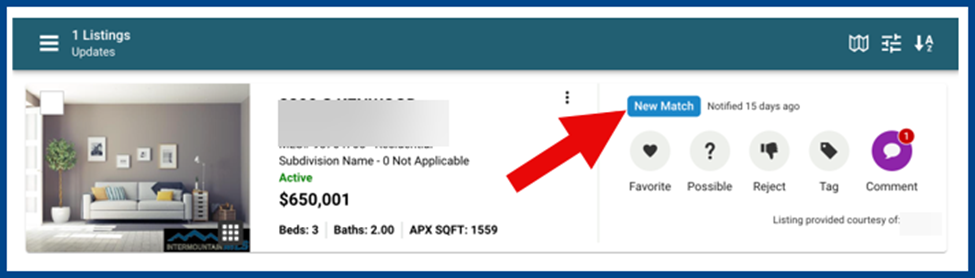
New Color Badges
Listings now include unique color badges for quickly identifying updates:
- Blue: New Match
- Teal: Status Change
- Amber: Price Change
- Purple: Open House
- Slate Gray: First Photo
Clearer Language for Client Interest Levels
Language across the Collaboration Center is now easier to read at a glance.
Expanded Market Visibility in Competition
Pending listings are now included in the competition view of both the Collaboration Center and the Listing Insights Report in Paragon Connect. In the competition tab, listings will appear if they meet the following criteria:
Property activity
- Sold listings from the last 6 months
- Current Pending and Active listings
Residential criteria
- Same number of bedrooms
- Bathrooms within plus or minus one
Non-residential criteria
- Acreage or square feet within plus or minus ten percent
The closest properties are weighed more heavily, with results capped at a 10-mile radius or a maximum of 50 matches (whichever comes first).