Premium Flood Maps are now available for purchase and go beyond FEMA flood determination data to provide a comprehensive analysis of a property’s true flood risk. With Premium Flood Maps, agents can give their clients flood risk information they won’t find anywhere else, emphasizing the agent’s value as an expert and trusted advisor.
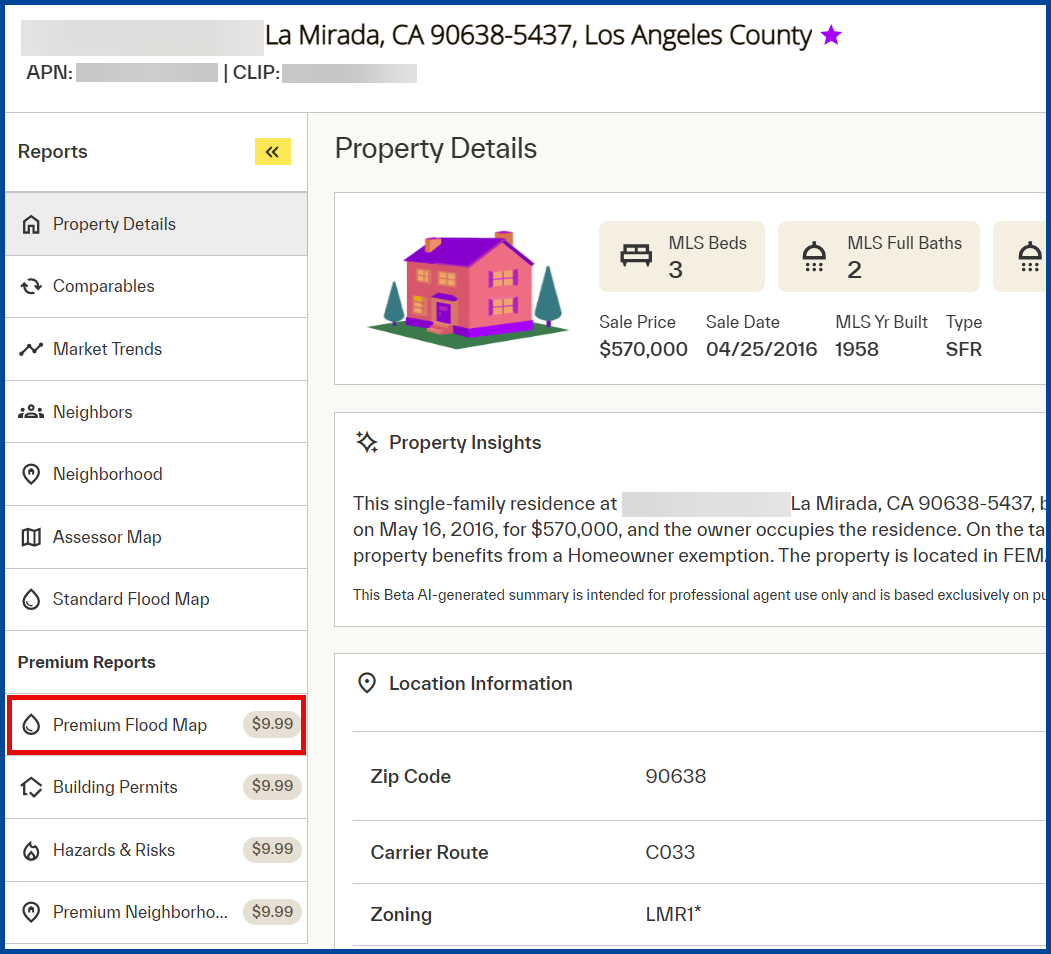
From the Property Details report, select the Premium Flood Map report.
Note: A Standard Flood Map report is available at no additional cost.
Standard Flood Maps
The Standard Flood Map report shows a property map with FEMA flood zone determination, showing whether a property is “In” or “Out” of a federally designated-flood zone.
The Standard Flood Map report includes the following report attributes and definitions:
| Term | Definition |
| Special Flood Hazard Area (SFHA) | Indicates whether the property location is “In” or “Out” of a Special Flood Hazard Area (100-Year floodplain). |
| County | The county where the property is located. |
| Community Participation Status | The National Flood Insurance Program (NFIP) status of the community in the declared counties. |
| Original Panel Firm Date | Effective date of the map. |
| Within 250 feet of multiple flood zone | Provides a “Yes” or “No” response to whether the property is within 250 feet of the SFHA boundary. |
| FIPS Code | The five-digital state and county FIPS code. |
| Flood Zone Panel | 2-4 digit number and suffix assigned by FEMA for the map panel. |
| Coastal Barrier Date | Returns date of CBRA classification, if available. |
| Flood Zone Code | Flood zone for the property location based on FEMA. |
| Community Name | Name of the community. |
| Panel Date | Date of the FEMA map panel. |
| Coastal Barrier Resource Area (CBRA) | Coastal Barrier Resource Act (CBRA) protects areas that serve as barriers against wind and tidal forces caused by coastal storms and serves as habitat for aquatic species. Returns “In” or “Out” to identify whether the property is within a CBRA zone. |
Premium Flood Maps
The Premium Flood Map Report is available for certain properties that provides flood risk assessment data with two scoring models from CoreLogic:
- CoreLogic Flood Risk Score
- CoreLogic Flash Flood Risk Score
In addition to these two scores, the Premium Flood Map Report includes the following report attributes and definitions:
| Term | Definition |
| Distance to 100 yr Flood Plain | Distance in feet between the property and the boundary of the 100-year flood zone located in the same catchment or subwatershed. If a 100-Year floodplain is not within the radius search, the value will display as -1. |
| 100 yr Plain Note | Note provided in the absence of distance. |
| Subwatershed Name | Subwatershed name. |
| Property Elevation | Elevation, in feet, of the property. |
| Additional Comments | Additional comments or information. |
| Distance to 500 yr Flood Plain | Distance in feet between the property and the boundary of the 500-year flood zone. If there is no 500-Year floodplain, the value will display as -1. |
| 500 yr Plain Note | Note provided in the absence of distance. |
| Subwatershed Code | Returns the code for the subwatershed. |
| Water Surface Elevation | Provides the elevation, in feet, of the water surface. |
| Distance to Dam | Provides the distance, in feet, to dam. |
| Distance to Levee | Provides the distance, in feet, to levee. |
| Additional Impact Area | Notes for additional impact area. |
| Elevation Variance | Elevation variance, in feet. |
Purchasing a Premium Flood Map Report
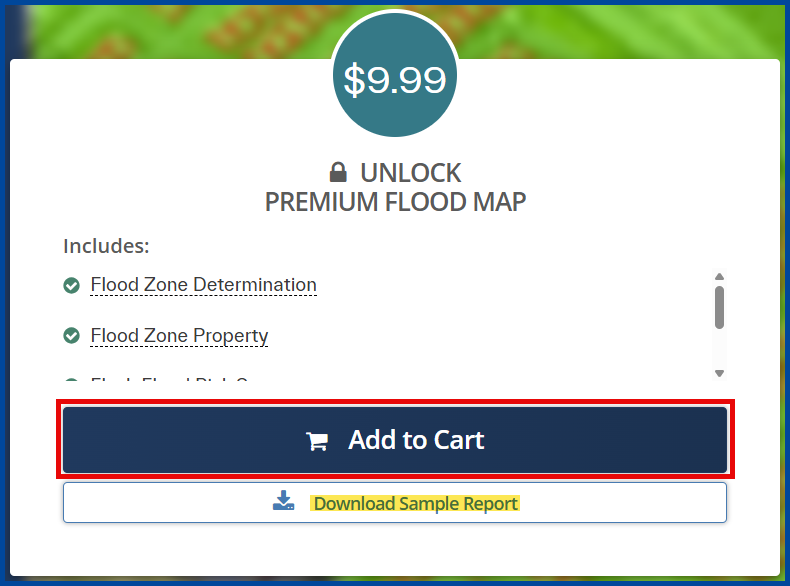
From the Premium Flood Map report select Add to Cart.
Note: You can add multiple premium reports prior to checkout.
Select the Cart icon at the top right of the screen to continue the checkout.

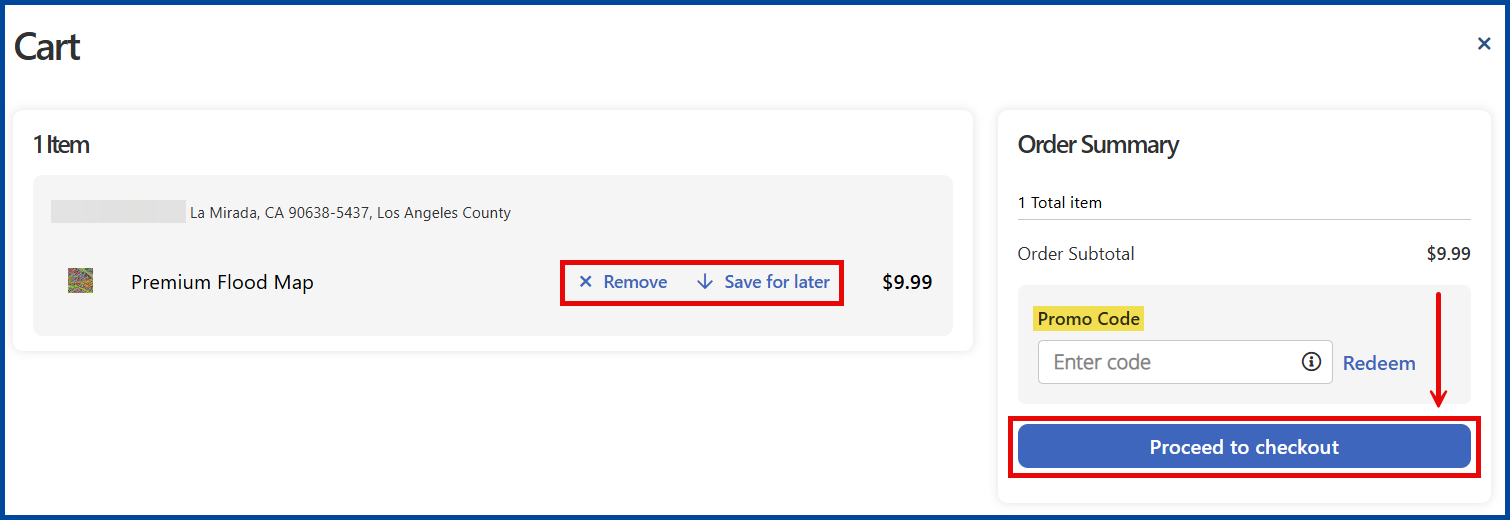
From the Cart page, select Proceed to Checkout or choose to “Remove” or “Save” the report for later.
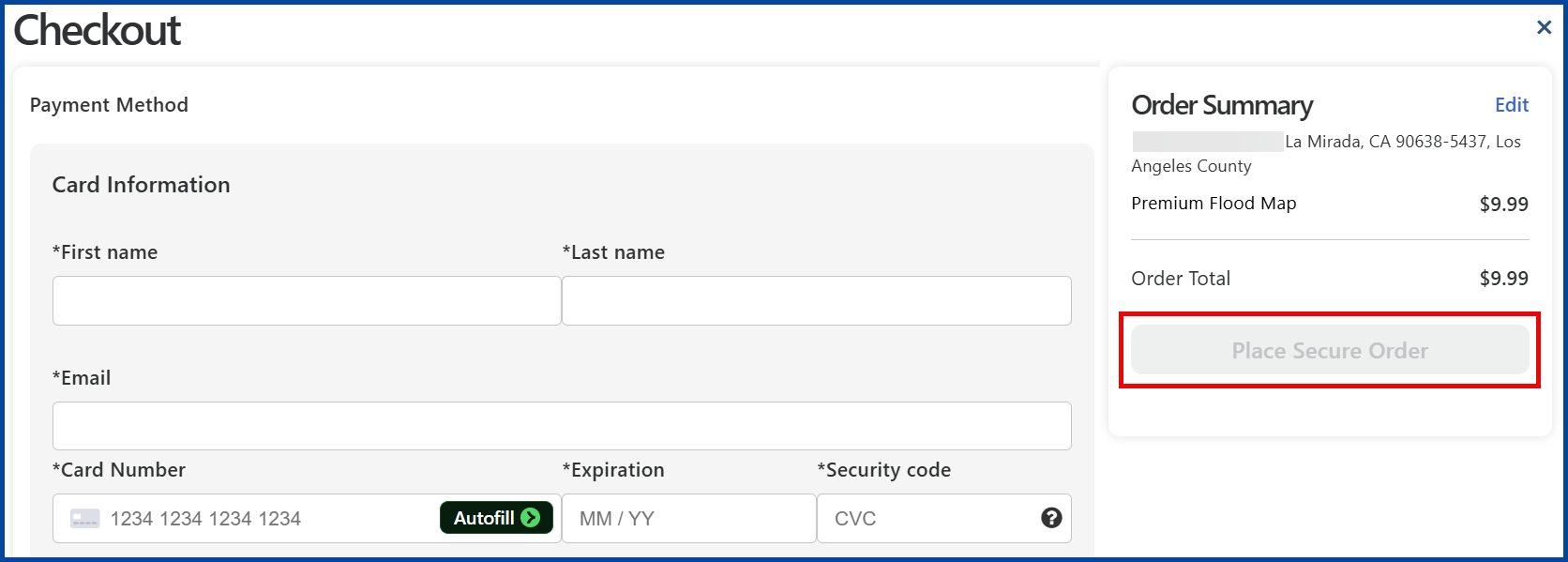
From the Checkout page, add required card and billing information to Place Secure Order.
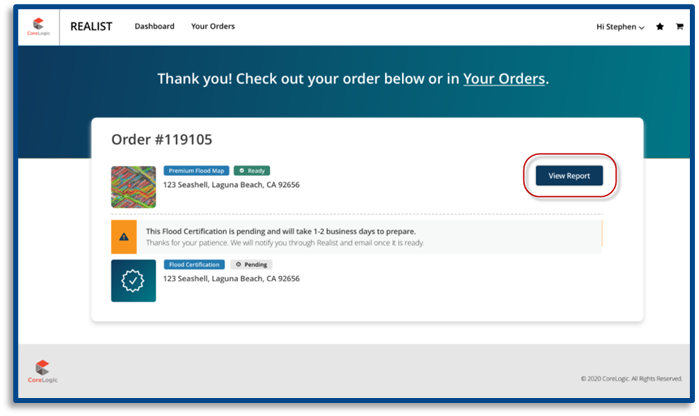
Once you have purchased the Premium Flood Map report(s), you’ll see an order confirmation page. If you purchased multiple flood map reports during one transaction, each Premium Map Report will appear on the same order confirmation page with its own View Report button.
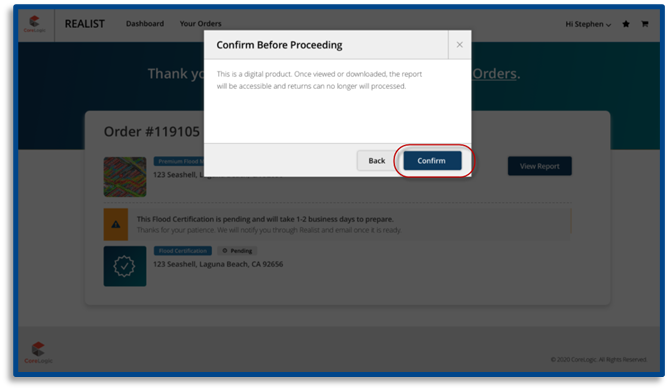
Because the Premium Flood Map report is delivered as a digital product, Realist does not accept returns once you have viewed or accessed the report content. To begin viewing the Premium Flood Map report content, you must acknowledge and accept the refund policy set by clicking on the Confirm button.
Refunds
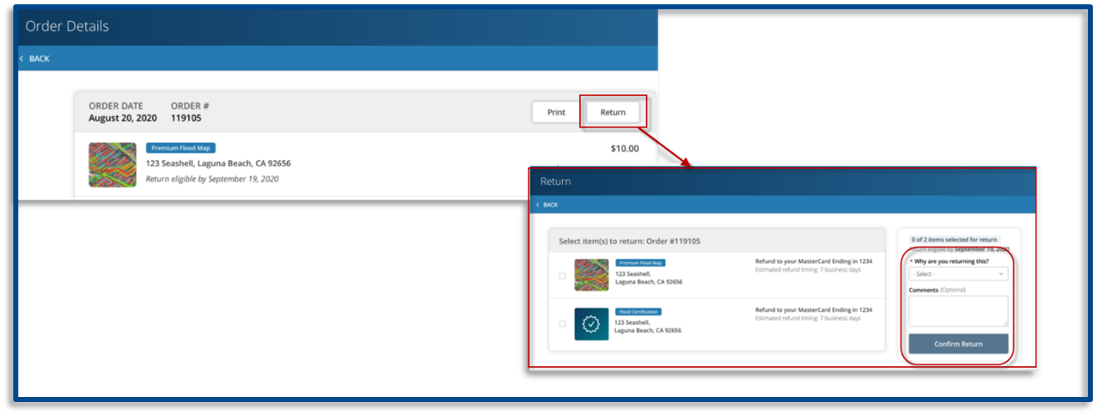
To obtain a refund for a report you haven’t accessed or viewed, click on the Your Orders button to navigate to the order summary page. Click on the Return button located to the right of the eligible report(s), select your return reason, add optional comments, and then click on the Confirm Return button. CoreLogic will issue the refund immediately; however, processing time may take 5-10 days depending on your financial institution.