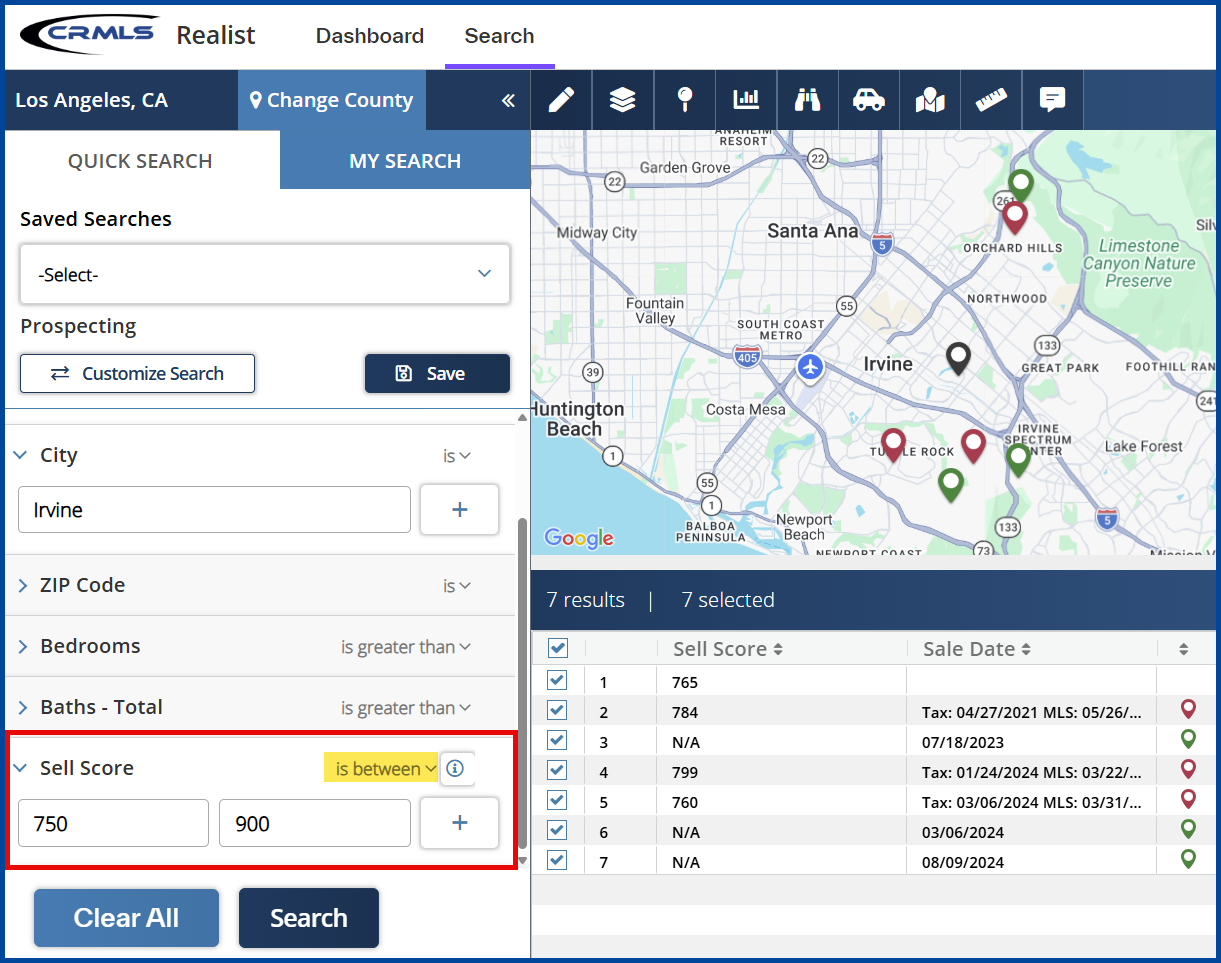
Sell Score Search Attribute
The Realist Sell Score is now a searchable attribute available under “Search” > “My Search.” The Sell Score is based on the CoreLogic “Propensity to List” model. This model uses a numerical value (0-1000) that predicts the relative likelihood a property’s owners will list it for sale in the next six months.
Users can select the “Sell Score” attribute to search for properties based on sell score value(s) and ranges, and then proceed with downloading property detail reports, exporting, or creating mailing labels.
Benefits
The Realist Score is a valuable data point that allows real estate professionals to search for properties that are more likely to become listings. The score comes from CoreLogic’s “Propensity to List” model, which looks at market conditions, sales data, valuation, and other proprietary CoreLogic data. This information can especially benefit real estate professionals who are working on their prospecting & farming lists.
Sell Score Ratings and Values:
- Very High: 831-1000
- High: 625-830
- Moderate: 502-624
- Low: 354-501
- Very Low: 0-353
Add and Use the Sell Score Attribute:
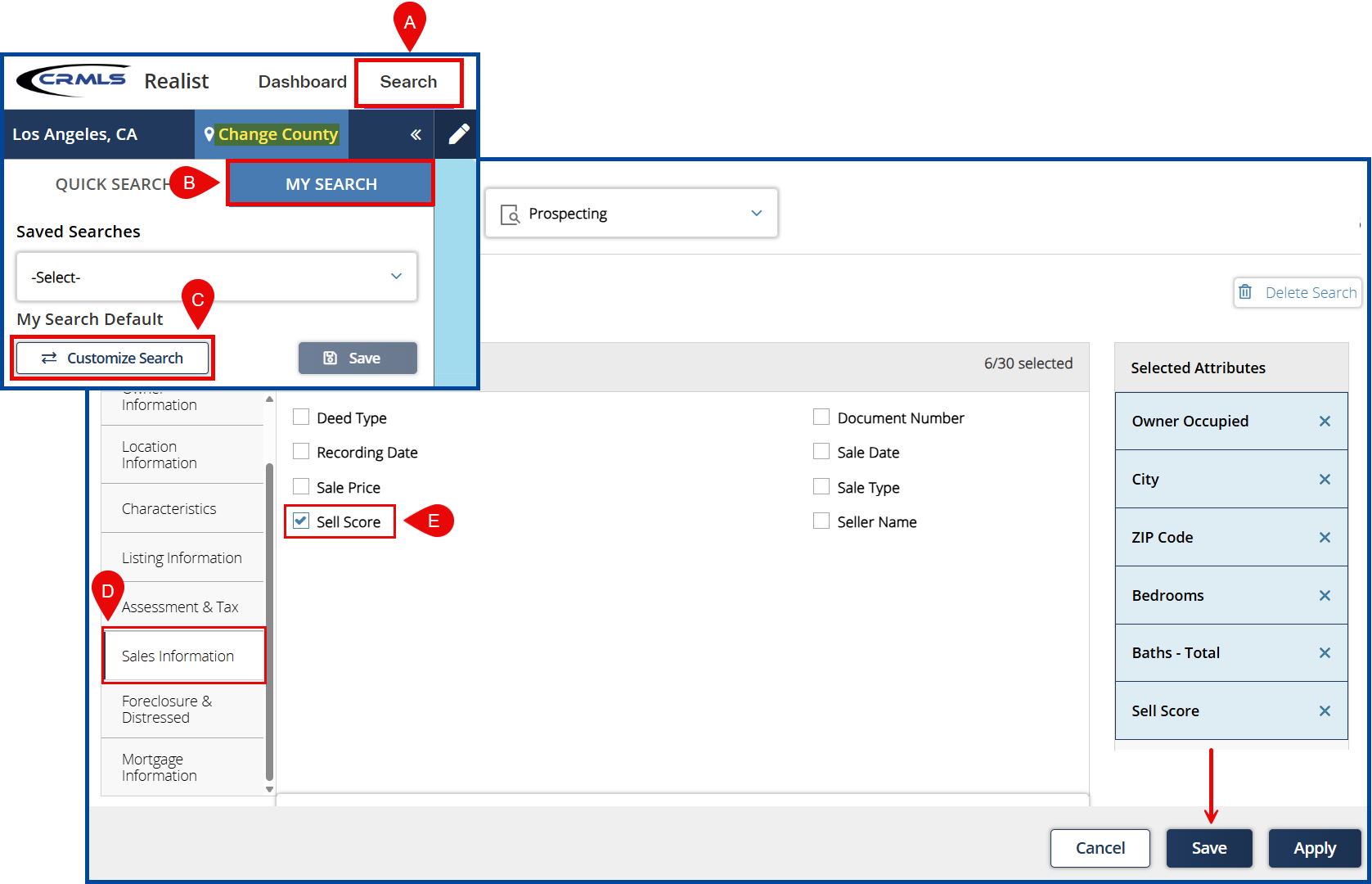
A: Select the Search tab.
B: Select My Search.
C: Select Customize Search to view available attributes (filters).
D: Choose the Sales Information attributes.
E: Select the Sell Score attribute, “Save,” and then “Apply” to launch the search.
Note: the Sell Score is only available when you select a single county. With multiple counties selected, the Sell Score attribute will gray out and it will not be possible to include in search parameters. If the user has already added the Sell Score to their search form and proceeds to go from single county to multiple counties, the Sell Score grays out on the “My Search” form.
Return to the “My Search” panel and locate the Sell Score attribute.
You can search with the Sell Score attribute using the following parameters:
- Is: to search for properties with a specific sell score (i.e., Is=750).
- Is Between: to search for properties between two values (e.g., Is Between=750 to 900).
- Is Greater Than: to search for properties greater than a specific value (i.e., Is Greater Than=750).