The latest update offers new search features, price change information, and a redesigned Website Links page in Paragon Connect.
Paragon Connect
Power Search
Power Search now includes the View (#) Listings and Full Search buttons. Clicking View (#) Listings previews up to ten relevant listings. Clicking Full Search opens the full results page with every match relevant to your search.
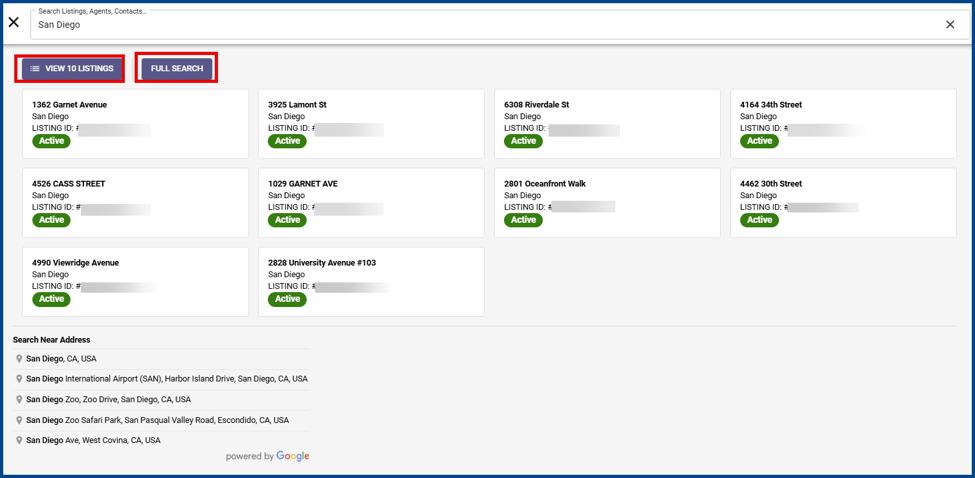
Note: The display number for View (#) Listings is based on the number of matches.
EasyListing
The EasyListing feature can auto-fill the listing form with comprehensive property address data.
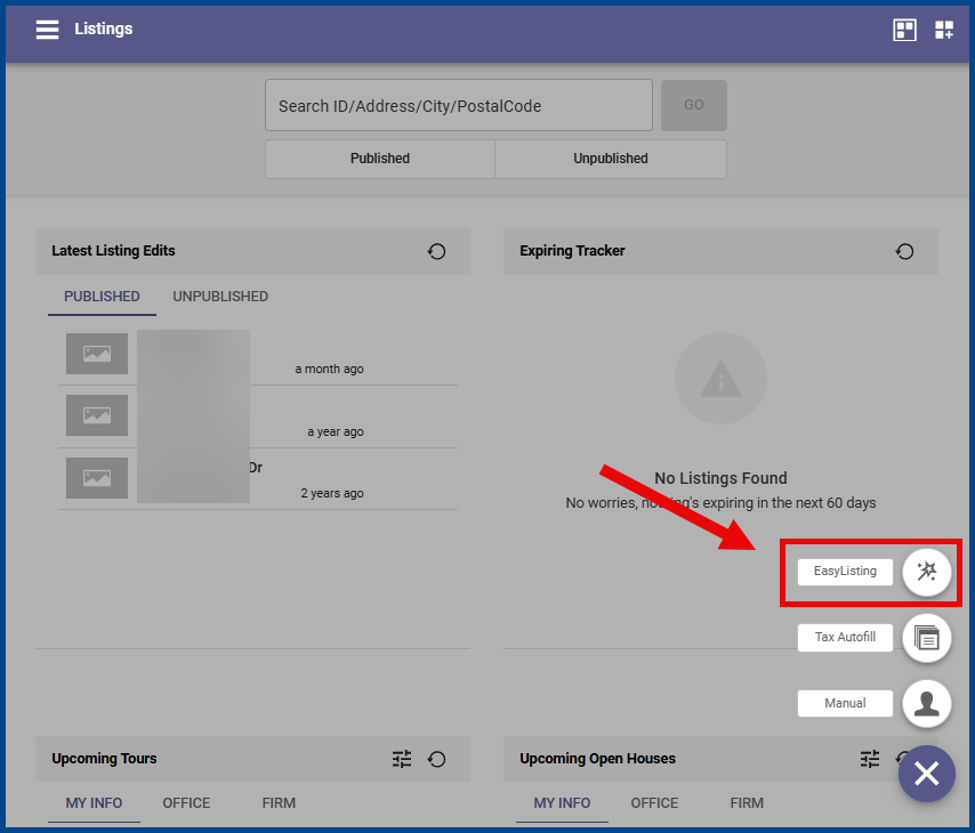
To add a new listing, open the listing input page and click the Add button. Select EasyListing.
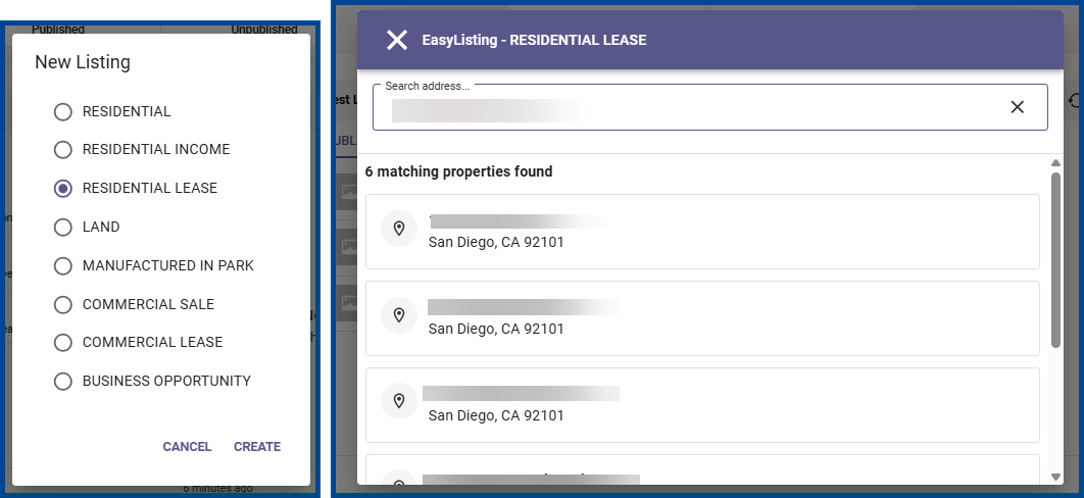
Select the property type and enter the property address. If applicable, click on a matching previous listing to launch a new listing input page.
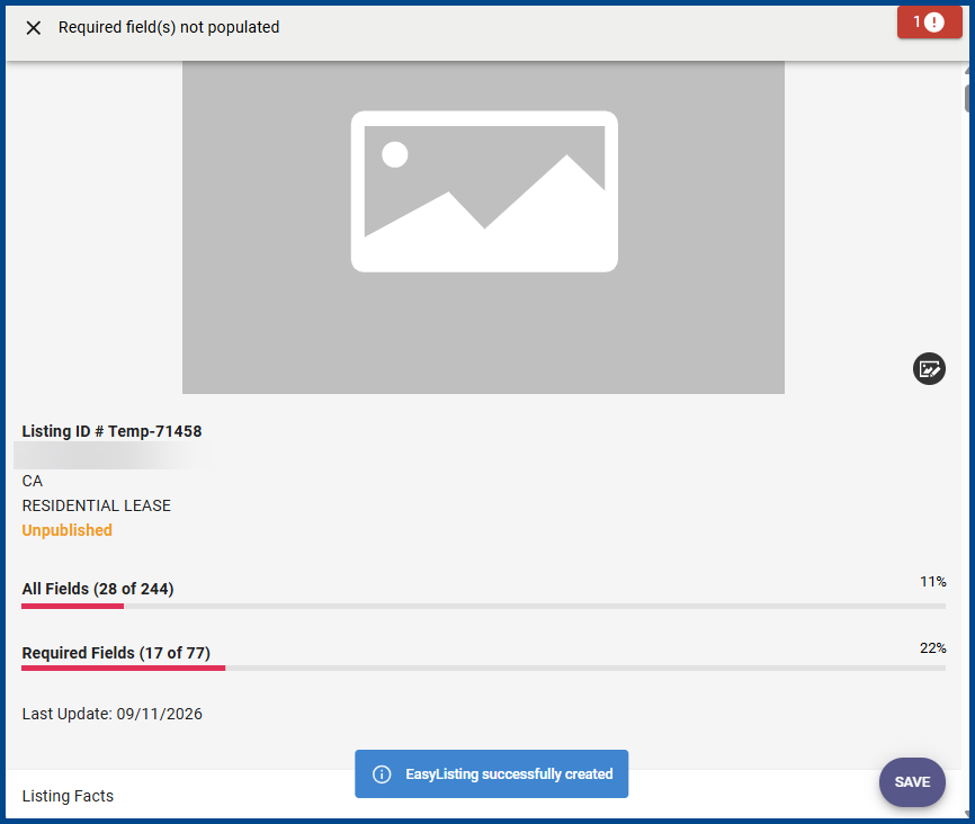
Review the pre-populated fields and enter any missing listing information.
Customized Spreadsheet View
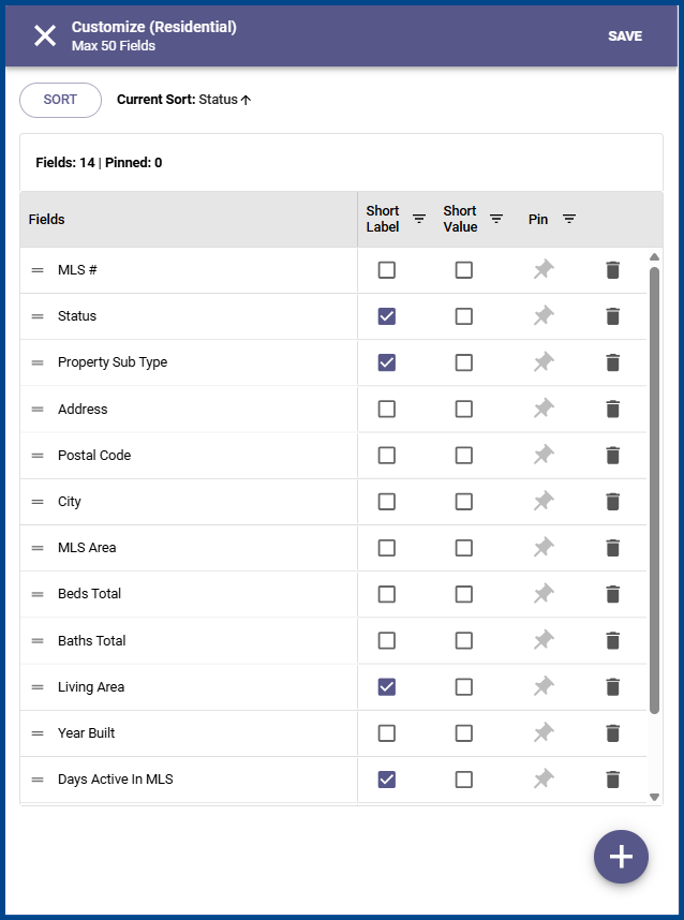
The Customize dialog box now matches the column arrangement of your live grid.
Price Change Displays
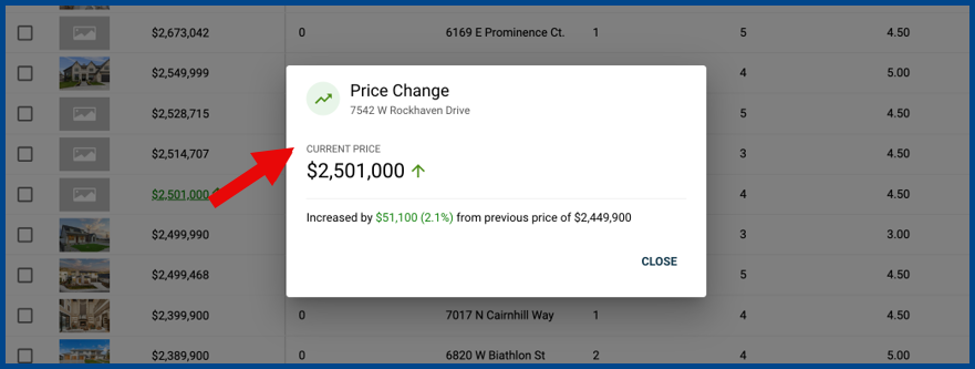
Identify price changes with color, underline, and direction arrows. Click Price Change to open a dialog box with the listing address, current price, and a summary of the increase or reduction.
Redesigned Website Links Page
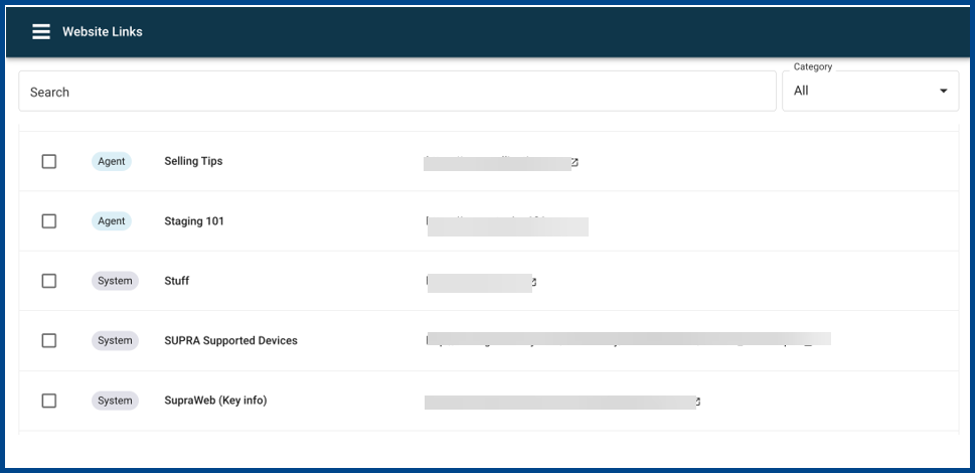
Website Links now show Agent, Office, and System links in a single searchable list.
Updated Reverse Prospecting Page
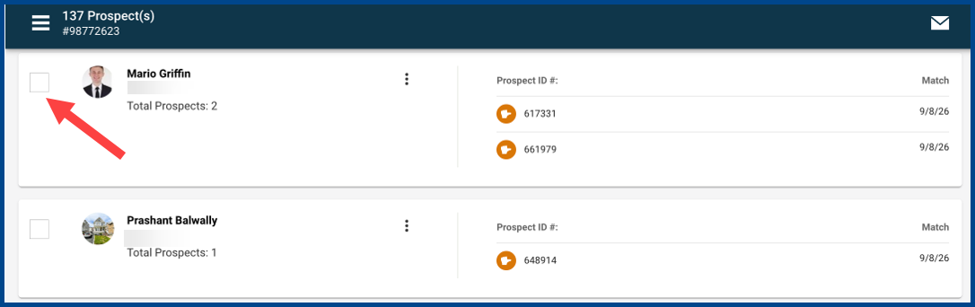
Agent cards now include checkboxes for selecting multiple contacts at once.
Sharing Listings via Text
Text messages for a single listing now includes the street address before the URL.