The latest Paragon update features interactive 3D map viewing, more accessible listing management, and updated email layouts to improve readability.
Aerial Flyover Experience
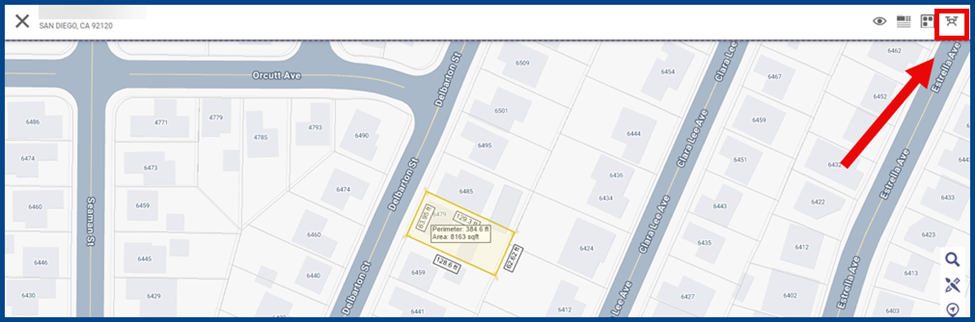
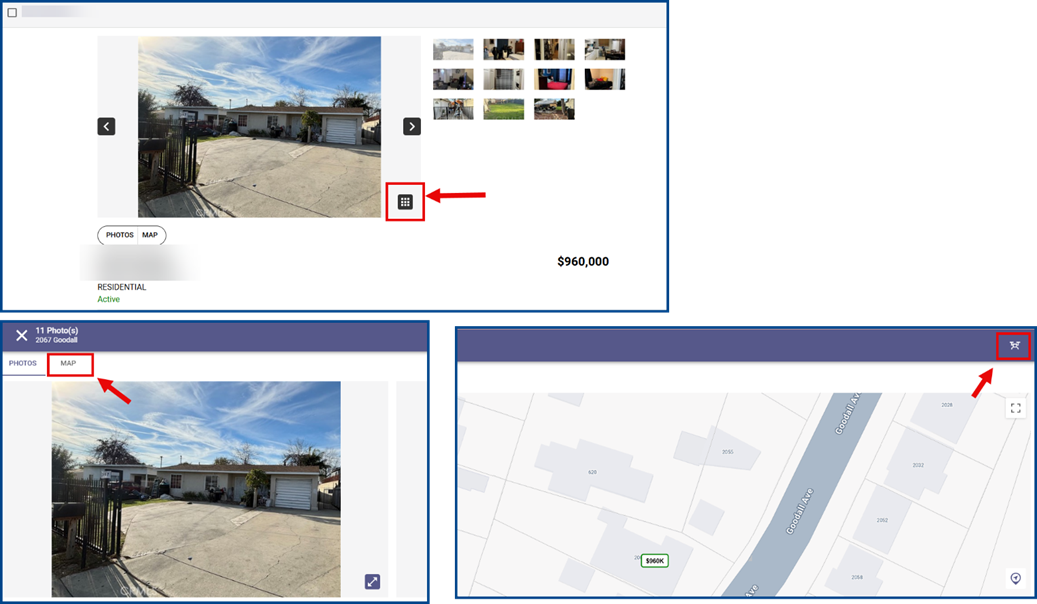
For a 3D, aerial property view, go to either the map search or the Media Gallery:
From the Map:
- Select a Residential parcel
- Click the drone icon (top right corner)
From the Media Gallery:
- Choose a property to view
- Click the Media Gallery icon
- Select the Map tab (top left corner)
- Click the drone icon (top right corner)
3D Maps Frequency
Google has a rolling schedule for updating 3D aerial maps, typically:
- Major cities: About every one to three years
- Suburban areas: About every three to five years
- Rural and remote regions: Every five to ten or more years
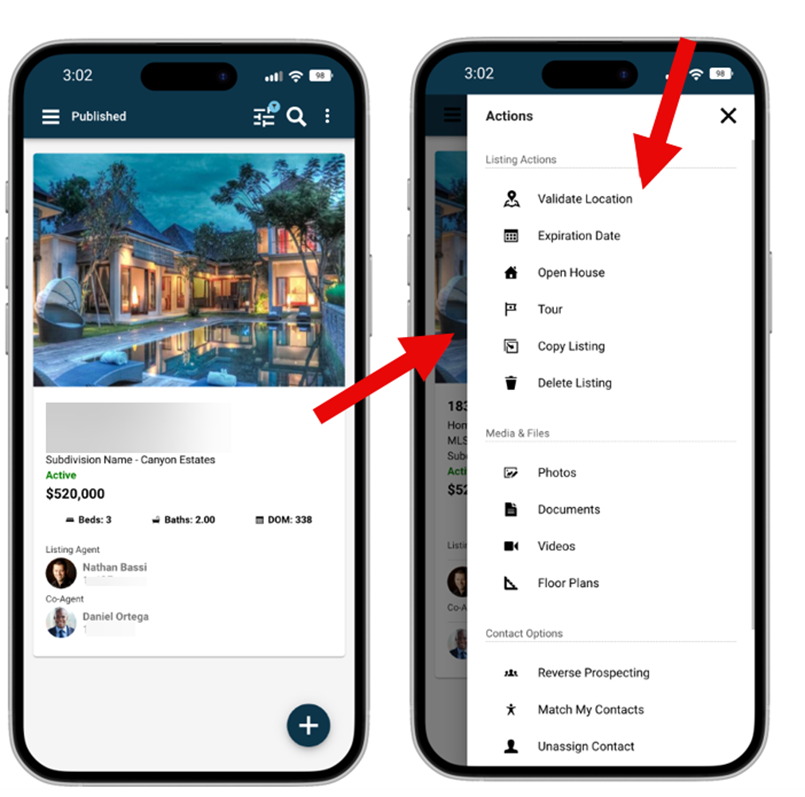
Validating and Updating Listing Map Locations
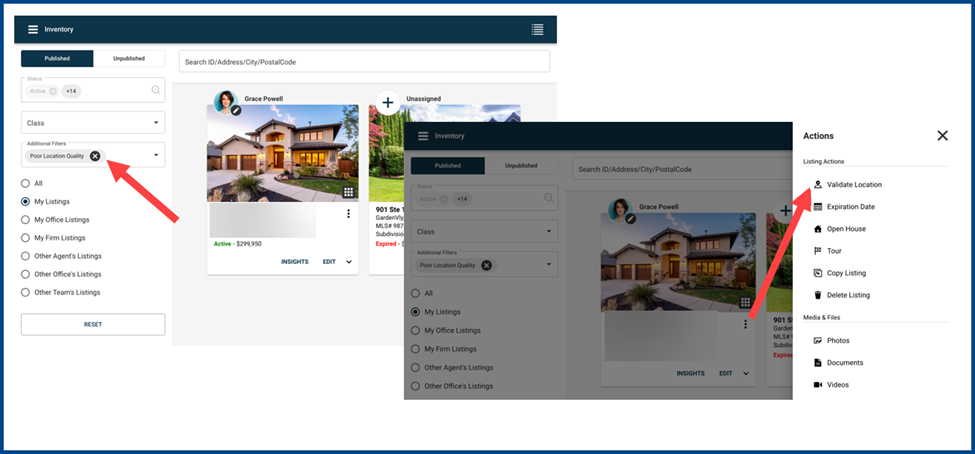
To manage listing locations at any time, select Validate Location from the overflow menu on both published and unpublished listing pages.
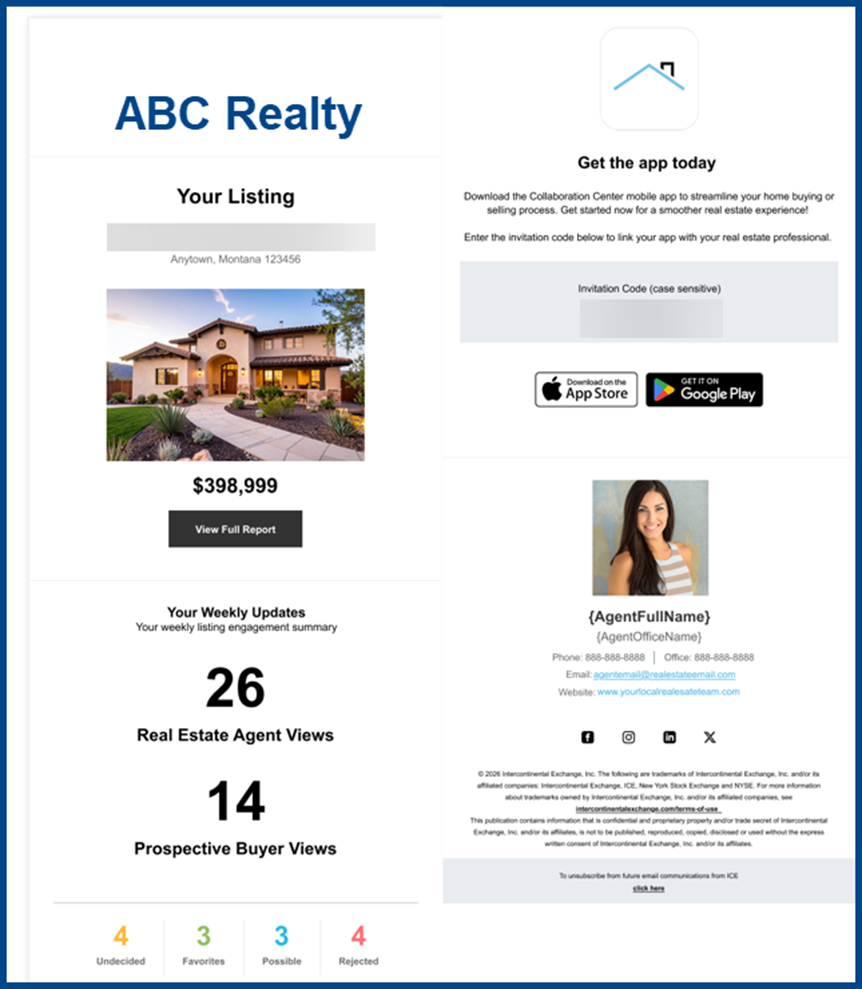
Updated Design for Seller Report Email
Paragon Connect now features an updated layout for the Seller Report email. The new design presents branding and key property highlights, including a weekly engagement summary.
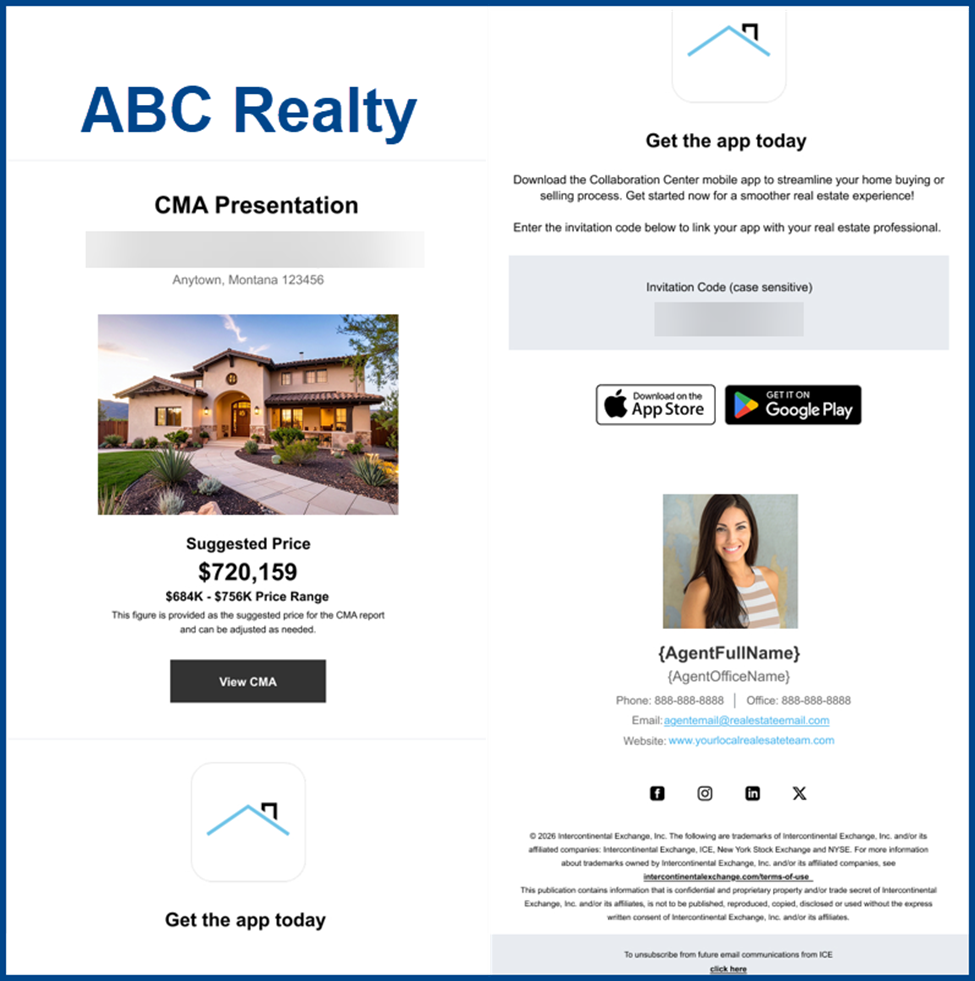
Updated Design to EasyCMA Email
The EasyCMA email now has an updated layout when sharing Comparable Market Analysis from Paragon Connect. The new design presents branding and key property highlights, including the suggested price range.
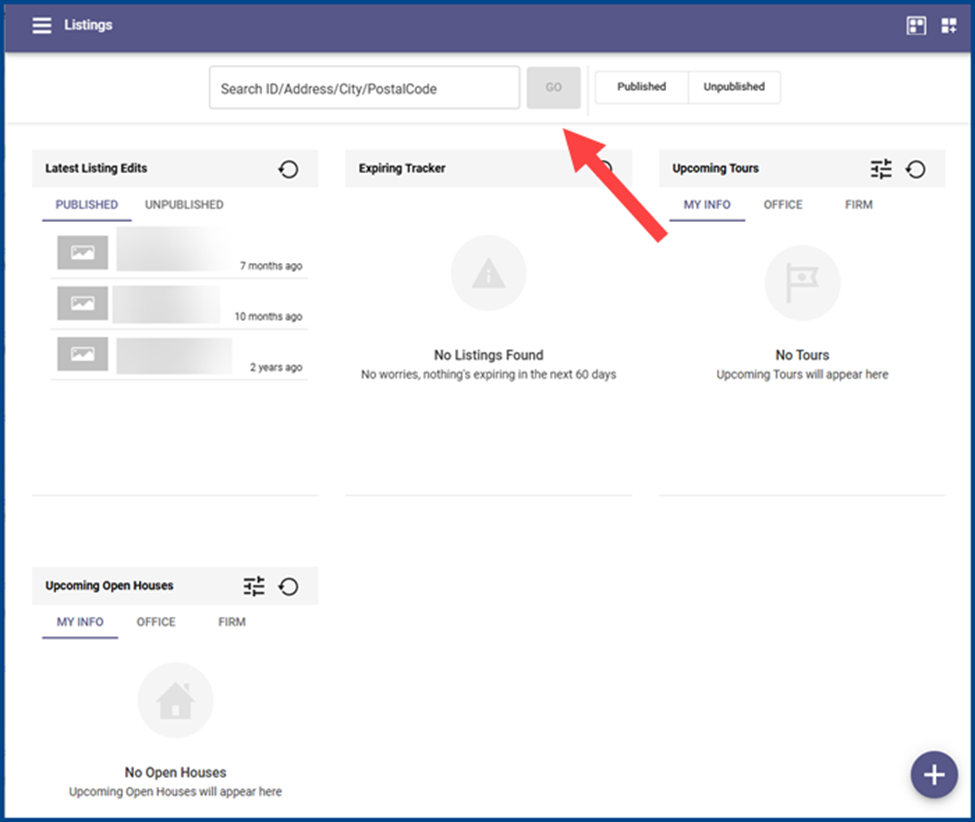
Listings Search and Inventory Access
The Listing dashboard now includes its own search bar. Enter listing criteria and click GO to view results on the inventory page.
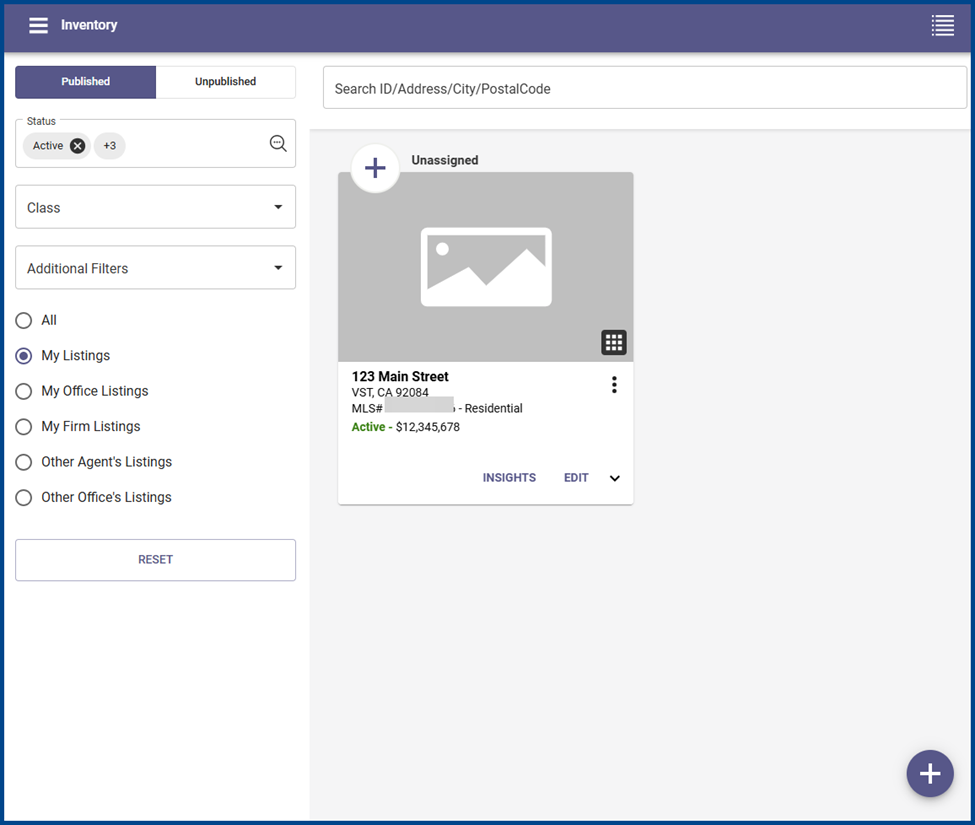
Updated Inventory Page
The Inventory page displays listings based on the agent’s ownership and permissions. Use the search and filters to locate specific listings.
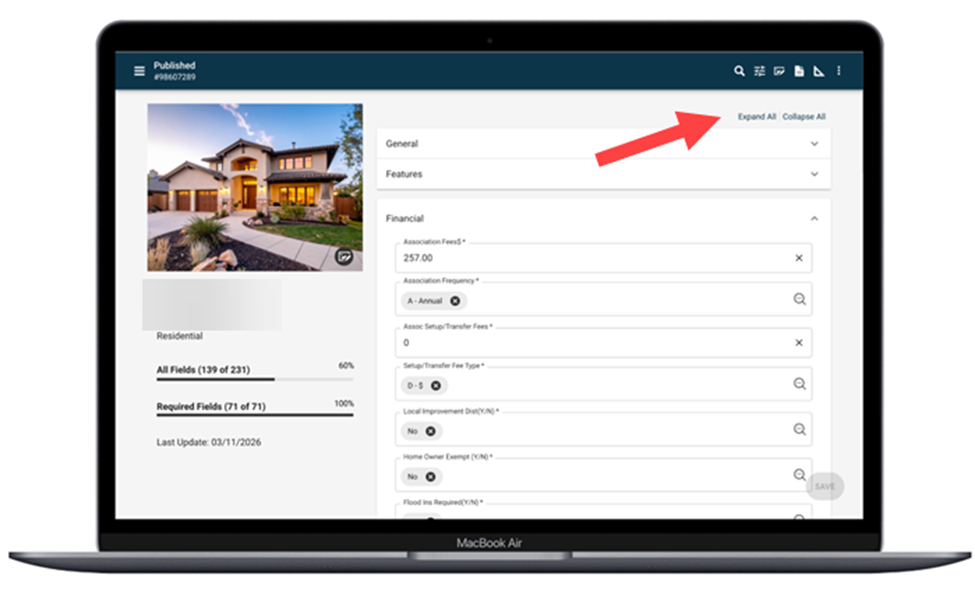
Expand and Collapse All Controls
When editing a listing, click Expand All or Collapse All to manage all form sections simultaneously.
New Filter: Poor Location Quality
Use the Poor Location Quality filter to identify published listings with low geocode accuracy (quality score <0.95).
Select a result to validate its location and improve mapping accuracy.
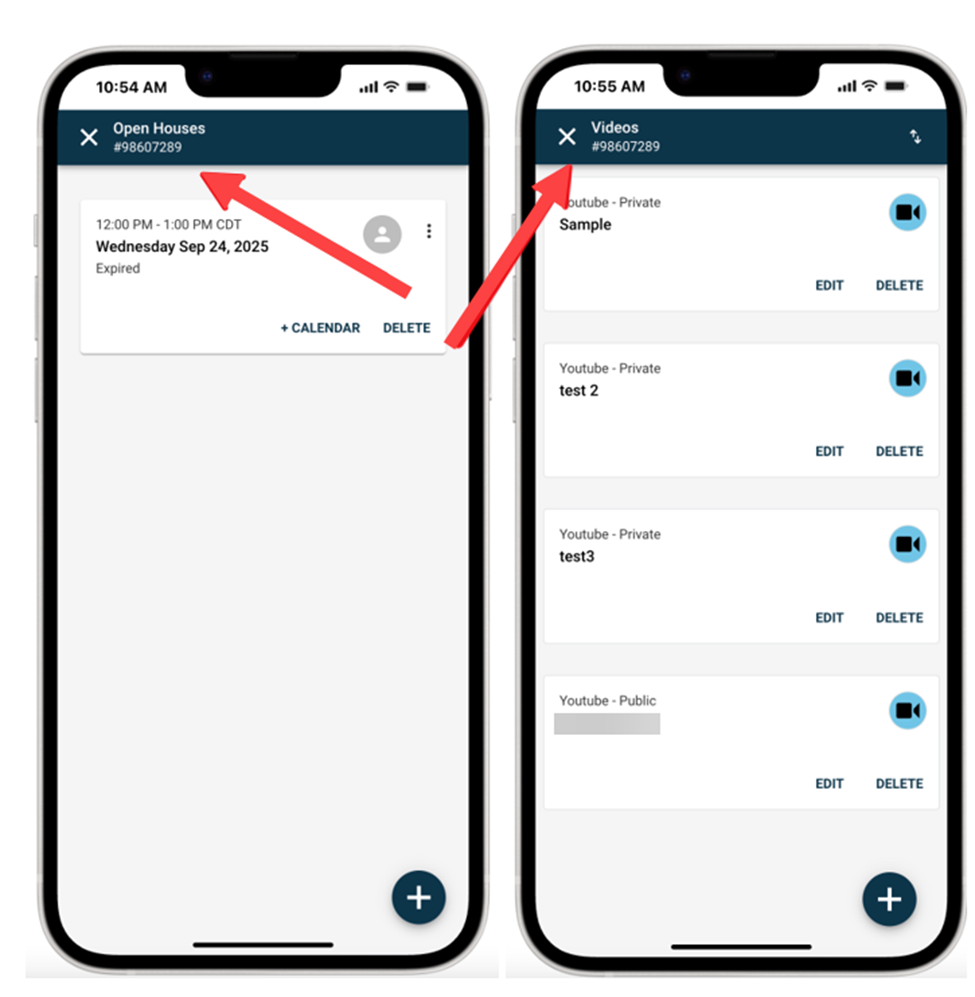
Listing Maintenance Action Title and Subtitle Update
The updated app bar features a static title and matching listing ID throughout the workflow for improved readability.
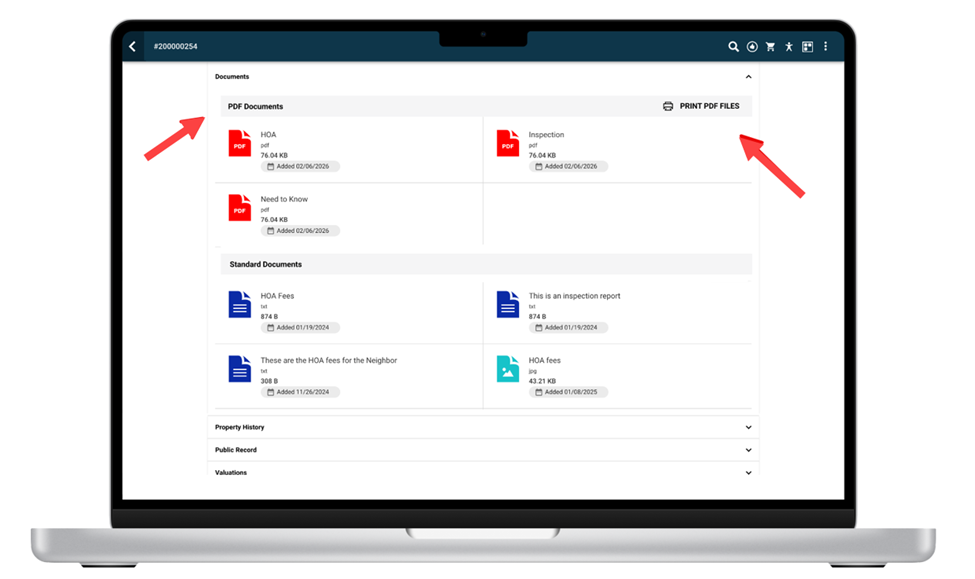
Clearer View of Listing Documents
In the Listing Detail report, Documents now separates existing .pdf files from the PRINT PDF FILES function on the title bar.
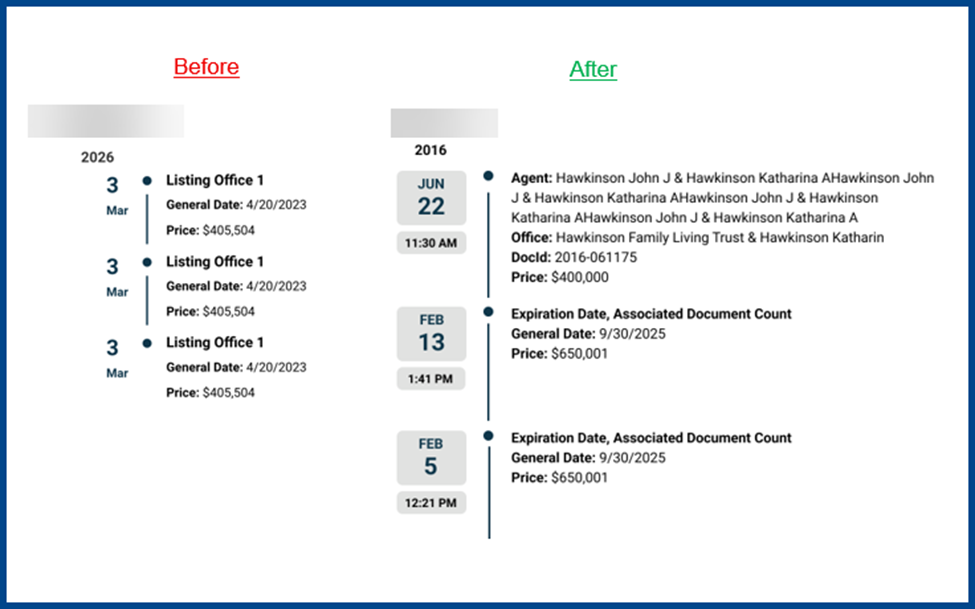
Updated Timeline Date Format
The Timeline date display now features a more scannable layout. Access this view in the Property History section of the Listing Detail report or under Mortgage, Sales, or similar sections in the Public Record Detail report.
Updated Text Editor Feature
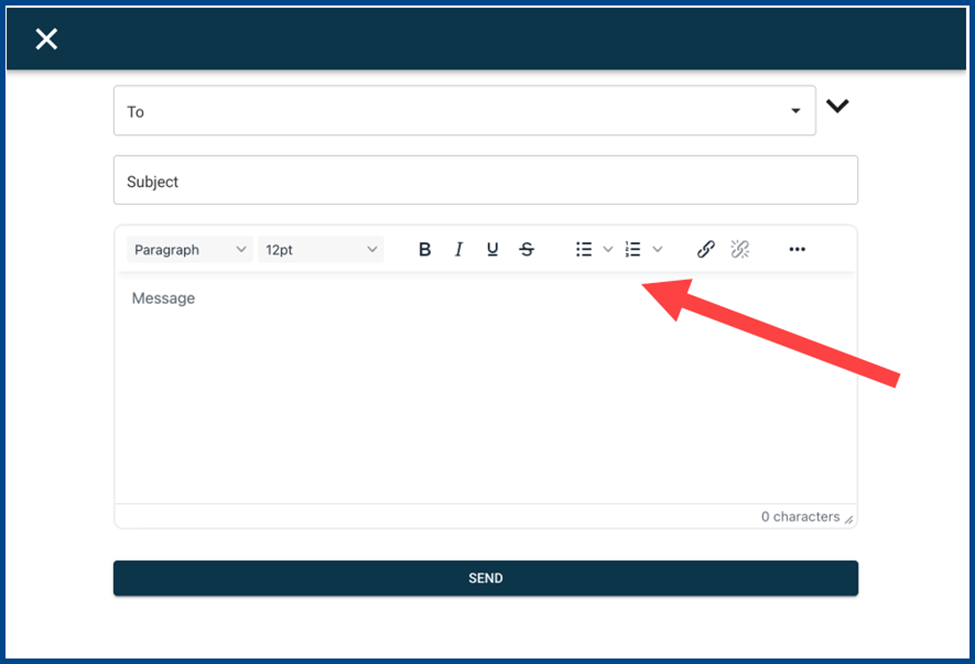
In Paragon Connect, the new text editor features a standardized layout for a more consistent experience across all products and devices.