The latest Paragon update features the new Listing Insights Report and other enhancements.
The Listing Insights Report
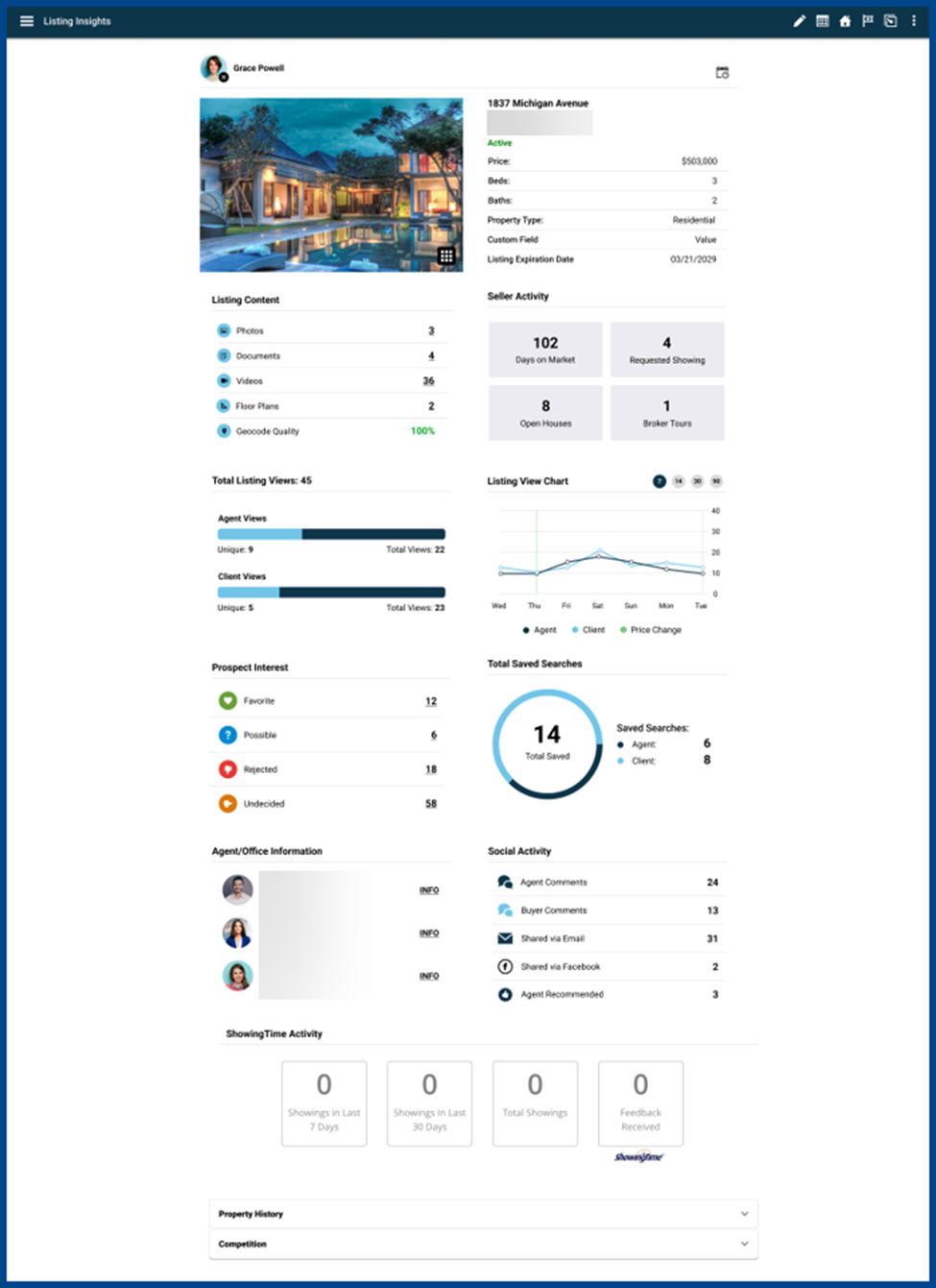
The Listing Insights Report provides a centralized, interactive view of a listing’s performance, engagement, and activity. Click the overflow menu on any published listing to open the report and see key data and tools in one place.
Assign Contacts and Manage Sell Side Setup
Click the + (plus) icon to assign contacts directly from the listing report. After assigning a contact, open the Sell Side Setup tool to provide the contact with listing notifications and communications (optional).
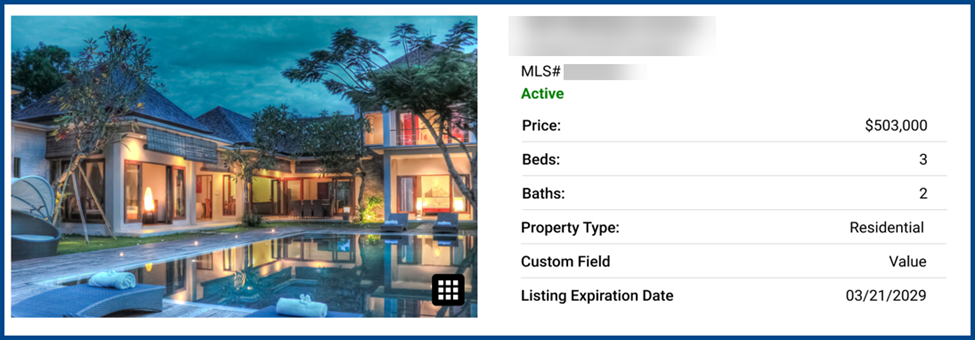
Listing Details and Media Preview
The report displays a listing’s primary photo. Click the photo to browse the full media gallery or launch the full detail report for a comprehensive view.
Listing Content and Seller Activity
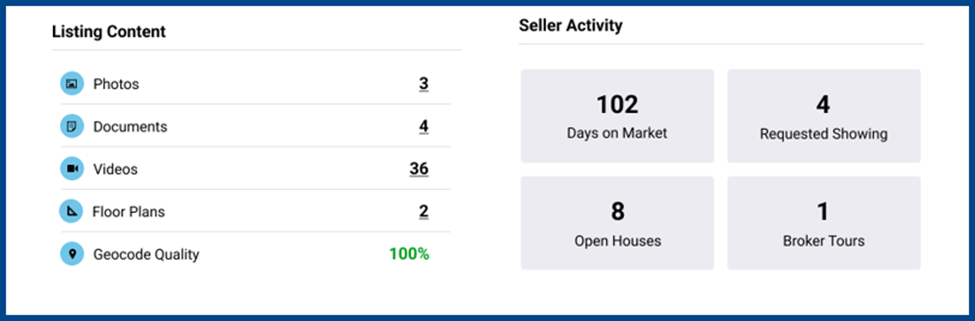
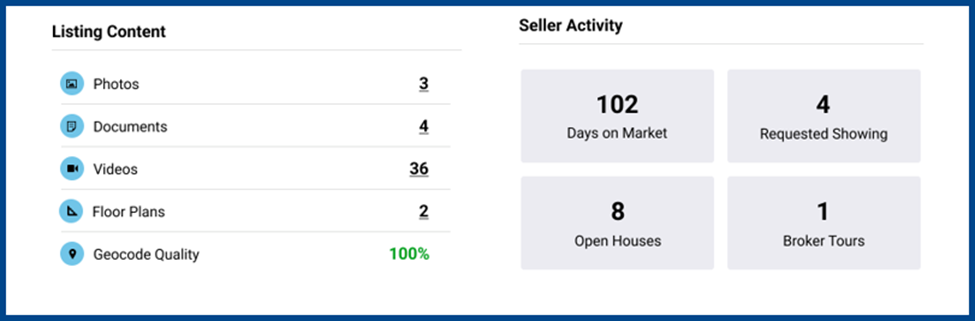
The Listing Content section provides a quick snapshot of all media and resources tied to the listing, including the Geocode Quality feature that shows how accurately a property’s location is displayed on the map.
The Seller Activity section tracks engagement with the listing with metrics such as Days on Market (DOM), Requested Showings, Open Houses, and Broker Tours.
Track Listing Views with Visual Insights
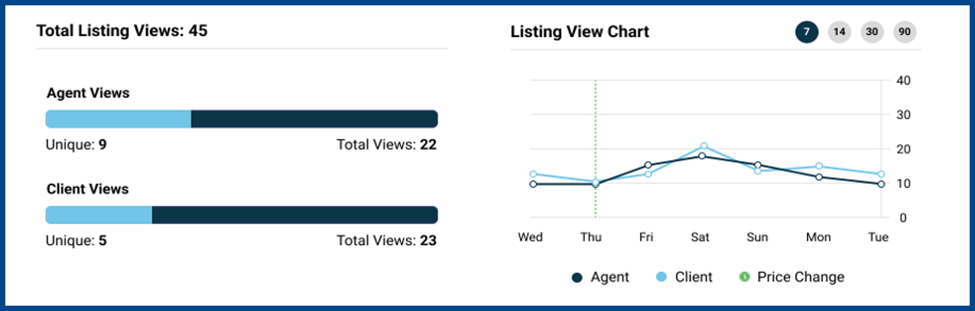
Total Listing Views displays the property’s combined number of client and agent views. Two graphs on the left break down unique and total views by audience, while the Listing View Chart on the right tracks viewing trends over the last 90 days with a dynamic line graph.
Track Prospect Interest and Saved Searches
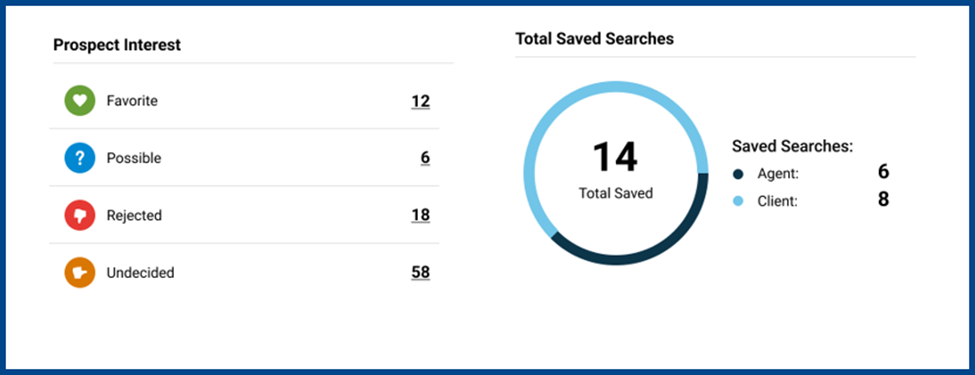
Prospect Interest categorizes buyer reactions into Favorites, Possibles, Rejections, and Undecided. Click on the count next to each reaction to open Reverse Prospecting and follow up with potential leads.
The Total Saved Searches chart on the right provides insight into buyer interest by showing how often listings appear in agents’ and clients’ saved searches.
Access Agent Details and Review Social Activity
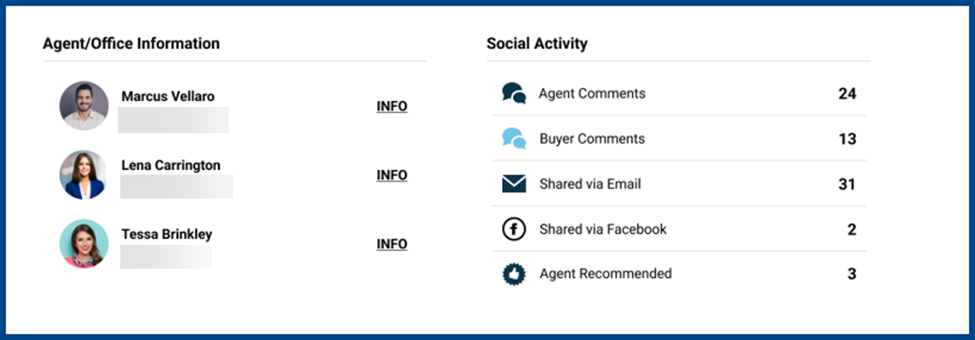
The Agent/Office Information section provides agents’ contact details. Click INFO next to their name to view their profile.
The Social Activity section monitors agent and buyer engagement using metrics such as comments, email shares, Facebook shares, and agent recommendations.
New Widget – ShowingTime Activity
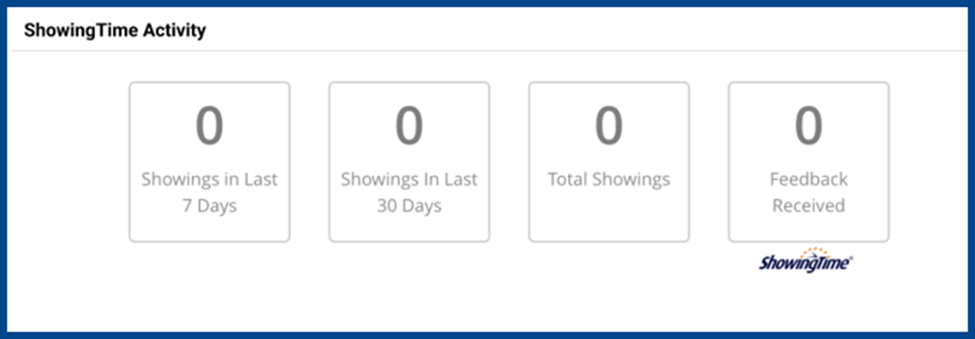
The new ShowingTime Activity widget displays clickable listing data and connects users directly to ShowingTime, the mobile tool for managing property showings.
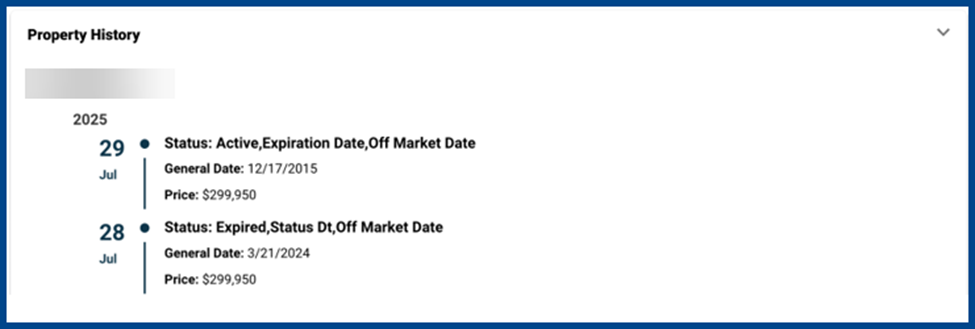
Property History
View a clear timeline of a property’s listing history.
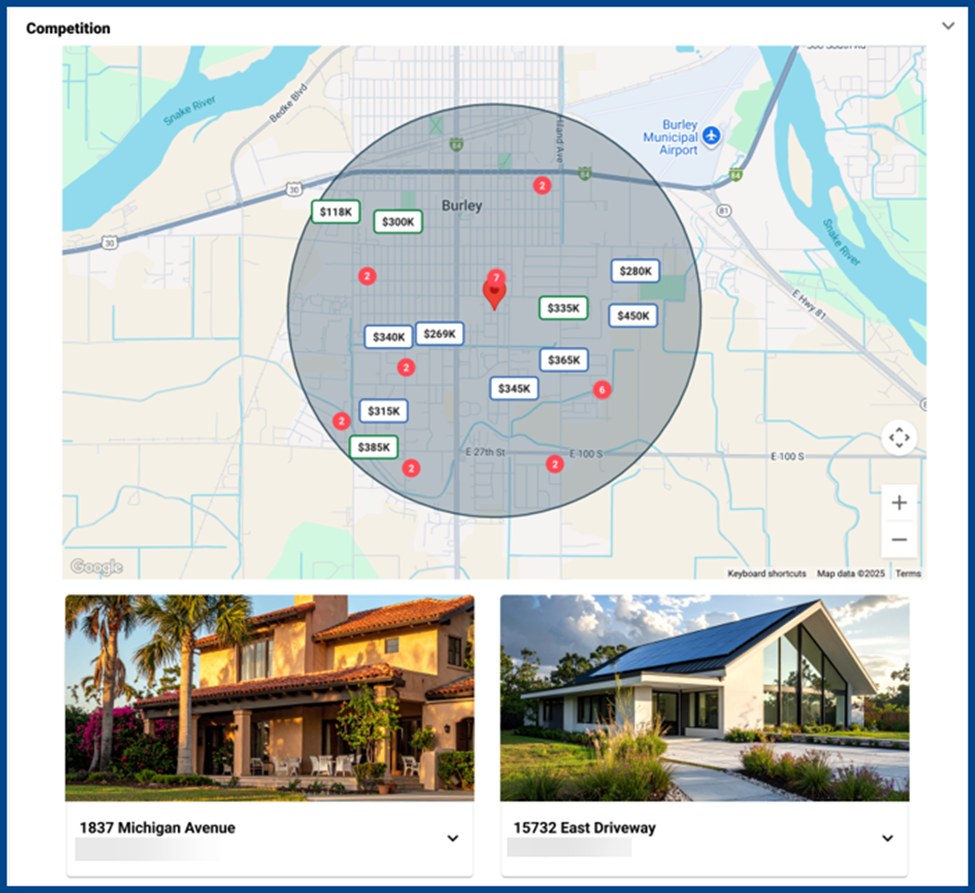
Competition
The Competition container displays comparable active listings located within a defined radius and filters them by criteria such as price, property type, and features. Each listing includes a property photo and summary for quick review.
Click on any property to open a full detail report.
See Below for a Sample Full Detail Report:
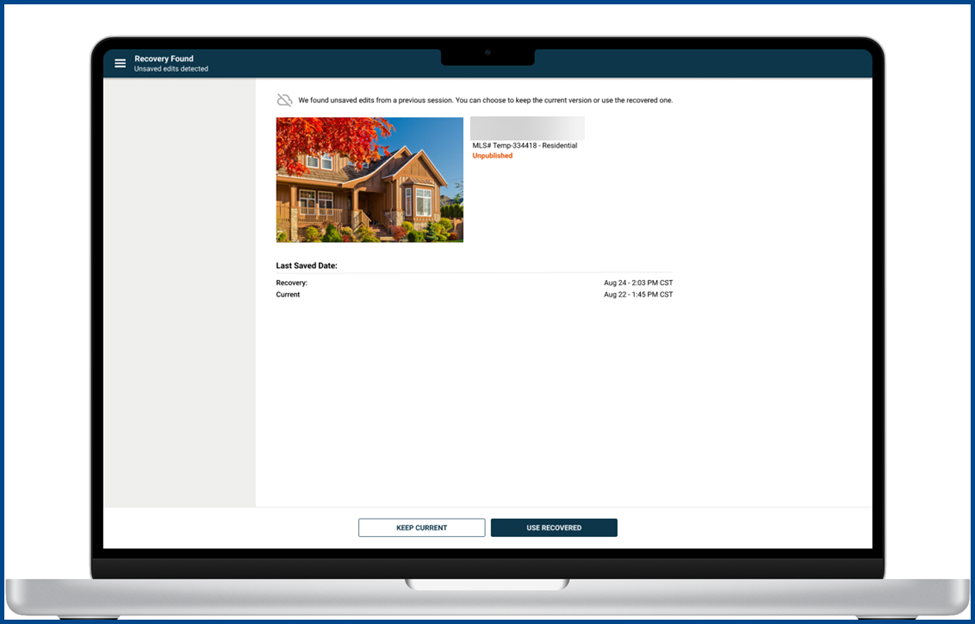
Auto Recovery for Published & Unpublished Listings
Auto Recovery is now available for saved partial and public listings.
The tool offers:
- Automatic backups every two minutes when editing a listing
- One unsaved revision stored per listing. If multiple people edit the same listing, the system will retain and present the most recent recovery.
If a recovery file exists for your listing, you’ll be directed to the Recovery Review Page before entering the listing form. From there, choose to apply or discard recovered edits before continuing.
Purge Alert for Unpublished Listings
Get alerts when an unpublished listing is scheduled for purging.
Alerts are triggered when:
- A listing was scheduled for purging within the past 7 days
- A listing is scheduled for purging within the next 1-7 days
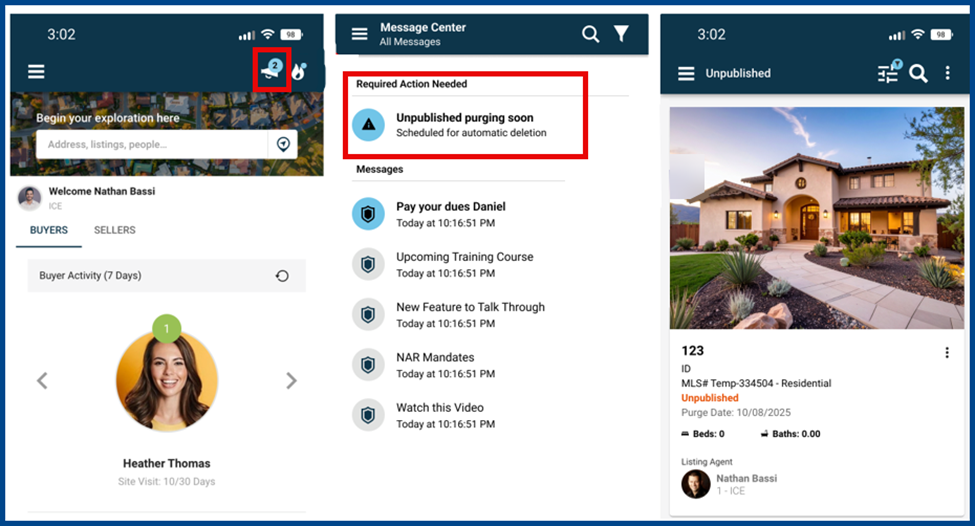
New Widget – Unpublished Purge Alert
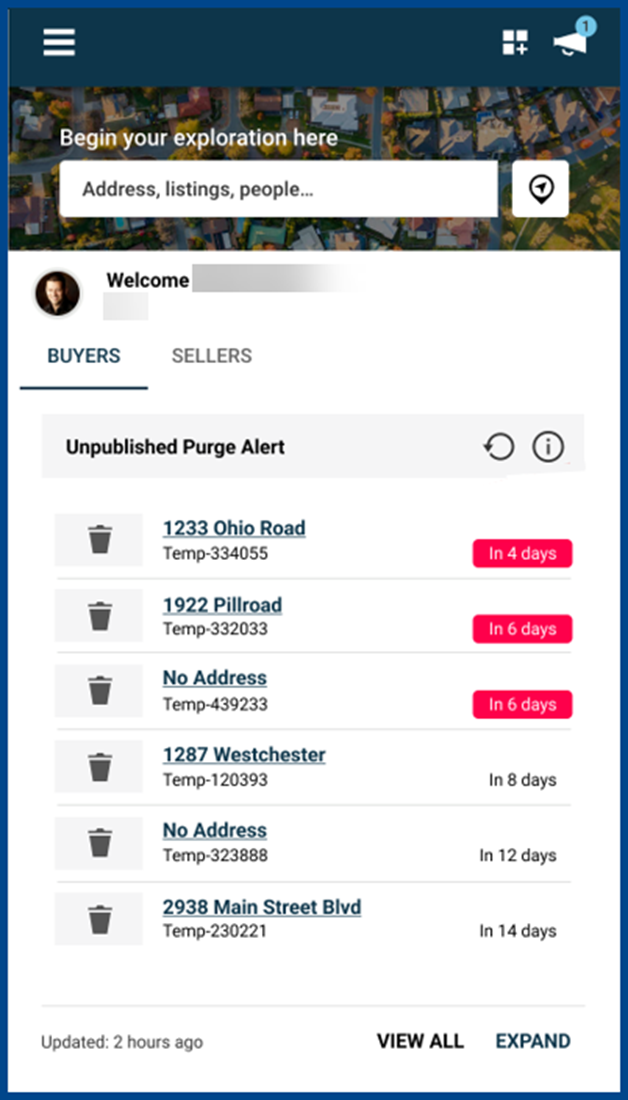
Easily manage unpublished listings with the new Unpublished Purge widget, now available from the homepage and Inventory Dashboard.
What it does:
- Displays all unpublished listings within your ownership scope
- Sorts listings by purge timing so the most urgent appear first
- Organizes listings by urgency with categorized alerts:
- Past-due Alerts: Triggered when a listing was scheduled for purging within the past 7 days
- Upcoming Alerts: Triggered when a listing is scheduled for purging within the next 7 days
- Future Notifications: Triggered when a listing is scheduled for purging more than 7 days from now
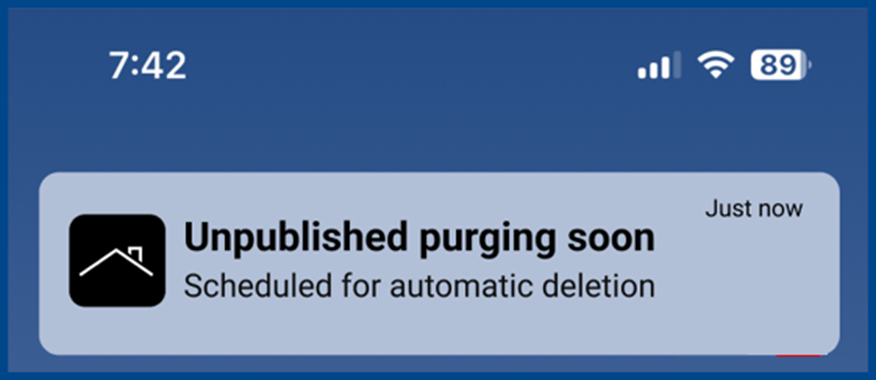
Unpublished Purge Alert – Push Notifications
On your mobile device, enable push in Paragon Connect to receive an alert before unpublished listings reach their purge deadline and are permanently deleted.
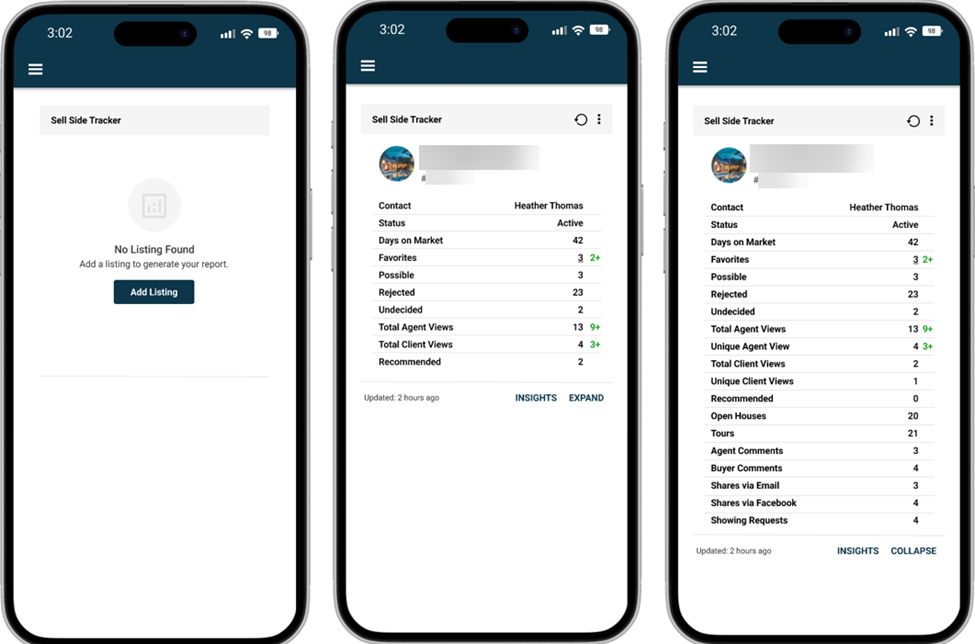
New Widget – Sell Side Tracking
The Sell Side Tracking widget is available from the dashboard and provides engagement metrics and detailed insights into new listing activity.
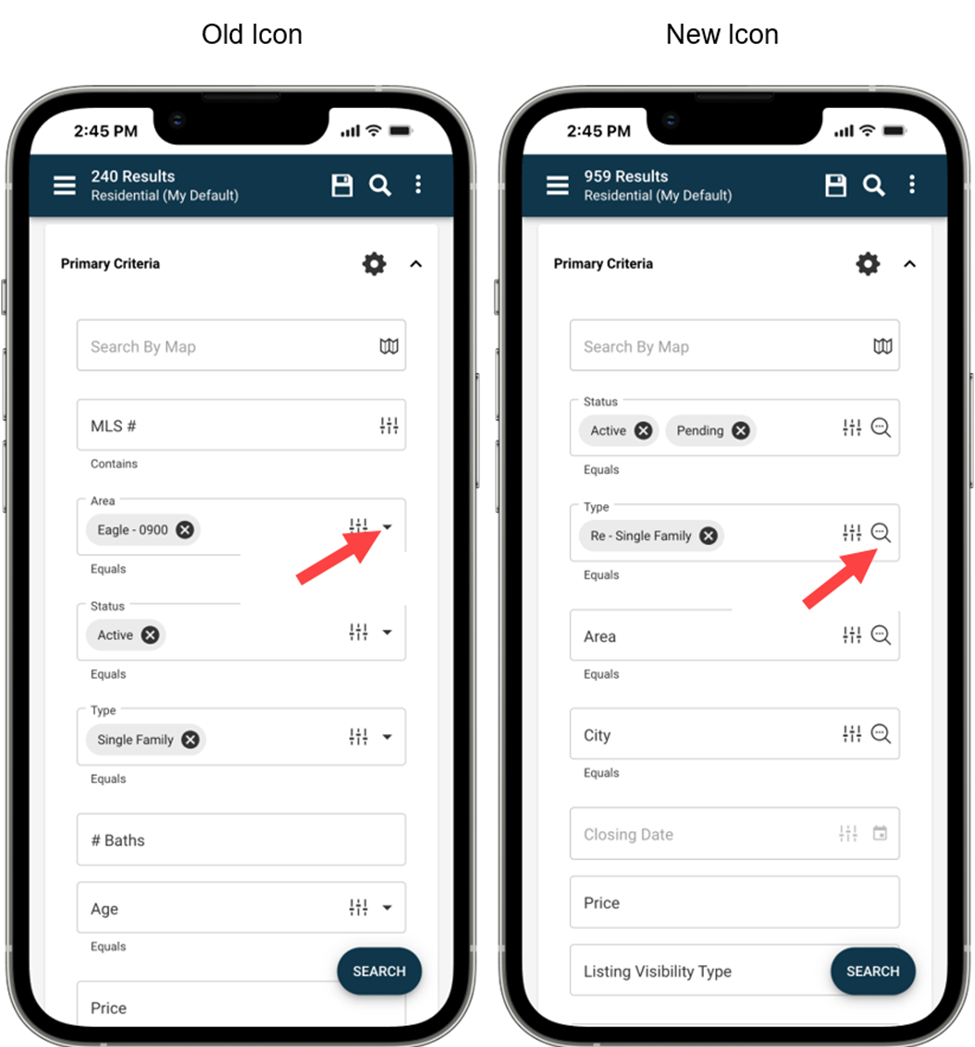
More Recognizable Icons for Opening Search/Listing Modals
The UI now has a magnifying glass icon to open modules, clearly distinguishing dropdowns from modals for advanced search or content selection.
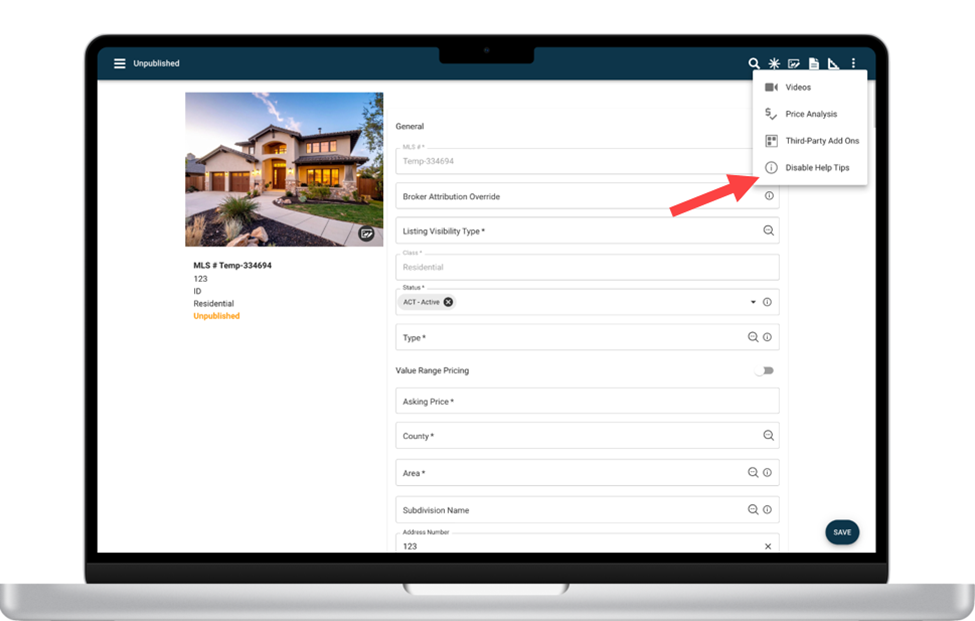
Disable Help Tips – Optional Setting for Faster Form Entry
There is now an option to disable Help Tips from the listing form’s overflow menu.
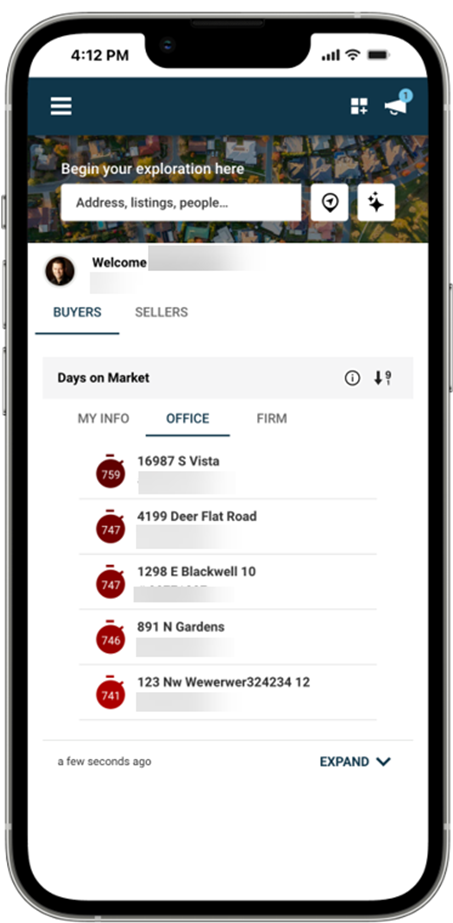
Days on Market Widget
The Days on Market widget is now accessible from the Main Dashboard and the Inventory Dashboard.
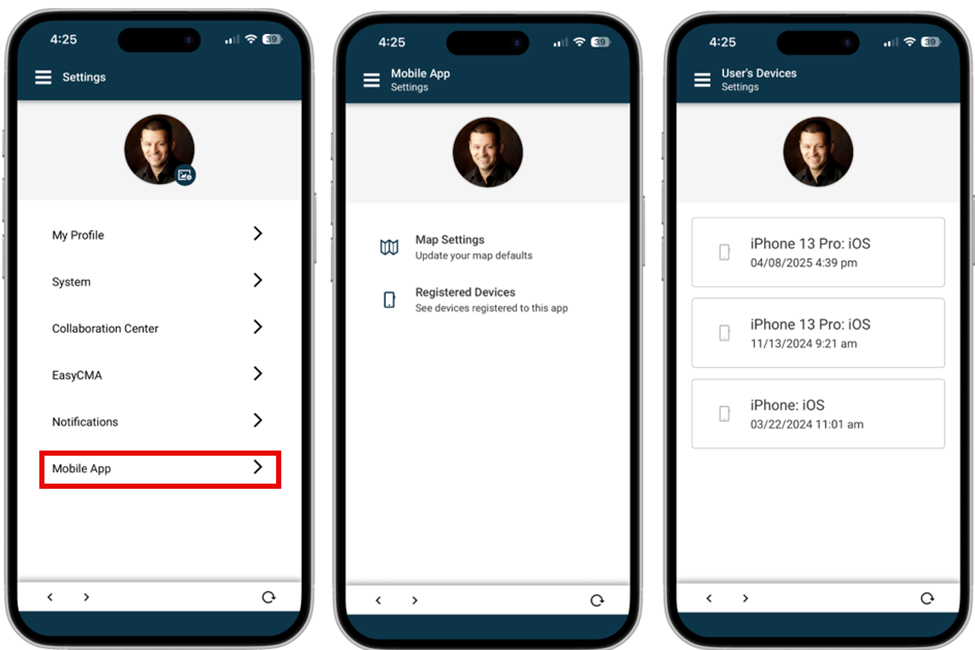
Mobile App Device Settings
Navigate to Settings > Mobile App to adjust map settings and view registered devices.
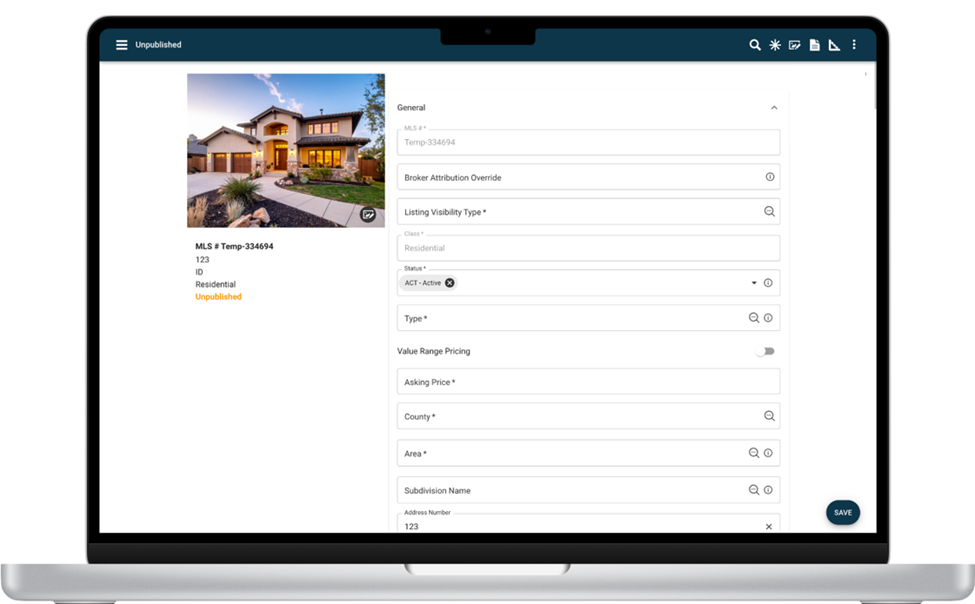
Listing Form Container Updates
Features include:
- All sections open by default: Containers automatically expand when creating or opening a listing
- Smarter search experience: When using the search bar, matching sections and fields appear as before. After exiting search, all containers reopen to avoid losing your place.
- Full user control while editing: Manually collapse or expand sections at any time to maintain a smooth workflow
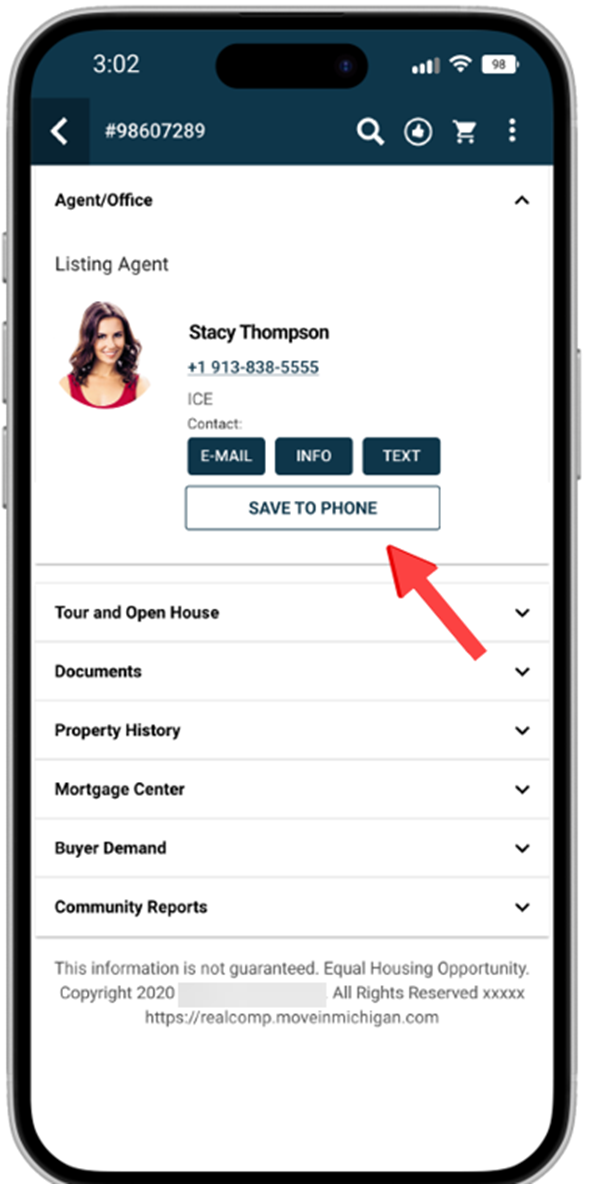
Save Agent Contacts to Mobile Device
Export an agent’s contact information from Paragon Connect straight to your phone’s contact list.
From the app, open the Listing Detail Report, scroll to the Agent/Office section, and tap on Save to Phone.
Note: This feature is available on mobile devices only.